

Issue:
Autodesk: When opening Autodesk products Error “Unable to connect to desktop licensing service”.
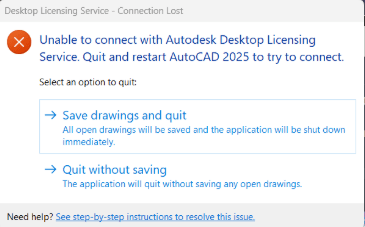
Figure 1
Causes:
Corrupted Visual C++
Solution:
Although there are other fixes for this issue. We have found recently Visual C++ 2012 forward have been corrupted.
- Right click the Windows Start Button.
- Select Installed Apps
- Scroll down to Microsoft Visual C++.
- Select Microsoft Visual C++ 2012 Redistributed (x64) and select the “…” to the right Select modify.
- Then on the dialog box select repair.
- Perform this for both x64 and x86 on 2012 forward.
Note: if one takes a long time this is normally the corrupted version.
About the Author
Follow on Linkedin More Content by Jeff Arbogast


