

Issue:
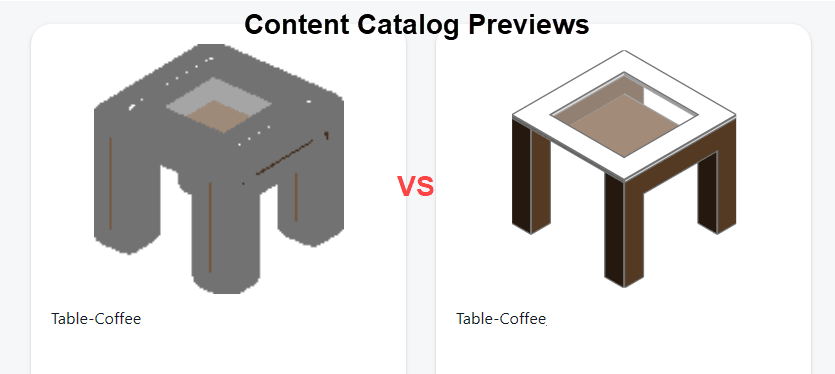
After uploading Revit families to Autodesk Content Catalog, the generated thumbnail previews may display excessively thick lines, making the family difficult to identify.
Causes:
The thumbnail preview generated by Content Catalog can be influenced by the lineweight settings assigned to the family category.
During testing, families with higher Model Line Weight values produced noticeably heavier preview graphics than identical families using smaller lineweight values.
Solution:
If Content Catalog thumbnails appear too dark or contain excessively heavy lines, review the family's lineweight settings before re-publishing. Reducing the assigned lineweight can significantly improve thumbnail appearance.
Reduce the lineweight assigned to the category used by the family:
-
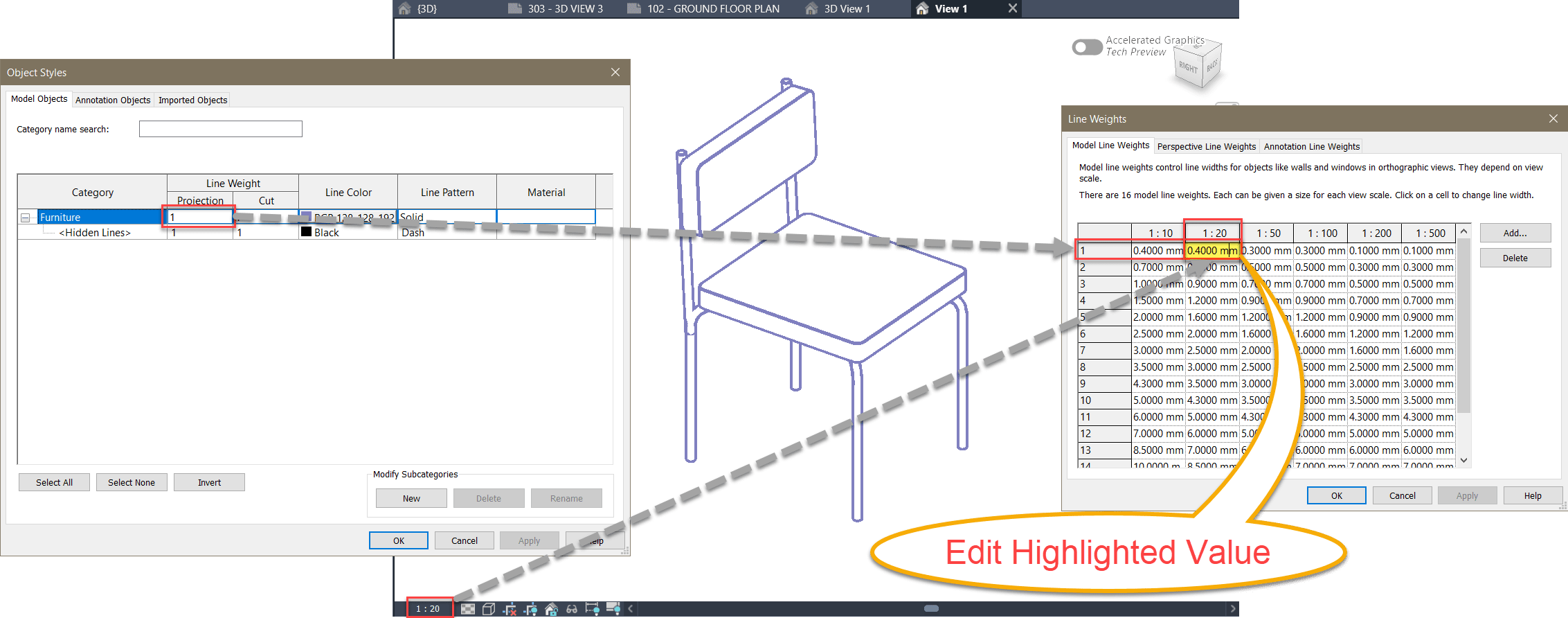
- Open the family (.RFA) file.
- Go to Manage > Object Styles.
- Note the category lineweight being used.
- Open Manage > Additional Settings > Line Weights.
- Reduce the lineweight value used by the Thumbnail Preview Source view.
Note:
Only the LineWeight value matching the current scale of the Thumbnail Preview Source view needs to be adjusted.
We found that values of 0.4 mm (0.0118") or less produced significantly cleaner results.
For bulk operations, you can use the 'Transfer projects Standards' tool to copy Line Weights settings to many families.
Important
This change only affects the appearance of the family and its generated thumbnail preview.
Once the family is loaded into a Revit project, the host model's Object Style and Lineweight settings will override the values stored in the family, meaning that project standards will remain unaffected.


