

Issue:
Content Catalog browser is not connecting to Revit.
Causes:
When a user opens Content Catalog from Revit, the Content Catalog browser shows that it is not connected to the current Revit project. This occurs because app permissions are not enabled in the settings.
Solution:
1. Open Content Catalog using the Chrome browser.
2. Open Web Access Settings.

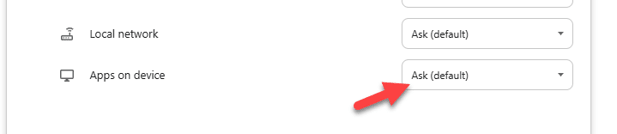
3. Set Apps on Device to Allow.
4. Close both the browser and Revit.
5. Reopen the Revit project and launch Content Catalog using Chrome.
About the Author
Follow on Linkedin More Content by Gregory Lee


