Very Small Text Plots Incorrectly in Civil 3D

January 19, 2026 Ryan Wunderlich

Applies to:
All Civil 3D Versions

Issue:
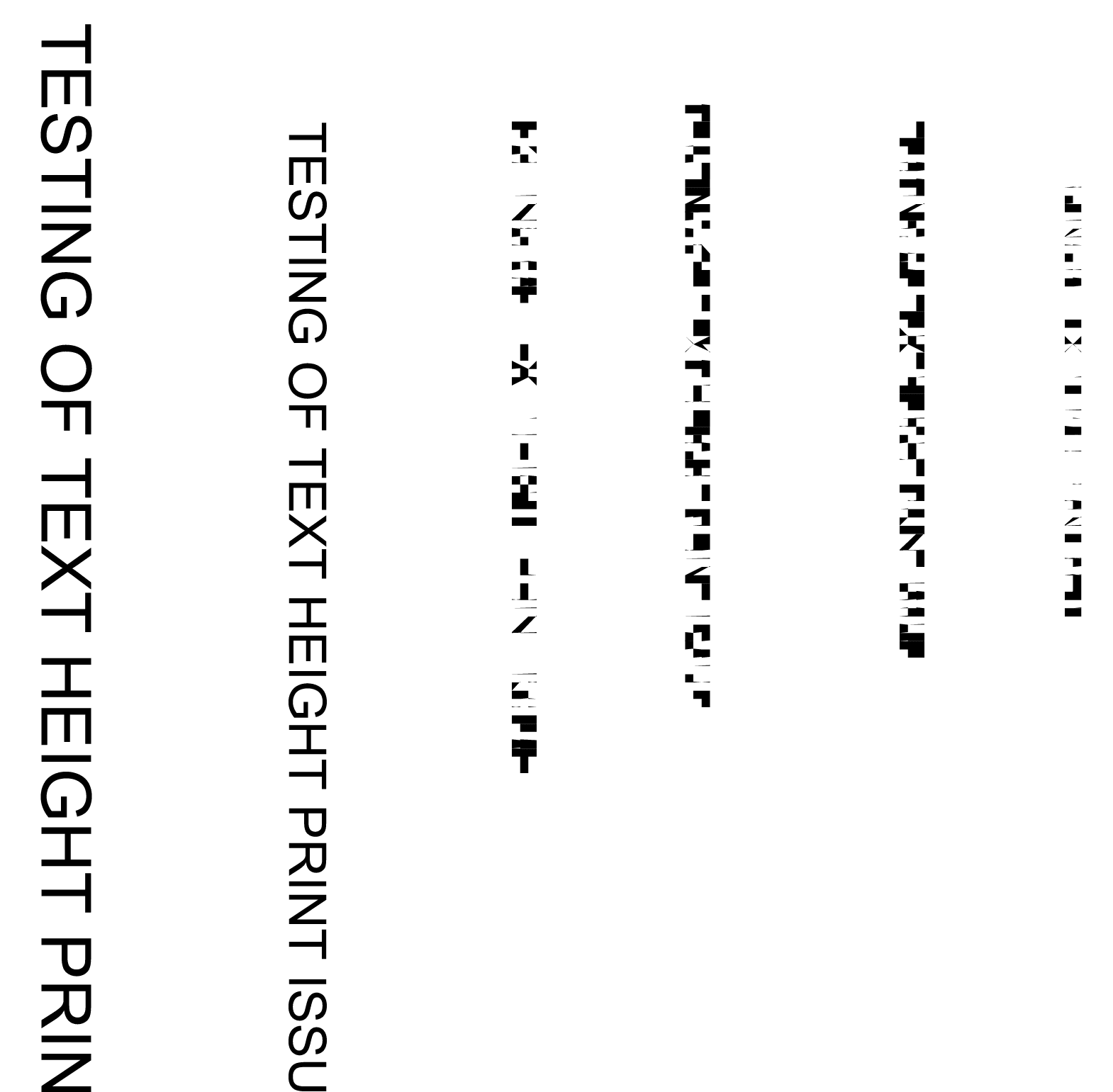
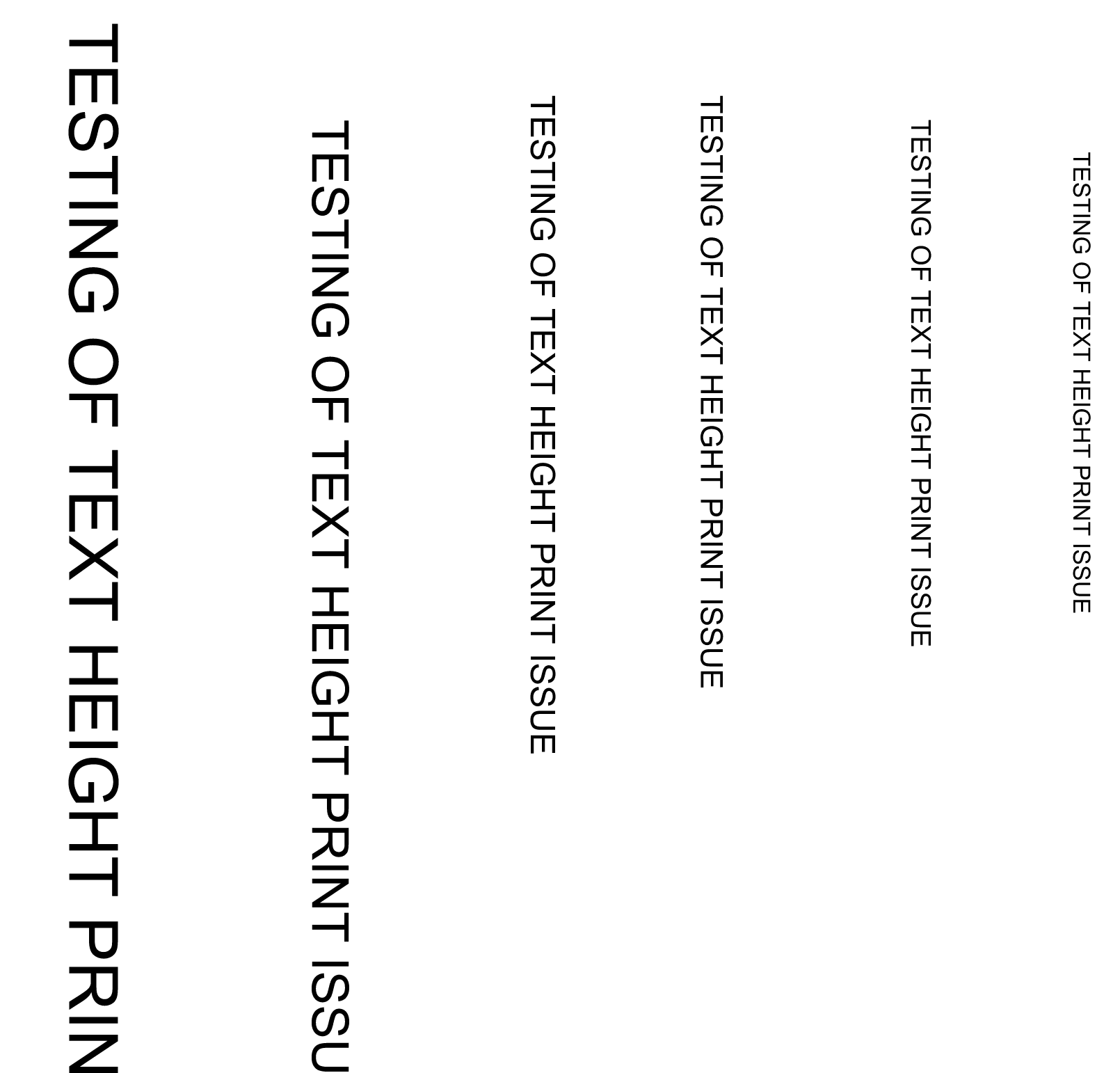
When plotting a PDF from Civil 3D, where text is below a certain text height (as displayed) and depends on drawing viewport scale, the text will no longer print correctly, but will instead revert to some strange looing elements.

Plotting to PDF in Civil 3D:
 

Plotting to PDF in AutoCAD:
 

Causes:
This is a known defect in Civil 3D.  The Autodesk defect number is: CPR-1225

Solution:
The only solution currently is to plot using AutoCAD or DWG TrueView, or change the text height to be larger until the issue goes away.

About the Author

Ryan Wunderlich

Support Team Manager - AEC Team<br><br>An AutoCAD Certified Professional, Ryan is responsible for taking client cases and assisting with issues with the software - everything from regular glitches to software deployments and whatever else goes wrong. He's proficient in AutoCAD-based software, Revit, Navisworks, 3ds Max, customization of software and deployments, LISP and VBA Coding

Follow on Linkedin More Content by Ryan Wunderlich
Previous Article
ACC:  Slow Performance on Mobile App?  Check Device Cover
ACC: Slow Performance on Mobile App? Check Device Cover

When attempting to use the ACC Mobile App in the field to access files, fill out forms, upload photos, etc....

Next Article
Plotting Defect in AutoCAD-based 2026 Products

There is a specific plotting behavior with the AutoCAD-based 2026 software when using anything but the stan...

×

Get Tips Delivered.

Subscribe to Email Updates.

First Name
Last Name
Country
Thank you!
Error - something went wrong!