

Issue:
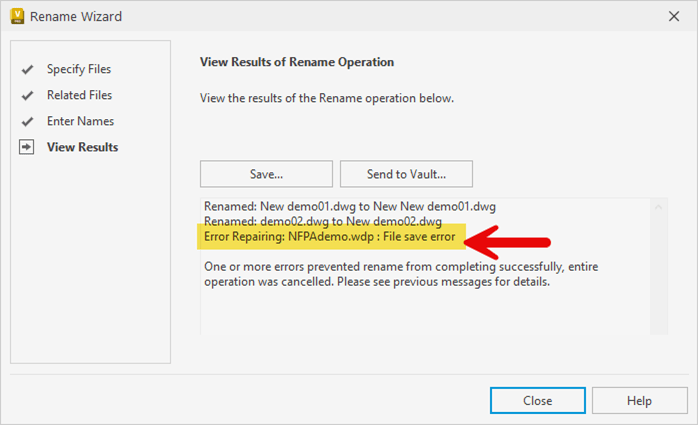
Renaming AutoCAD Electrical files, inside Vault using the “Rename” command, fails for some or possibly all users, with a “File save error” for the “WDP.”
Causes:
After working with our development team, they have found that Vault looks for a file called "AceWdpPatcher.dll" when renaming AutoCAD Electrical files in Vault. No one seems to be sure why, but when any 3rd party add-ins are installed (in this case, the Imaginit Vault Client Utilities), Vault is unable to find that file in the default location for the required file, even though the file is there and accessible.
Solution:
Our development team is investigating a way to update the Imaginit Vault Client Utilities to deal with the issue in a future update, but we cannot provide a timeline for that correction at this time.
In the meantime, we have found a viable workaround that you may use to restore functionality to the file rename of AutoCAD Electrical files in Vault while the Imaginit Vault Client Utilities are installed.
The work around is to copy the file mentioned above (AceWdpPatcher.dll) from this location (replace the “X” in each path with the release year matching your Vault Client):
"C:\ProgramData\Autodesk\Vault 202X\Extensions\ACADExtensionHandler"
to the following location:
"C:\Program Files\Autodesk\Vault Client 202X\Explorer\"
The main challenge to this workaround is that most users do not have the required permissions to write data to "C:\Program Files\", so you would most likely have to have an admin do it for them or push the data out via GPO or some other method.
About the Author
Follow on Linkedin More Content by Heath White


