

Applies to:
2024.1 Vault or later
Issue:
Way to retrieve iProperties from one drawing and insert into another.
Causes:
Need to add iProperties to Drawings.
Solution:
Retrieve iProperties from one drawing and populate them to another drawing. Start by opening a drawing that needs to be updated with the latest set of iProperties.
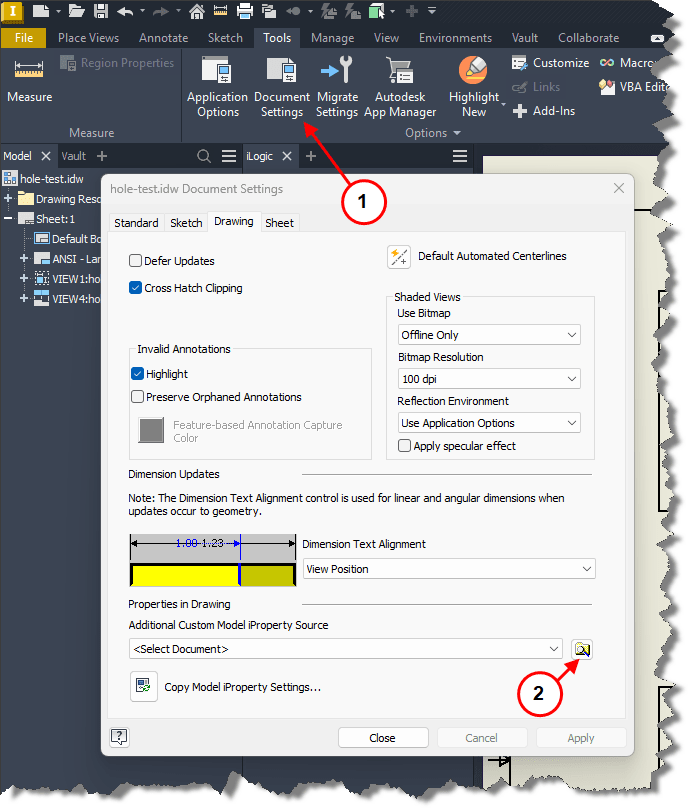
1. In the Drawing select Document Settings.
2. Select Browse Icon.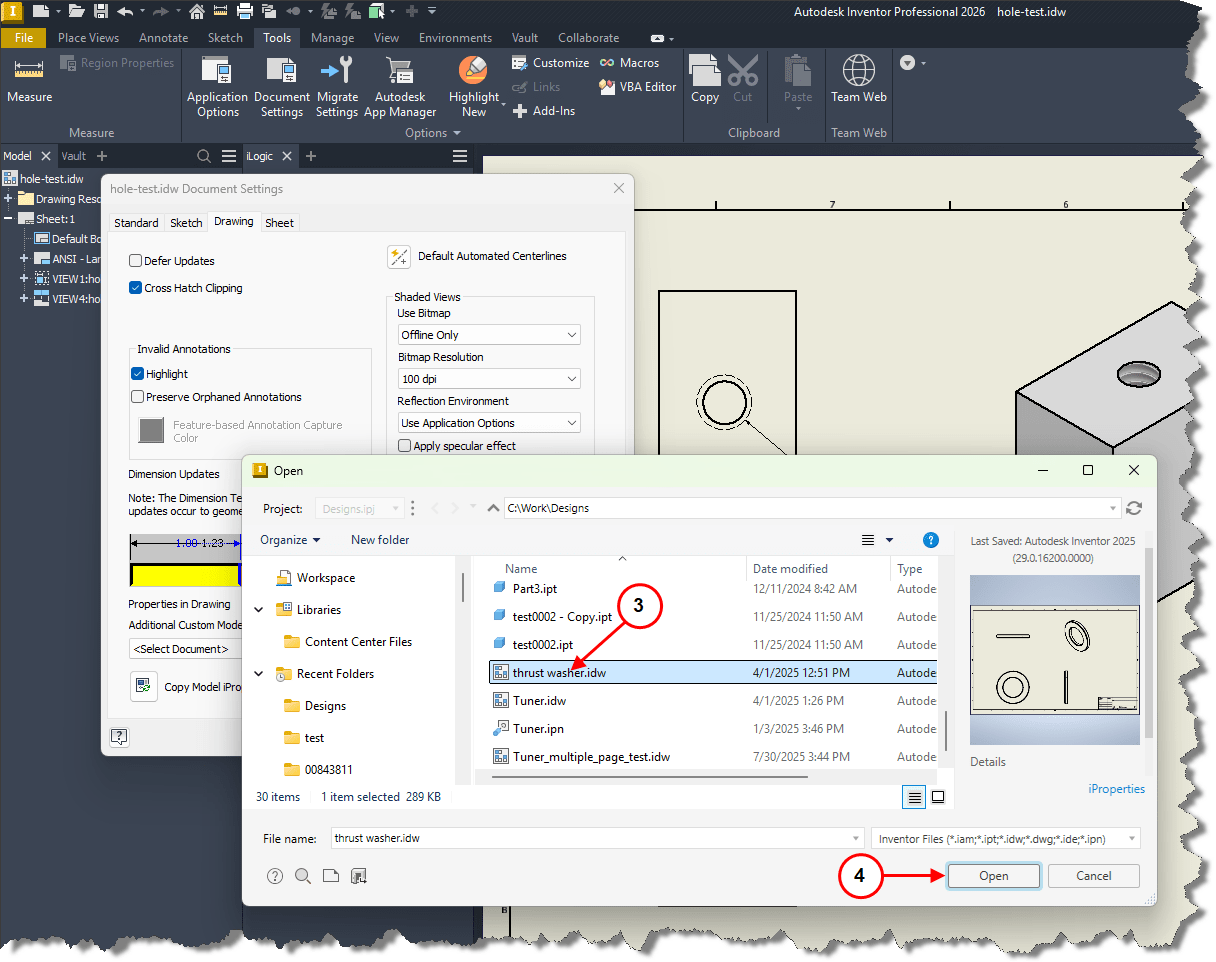
3. Select Drawing to extract iProperties from.
4. Select Open.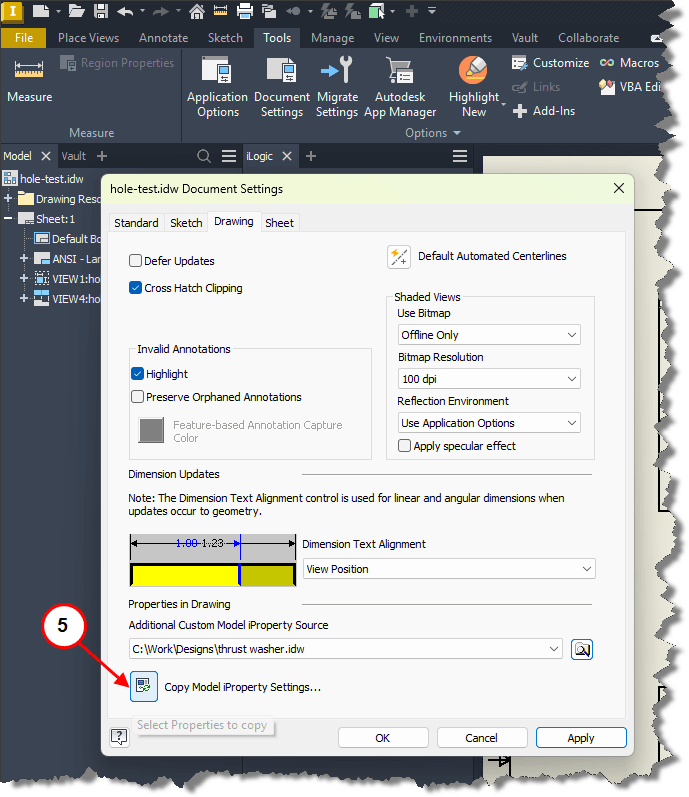
5. Select Copy Model iProperty Settings Icon.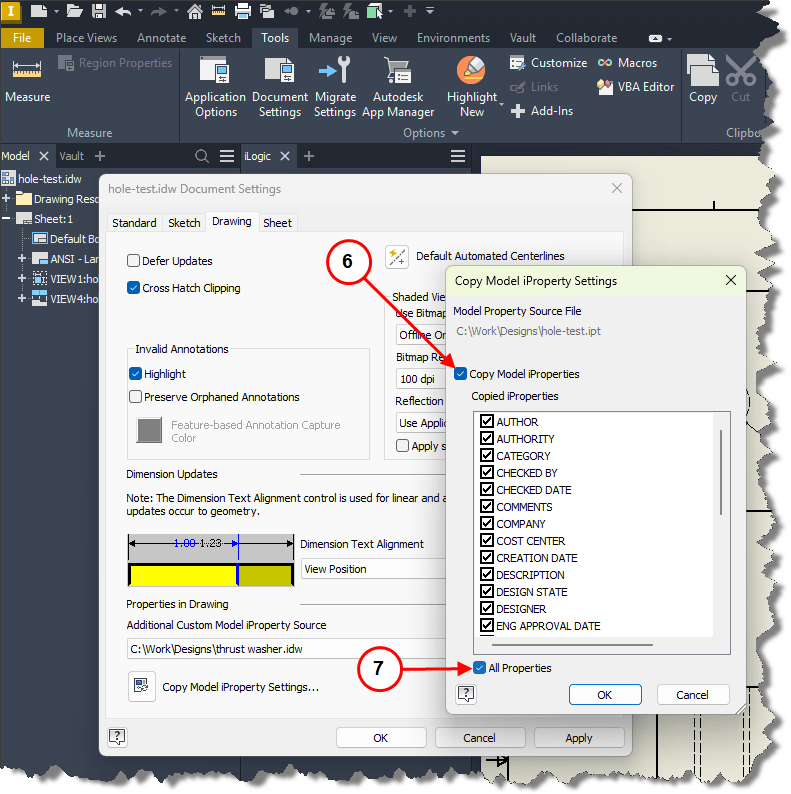
6. Select Copy Model iProperties, allows selection of properties.
7. Selecting All Properties will automatically select all available iProperties.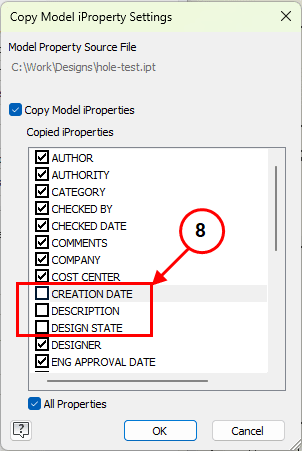
8. Holding the CTRL key will allow to deselect properties.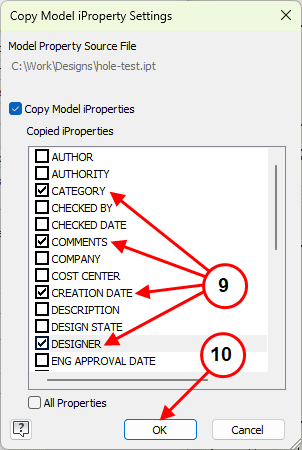
9. With Copy Model iProperties selected, individual Properties can be selected.
10. Select OK.
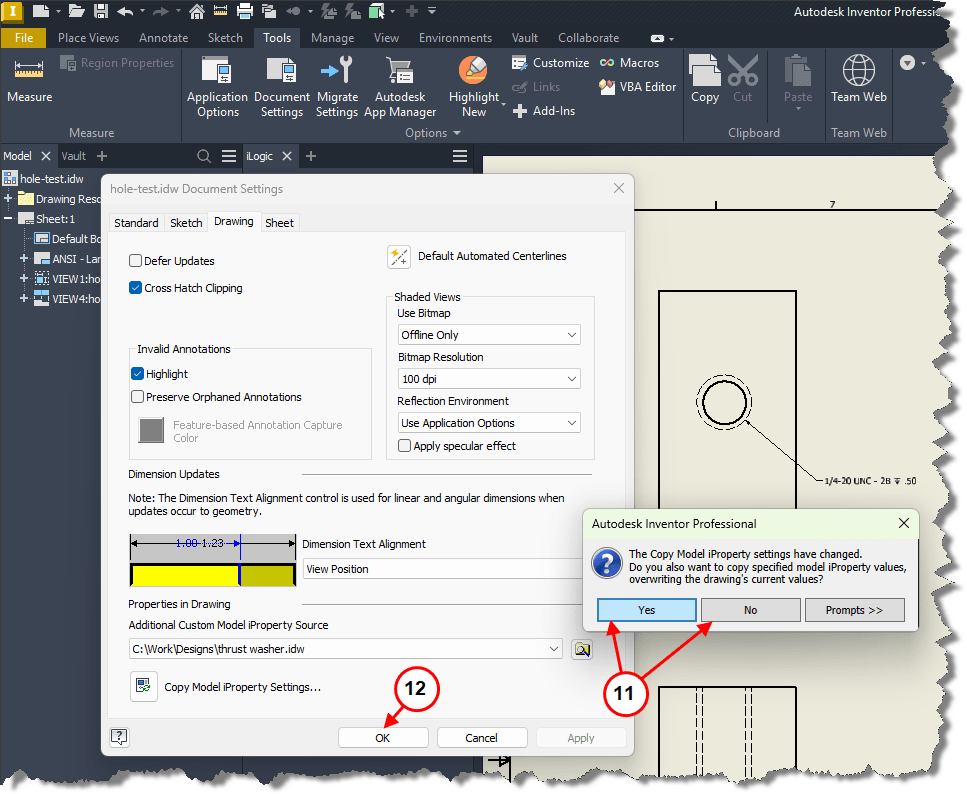
11. Select Yes or No depending on requirements.
12. Select OK.


