

Applies to:
New for 2026 Vault
Issue:
Automated way to disable a user account by Date.
Causes:
User accounts are not disabled when no longer being used.
Solution:
Setting a disabled date on a user profile ensures access is denied once date is reached.
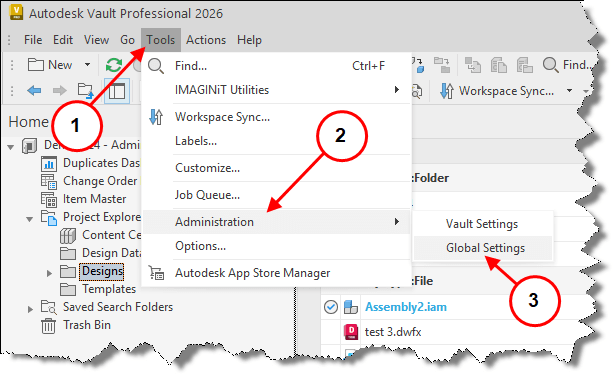
1. Select Tools.
2. Select Administration.
3. Global Settings.
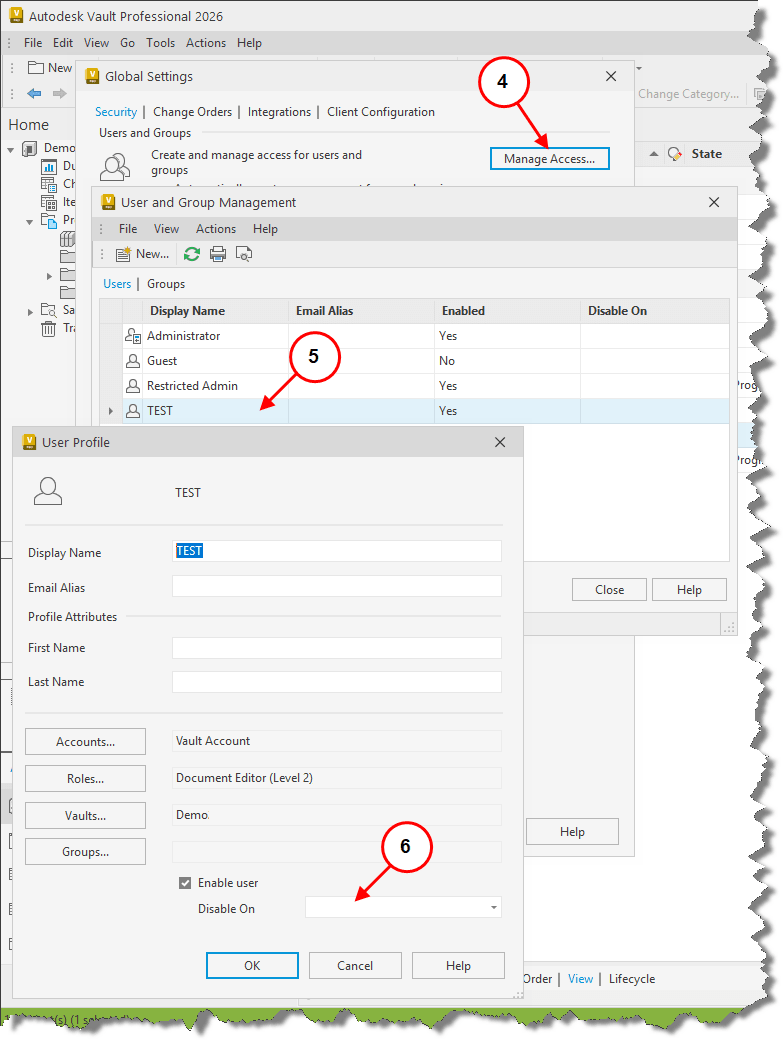
4. Select Manage Access.
5. Select the user account to be modified.
6. Select Disable On field drop down.
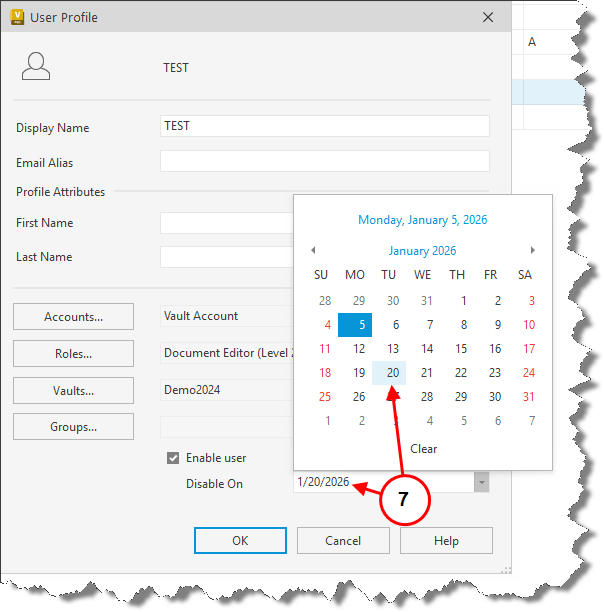
7. Select disable date on Calander.
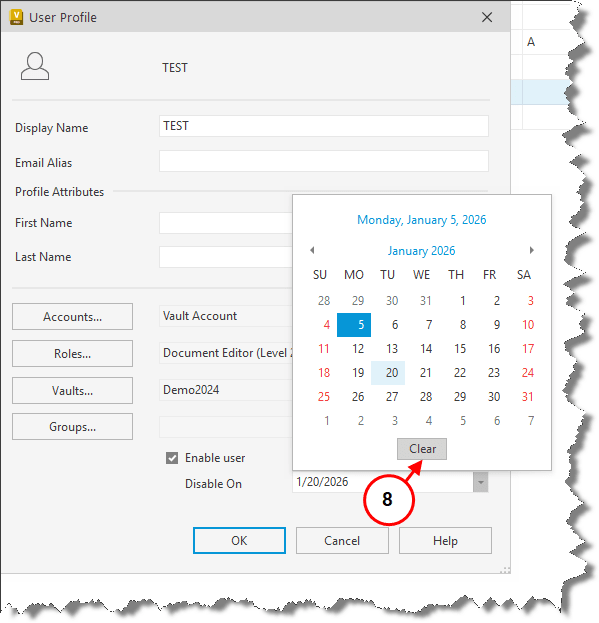
8. Select Clear to remove any Disable On dates.
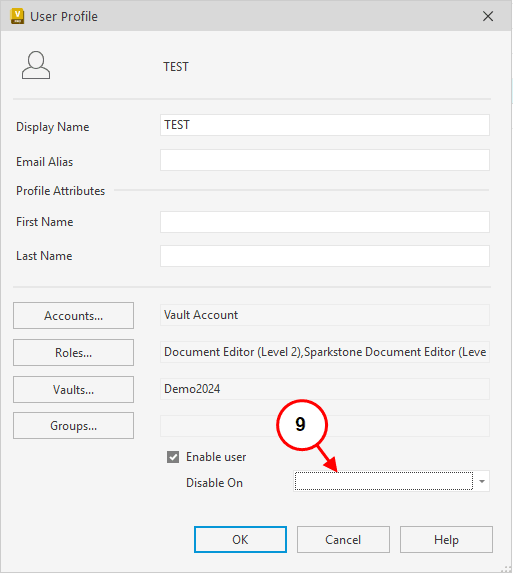
9. Disable On field date is cleared.


