

Applies to:
All AutoCAD-based Products
Issue:
You are plotting drawings that have OLE objects, and the plots with the OLE objects are either missing or poorly represented
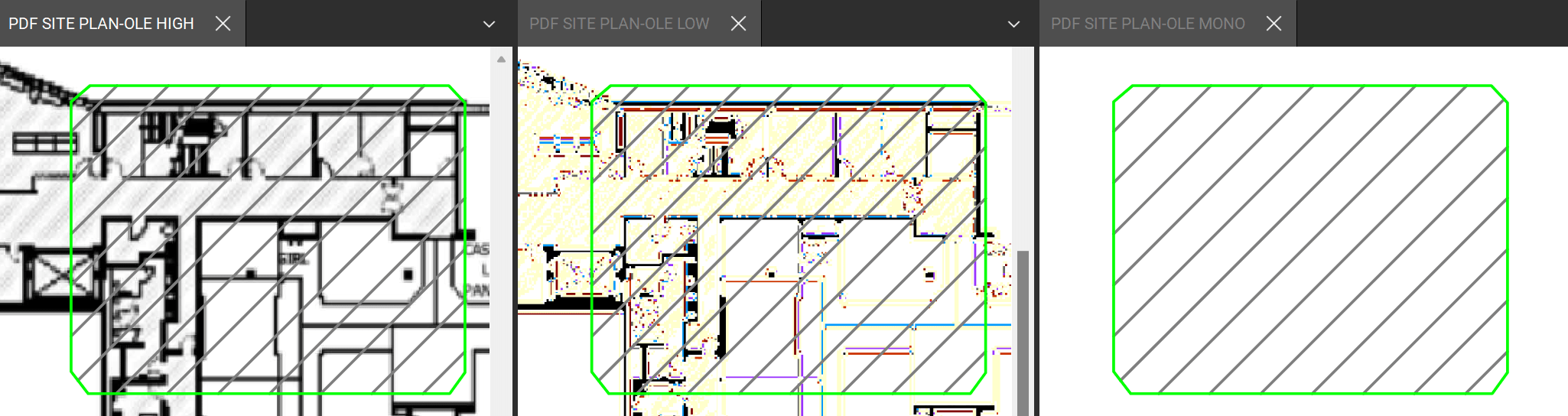
This can occur with all PDF printers, including the built-in AutoCAD ones.
Causes:
This problem is specific to the OLE and the difference in resolution / color mapping between the source image pasted in as an OLE and AutoCAD plotting resolution
Solution:
You will need to adjust the Plot Quality of the OLE, and test until you have one that works.
There are three options for OLE objects:
• Monochrome - (e.g. spreadsheets)
• Low Graphics - (e.g. color text and pie charts)
• High Graphics - (e.g. photographs)
Click on the OLE object in the drawing, then in the Properties Palette, change the Plot Quality
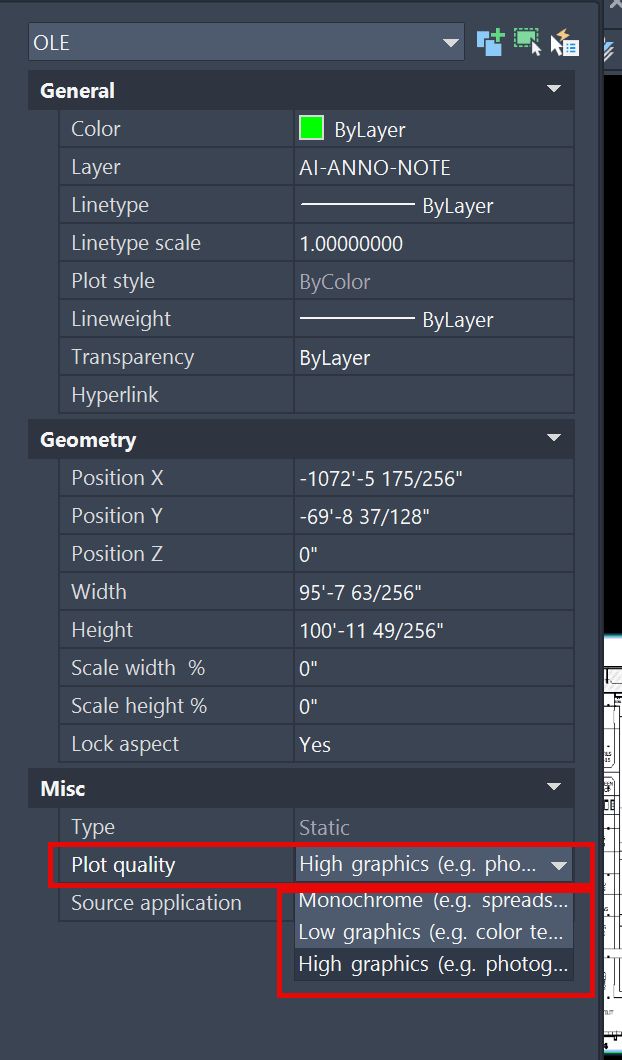
In the example in the issue section above, to correctly plot that OLE, it must be set to High Graphics
You will need to test with each one until you have one that gives you the best results
About the Author
Follow on Linkedin More Content by Ryan Wunderlich


