

Applies to:
All Civil 3D products
Issue:
When importing XML files, they do not come in properly
Causes:
This problem is triggered by the units of the exported XML and the units set in the DWG file you are importing into
Solution:
When importing an XML, you need to pay attention to the linearUnit: in the dialog box:
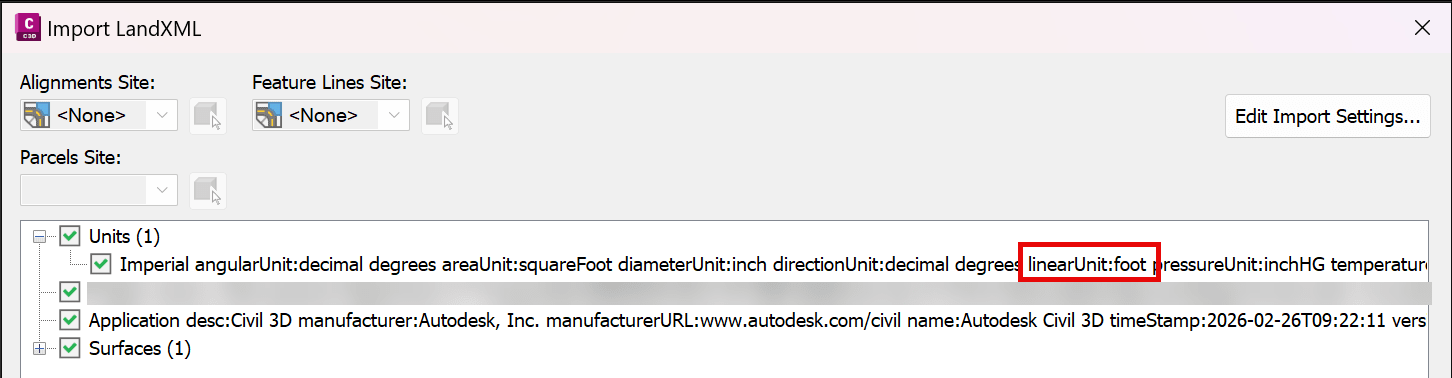
Or
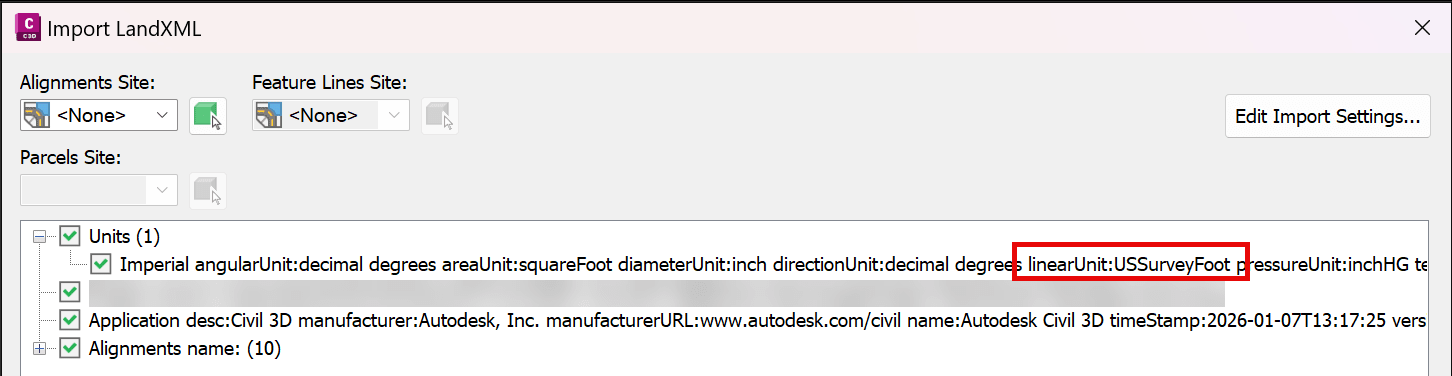
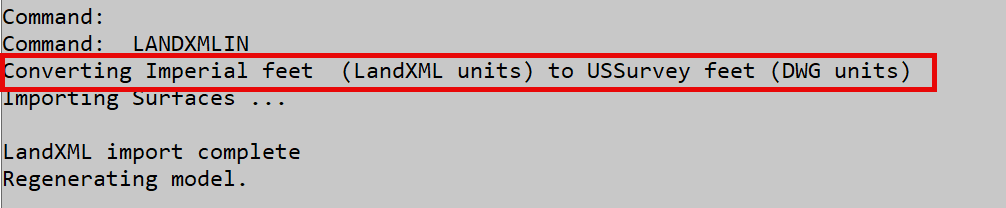
If the XML file was exported as foot, and you import that into a geolocated file (US Survey feet), or import a US Survey foot into an International Foot based drawing, in the command line you can see that transformation is occurring:

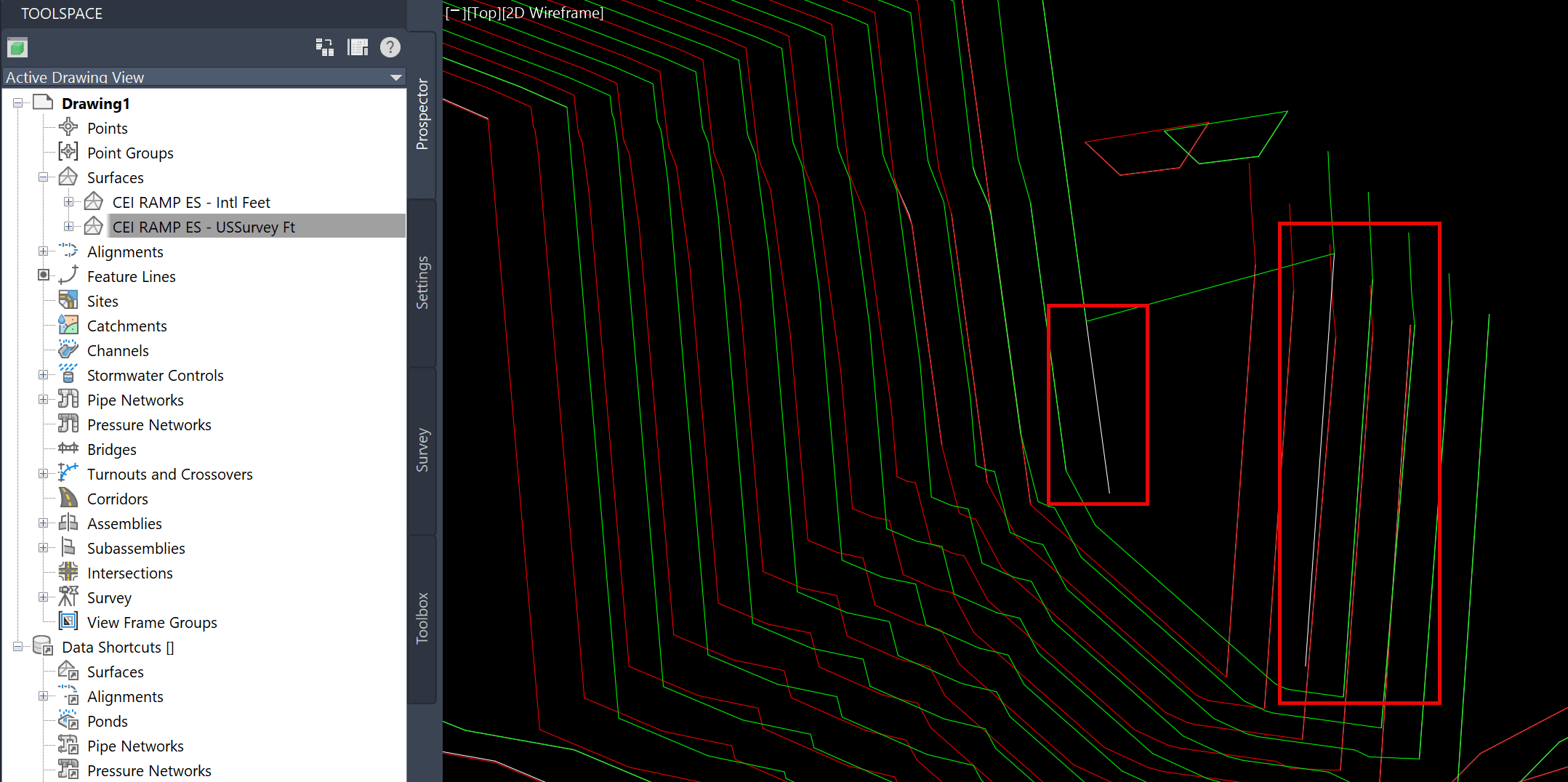
That will cause a shift in the geometry that is imported:
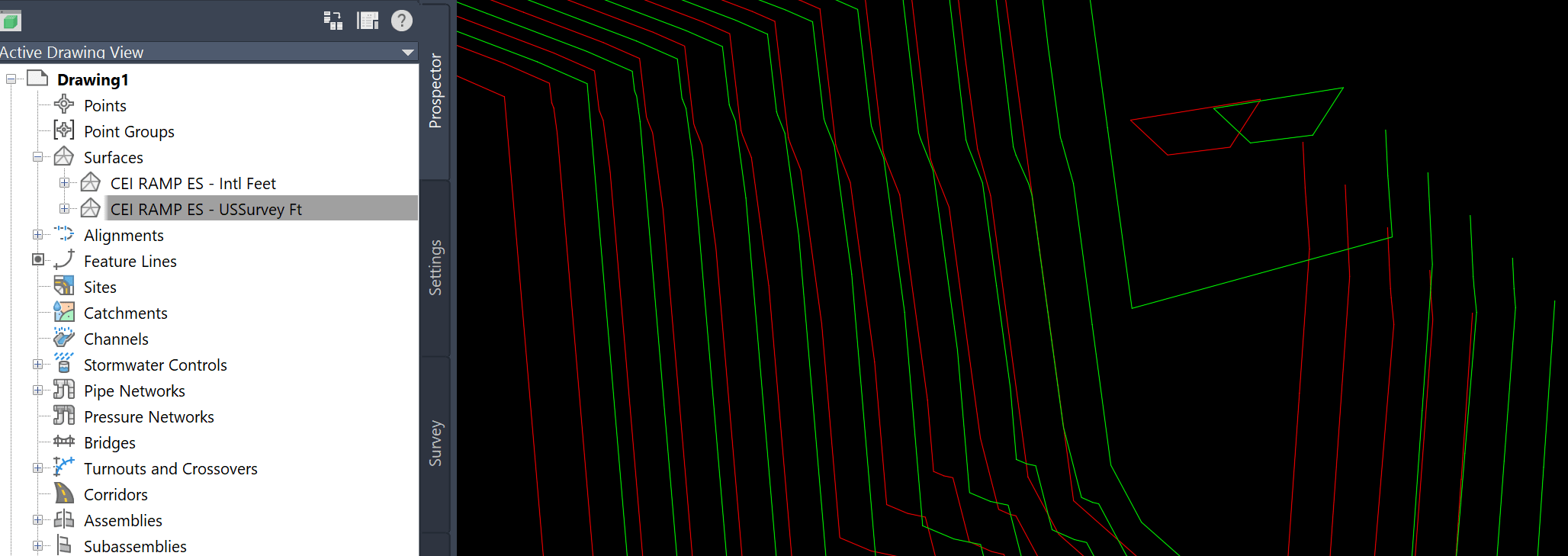
In addition, if there are breaklines or other surface data in the file, it will not be processed correctly into the surface, but will be drawn in (making the surface not exactly the same as what was exported):
To prevent this shift from occurring, it’s best to import into a drawing with the same units set up, and if that surface is needed, you will need to Externally Reference (XREF) the drawing into your file or Data reference the imported XML data and Data Reference it into the drawing with the correct units set and promote it.
About the Author
Follow on Linkedin More Content by Ryan Wunderlich


