

Issue:
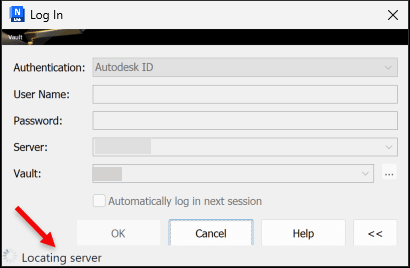
Navisworks Manage 2026 cannot connect to Vault 2026 using 'Autodesk ID' authentication.
The Log In window remains stuck at 'Locating Server' :
Cause:
Incorrect Autodesk.Connectivity.IDServicesWrapper.dll file.
Solution:
Get the correct version of this file "C:\Program Files\Autodesk\Navisworks Manage 2026\Autodesk.Connectivity.LicenseWrapper.dll" from Autodesk or contact Imaginit support.
Or add the 'Vault Account' authentication method to the user's account: https://help.autodesk.com/view/VAULT/2026/ENU/?guid=GUID-3EFC6249-BF3F-4787-9842-3D12DB502E14
-
- Use this method to log into Vault in Navisworks Manage 2026: https://www.autodesk.com/support/technical/article/caas/sfdcarticles/sfdcarticles/Vault-Add-in-for-Navisworks-Manage-hangs-during-Autodesk-ID-sign-in.html
About the Author
More Content by Joanna Gryszka


