

Issue:
In Inventor 2026 and newer, the File Open and Save dialog boxes have been updated.
How do you switch between project and Windows explorer file browsing?
Solution:
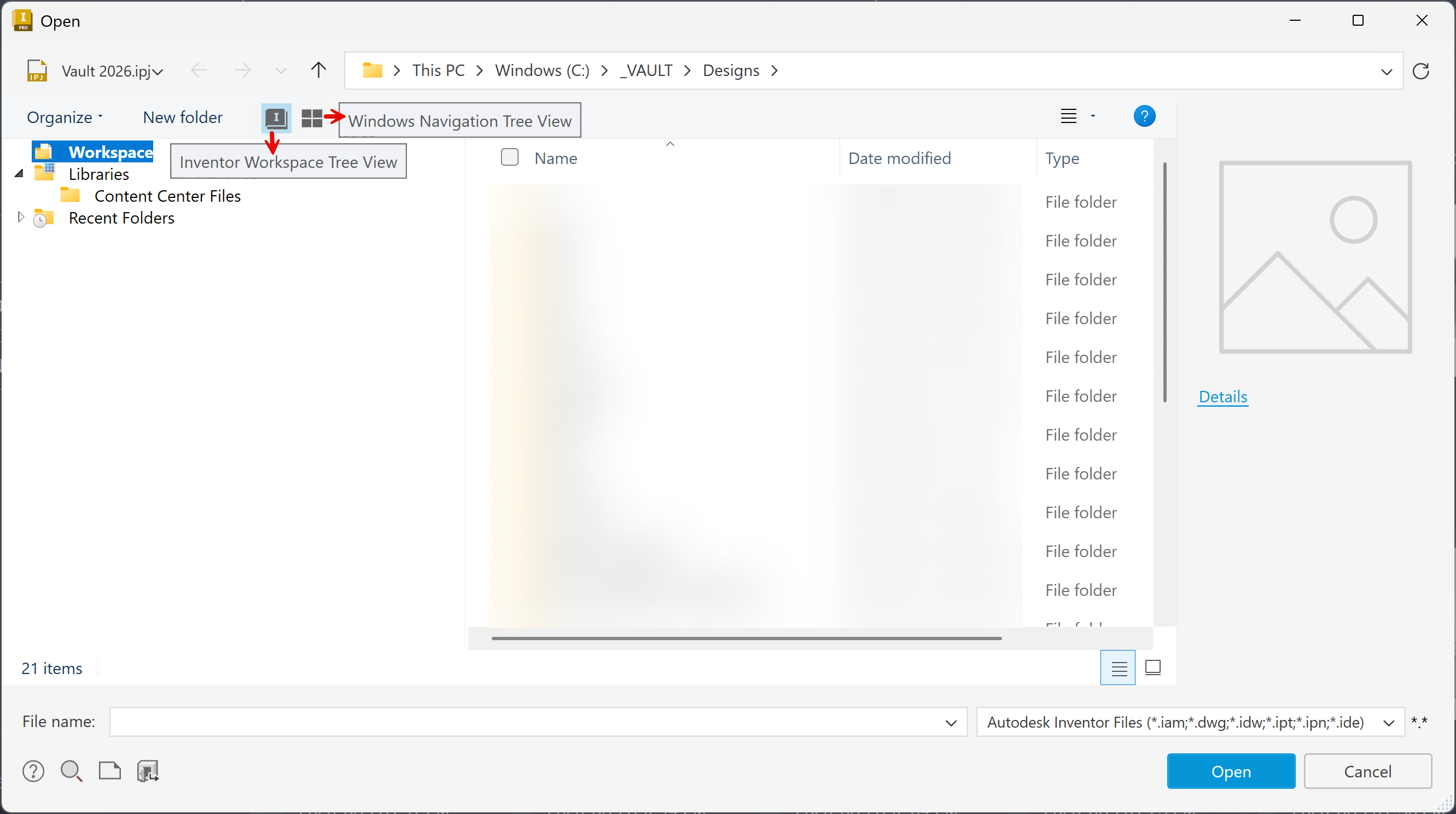
In Inventor 2026.1 and newer you can switch between these two views at the top left of the Open(or Save) dialog box.
Show the Workspace and library view or the entire Windows File Explorer tree.
- Workspace Tree View
- Windows Navigation Tree View
To open the Projects dialog box:
- From the Open dialog box: https://resources.imaginit.com/support-blog/inventor-2026-open-project-settings
- From the Home tab: https://resources.imaginit.com/support-blog/inventor-2023-project-file
About the Author
More Content by Joanna Gryszka


