

Issue:
How do you access the Projects dialog box in the Inventor file Open dialog box in 2026.
There's no Projects button at the bottom right.
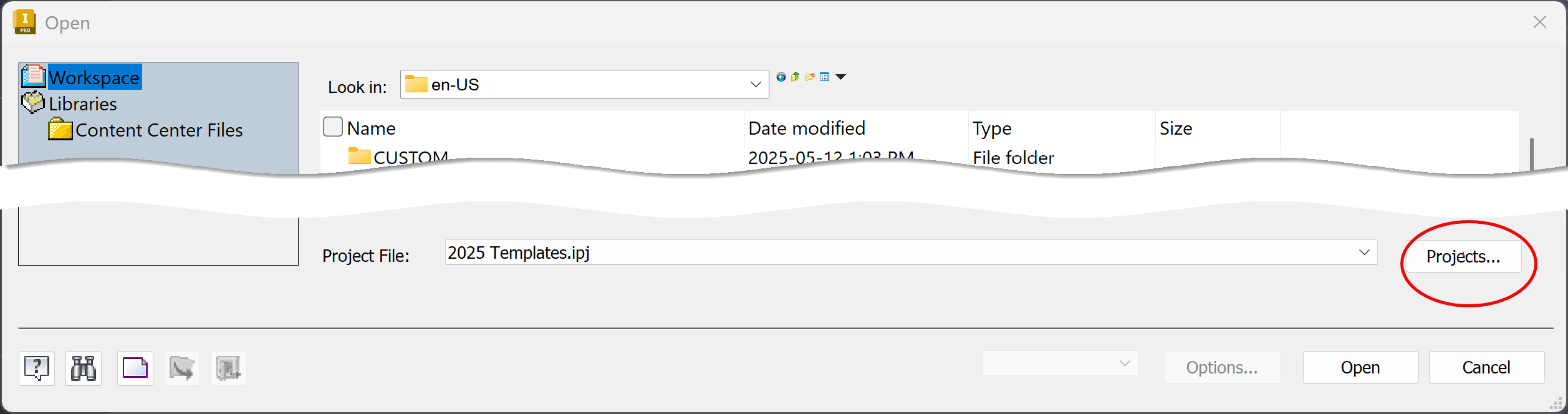
Solution:
In Inventor 2026 open the Projects from the IPJ icon at the top left of the Open dialog box. This is part of the Open and Save enhancements:https://help.autodesk.com/view/INVNTOR/2026/ENU/?guid=INV2026-SAVE-ENHANCEMENT
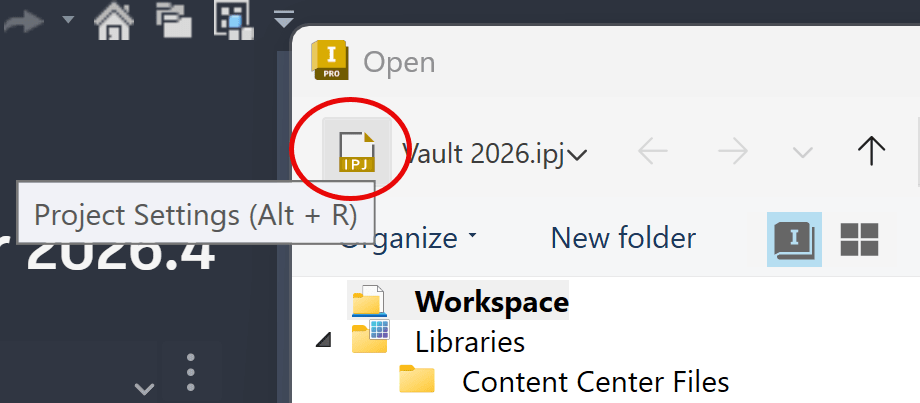
Or to open Projects from the Home tab, use the Project and Settings button: https://resources.imaginit.com/support-blog/inventor-2023-project-file
About the Author
More Content by Joanna Gryszka


