

Issue:
Adding a Finish Appearance feature to an iPart doesn't always apply the chosen finish to the instance.
Also when the iPart is placed in the assembly, the Finish appearance may not be applied.
Cause:
Autodesk is investigating a cause logged in this article:
Solution:
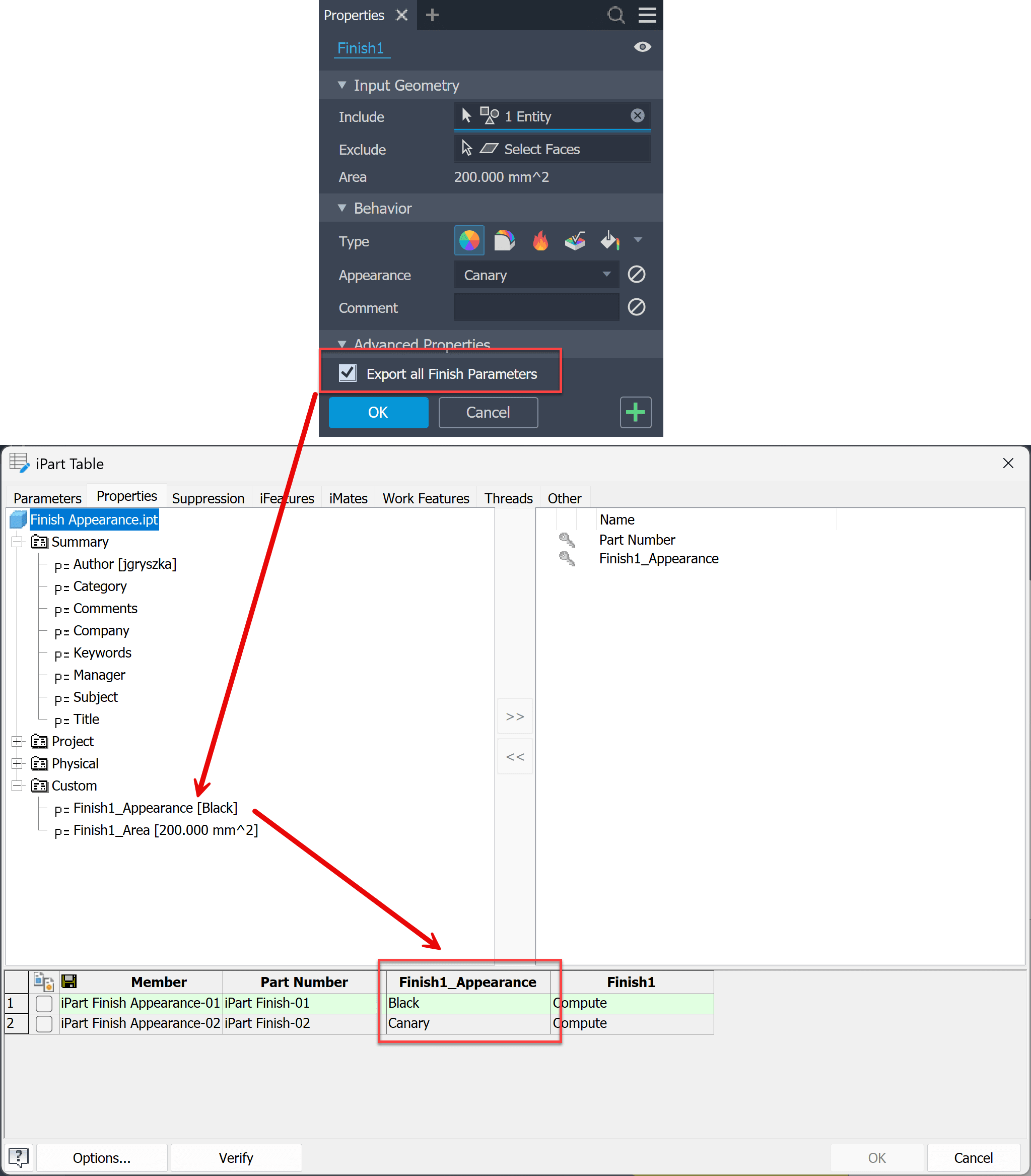
- In the Finish feature, select the 'Export all Finish Parameters' option.
- In the iPart table, include the custom property 'Finish_Appearance' and assign appearance values in the table cells:
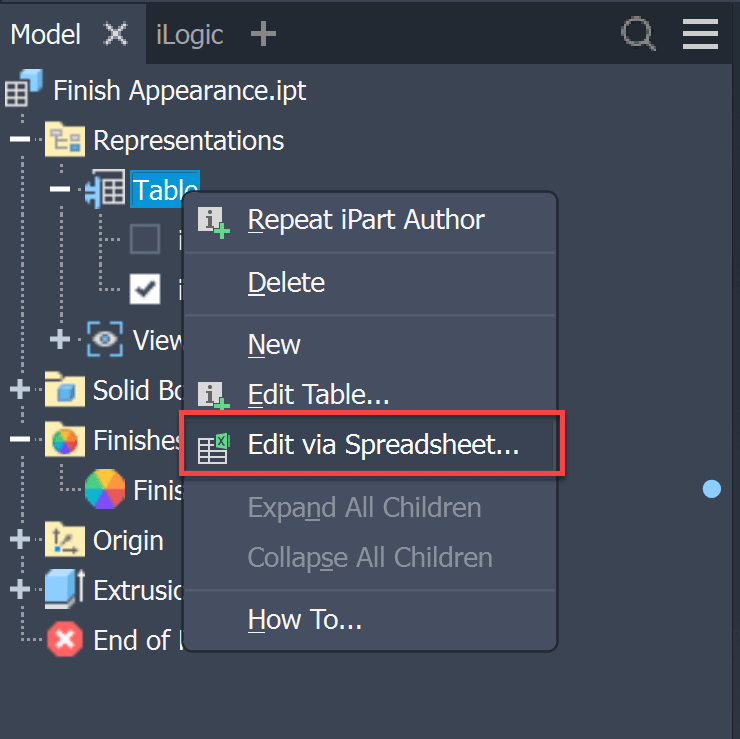
- Edit the table in Excel with the 'Edit via Spreadsheet' command:
- In Excel, remove the [Custom] text string from the column header and save the file.
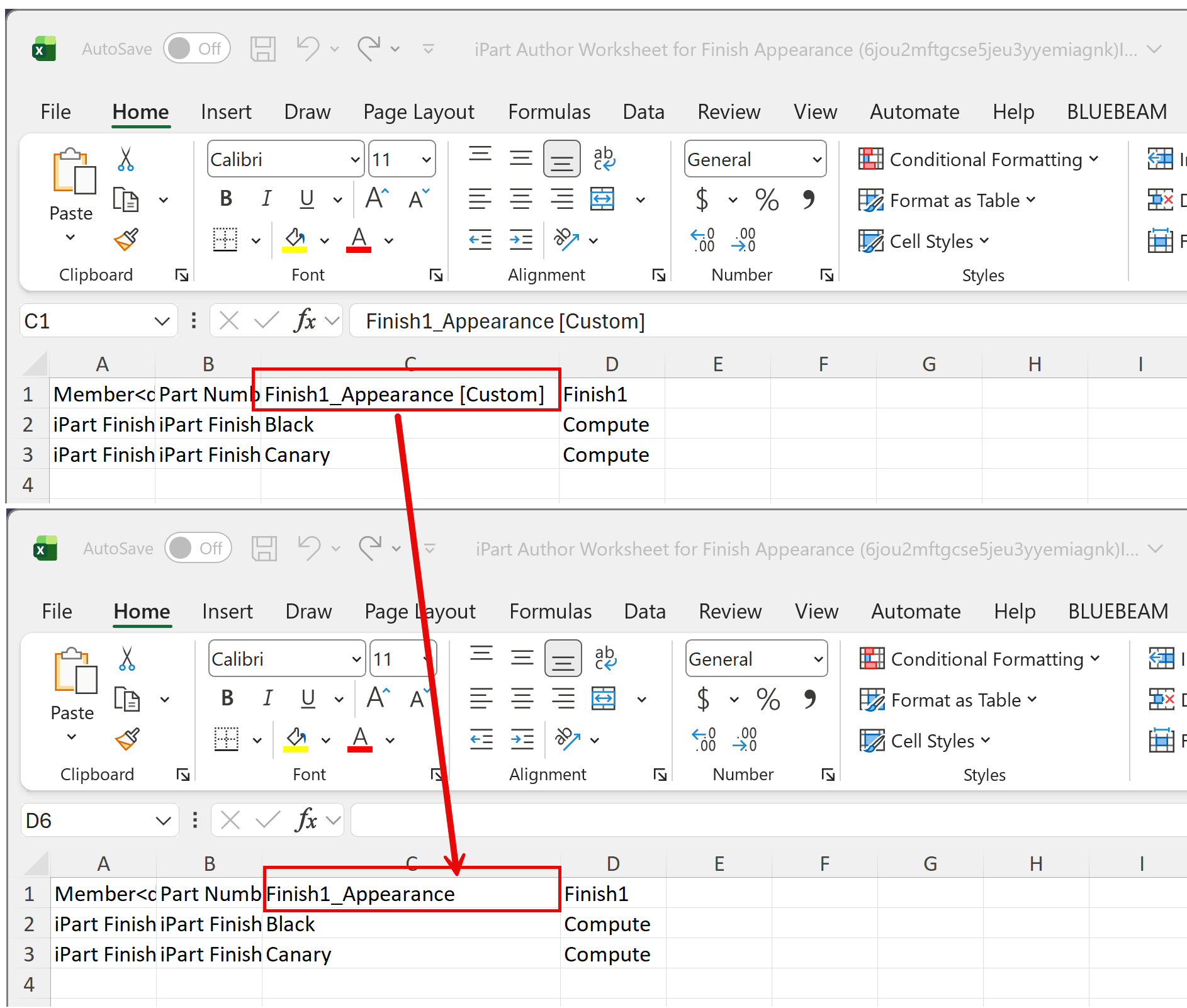
- iPart members should now display the instance Finish appearance.
How to add a Finish feature to a Model State:
https://resources.imaginit.com/support-blog/inventor-add-finish-feature-to-model-state
About the Author
More Content by Joanna Gryszka


