

Downloading the IMAGINiT Bluebeam Revu 20 Uninstall Script
The IMAGINiT Bluebeam Revu 20 uninstall package can be downloaded here.
The download is provided as a compressed (.zip) file and contains the following items:
- FindBluebeamProductCode.ps1
- Step1_BlueBeamPowerShell.bat
- Step2_BluebeamUninstall.bat
- IMAGINiT_Bluebeam Revu 20 Uninstall.pdf (Instructions)
After downloading the package, extract the contents to a local folder before proceeding.
Important: Before using the uninstall scripts, review the IMAGINiT_Bluebeam Revu 20 Uninstall.pdf document in its entirety. The PDF contains detailed instructions for identifying the correct Product Codes, updating the uninstall script, and executing the uninstall process successfully.
Following the documented procedure will help ensure that the correct Bluebeam Revu 20 components are removed from the workstation.
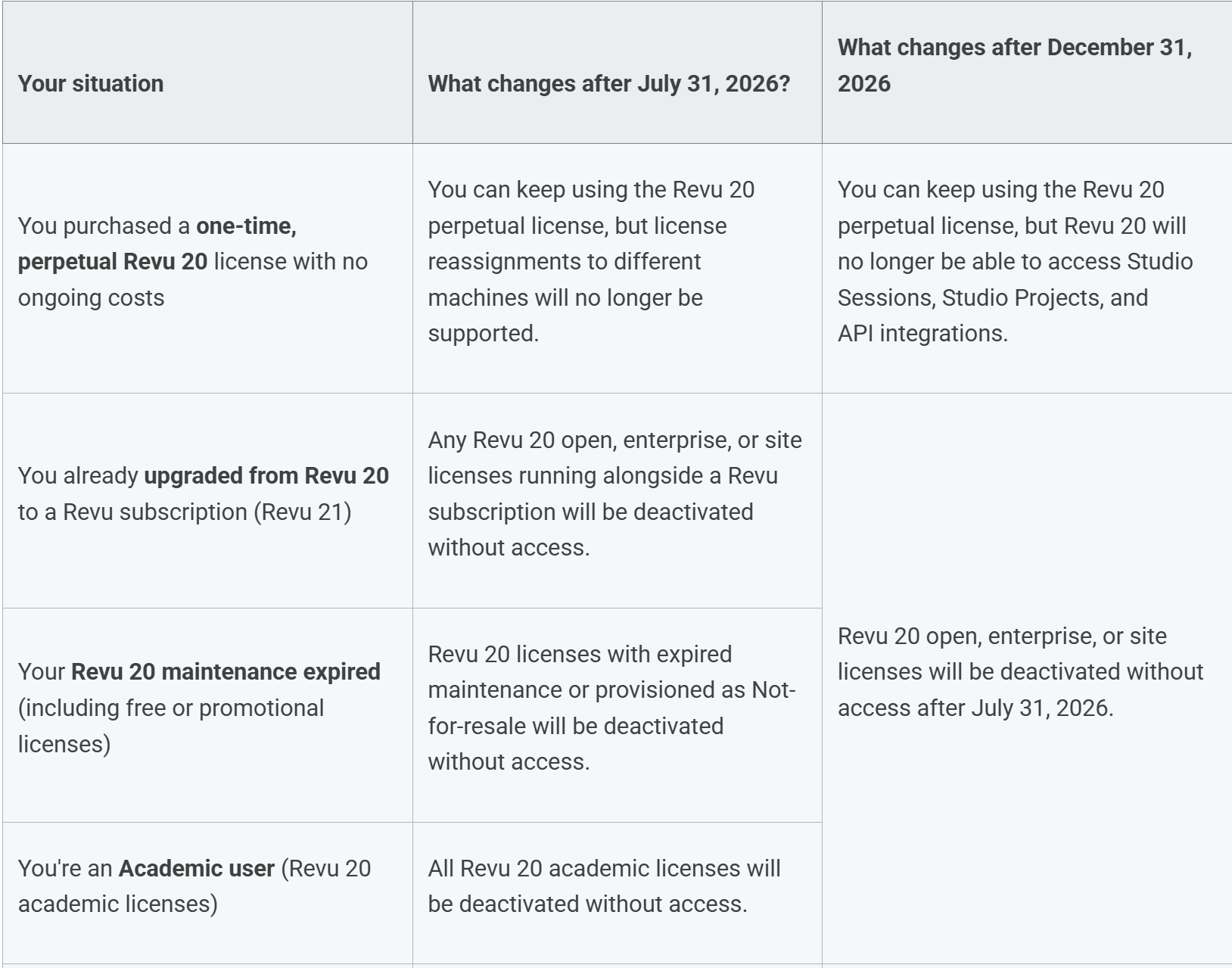
Per Bluebeam:
https://support.bluebeam.com/revu/resources/revu-20-eol.html
As technology, security requirements, and customer workflows continue to evolve, the underlying systems supporting Revu 20 no longer meet our standards for performance, integration, and security needs.
Revu 20 will reach end of support on July 31, 2026, and end of life on December 31, 2026.
About the Author
Follow on Linkedin More Content by Ken Williams


