

Issue:
In the current Fabrication CADmep content, the tap for an oval main to a rectangular branch does not exist. Creating an oval to rectangular takeoff works correctly within Fabrication CADmep; however, the part becomes grayed out when the service is loaded into Revit.
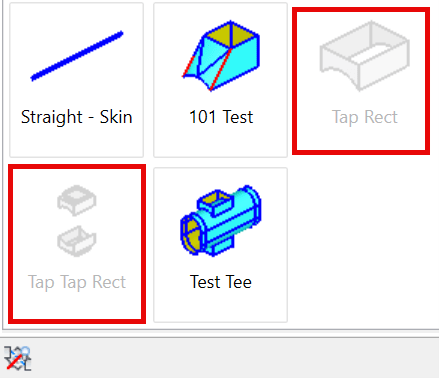
Causes:
When using CID 342 and 343 to create a tap, setting Pipe Part to No Pipe under Options causes the part to appear grayed out in Revit. This behavior corresponds to Autodesk Issue ID CPR 1569.
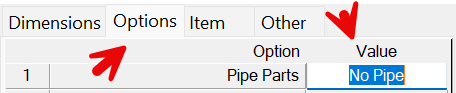
Solution:
Currently, the only option is to use the fitting as a tee (similar to Test Tee) rather than as a tap.
How to create a fabrication part for use in Revit
https://resources.imaginit.com/support-blog/using-cid-templates-for-revit-fabrication-parts
About the Author
Follow on Linkedin More Content by Paul Sills


