

Issue:
When launching Autodesk Desktop Connector, the following error is displayed:
Startup Error
Desktop Connector couldn't initialize the Autodesk Identity Manager, prompting shutdown.
Ensure Autodesk Identity Manager is installed before launching Desktop Connector.
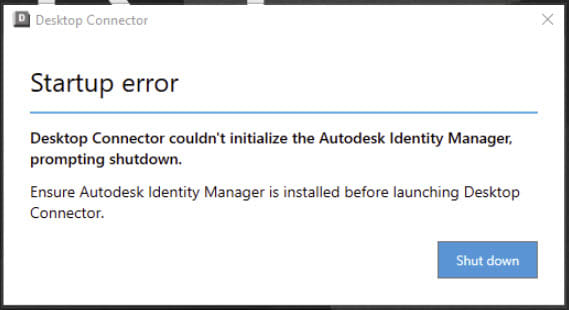
Figure 1
Reference:
https://www.autodesk.com/support/technical/article/caas/sfdcarticles/sfdcarticles/Desktop-Connector-Startup-Error.html
In some cases, Autodesk applications may also hang during startup.
If you have already completed all troubleshooting steps in the Autodesk article above and the issue persists, the following solution may resolve the problem.
Causes:
An unexpected folder in the root of the C: drive, such as:
C:\Program
can interfere with how Windows resolves file paths. This can prevent Autodesk Identity Manager from initializing correctly, resulting in Desktop Connector startup errors and Autodesk applications hanging during launch.
Solution:
1. Open File Explorer and browse to the root of the C: drive.
2. Check for a folder named Program (or a similarly named folder) that is not the standard Program Files directory.
Example:
C:\Program
3. If the folder exists and is not required, either:
o Rename the folder, or
o Remove the folder after confirming it is no longer needed.
After renaming or removing the folder, launch Desktop Connector or the affected Autodesk application again.
Note: This issue is caused by the unexpected folder confusing Windows path resolution, which can prevent Autodesk components from initializing properly.
About the Author
Follow on Linkedin More Content by Jeff Arbogast


