

Issue:
After using the Mark command on sketch text in Autodesk Inventor, the feature and text do not align.
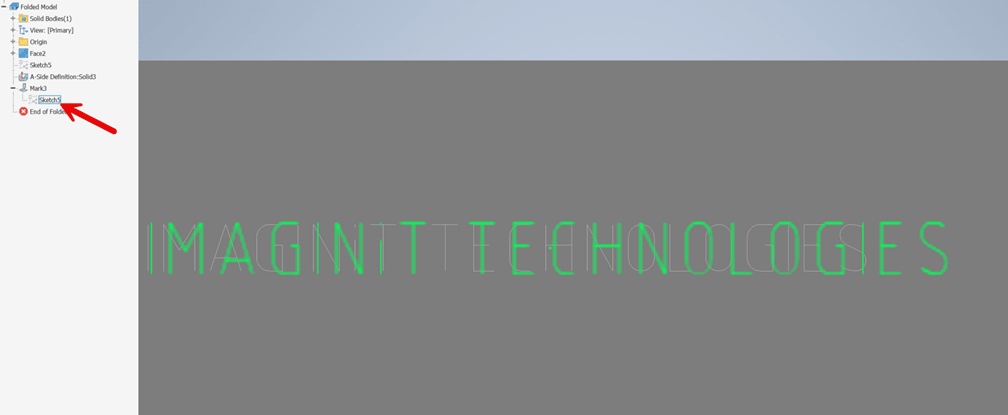
In the example image below, the Mark command was used on sketch text.

When hovering over the sketch, the sketch text does not align with the Mark feature. This causes a problem when trying to “center” text on a face.
Causes:
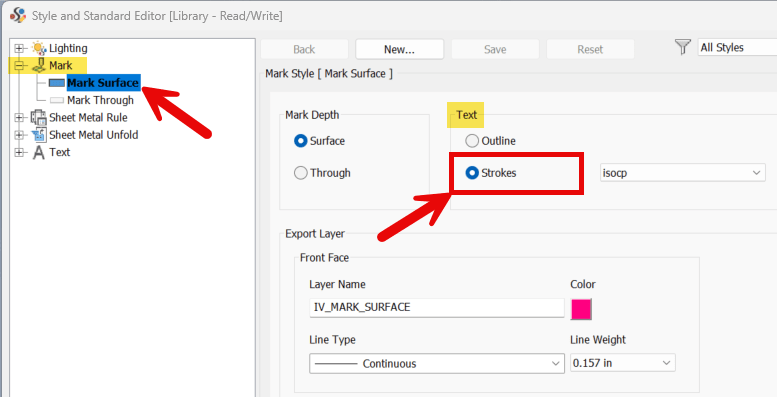
The problem occurs when the Mark style has the Text set to “Strokes”.
Solution:
Autodesk has acknowledged this behavior is a limitation related to converting text into sketch geometry. It is caused by the spacing between characters being both font-specific and letter-specific. This causes the alignment issue to occur with the Strokes setting. While there is not a fix for text and the Mark command, there are two workarounds.
Change the Mark style from “Strokes” to “Outline”.
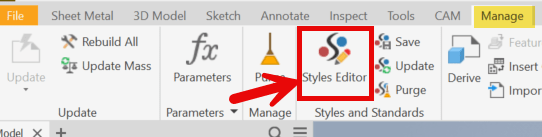
1. Open the Styles Editor. Go to the Manage tab> Styles and Standards panel> Styles Editor
2. Expand the Mark node and select Mark Surface. Change the Text selection to “Outline”.
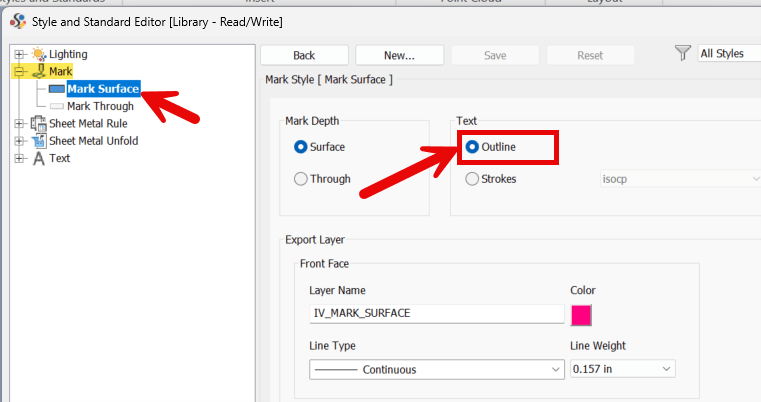
As you can see in the example image below, when hovering over the Sketch, the Mark feature and the text are aligned.
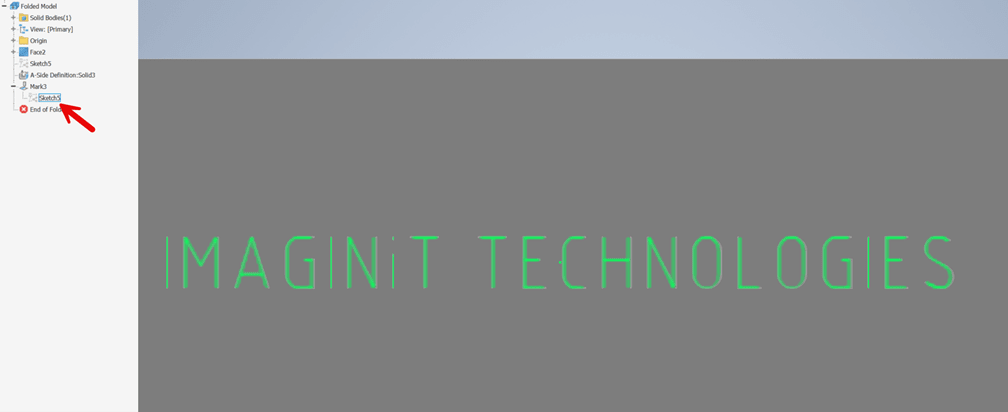
Alternatively, the text can be converted to Geometry. This is similar to exploding the text in AutoCAD. Before proceeding, if a Mark feature is already consuming the sketch with text, then the Mark feature will need to be deleted.
1. Enter the Sketch environment with text.
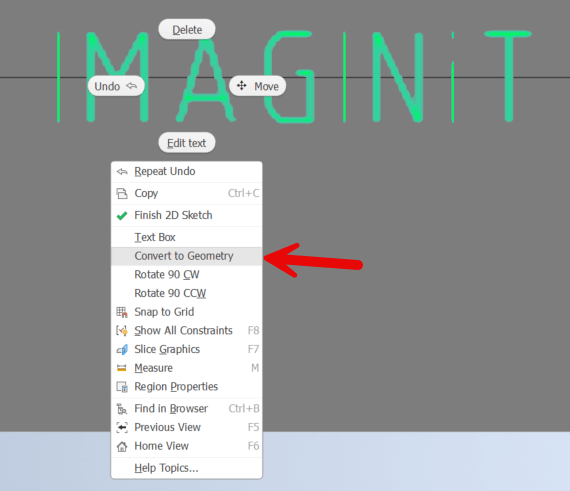
2. Right click on the text and then select “Convert to Geometry”.
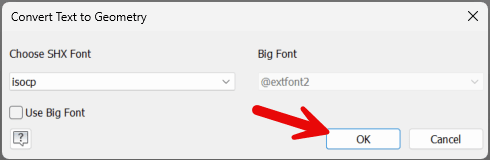
3. Select OK and then finish sketch.
4. Select the Mark command and then select all the converted text geometry.

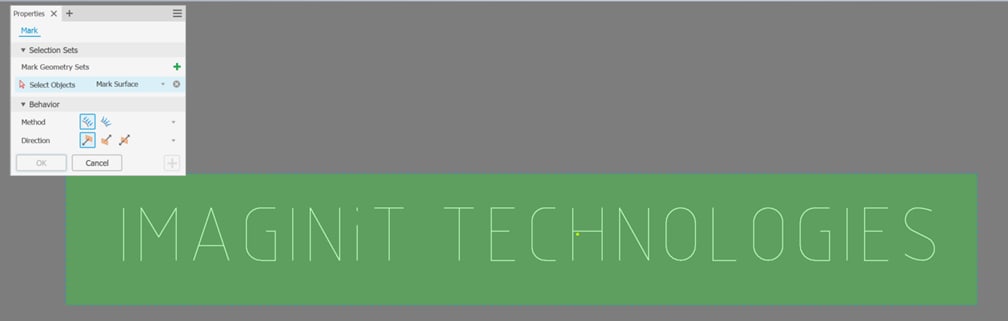
5. Make the necessary selections in the mark Properties dialog box and then select OK.
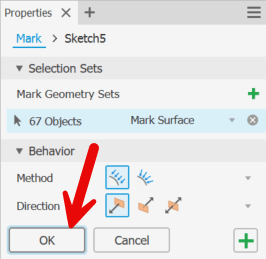
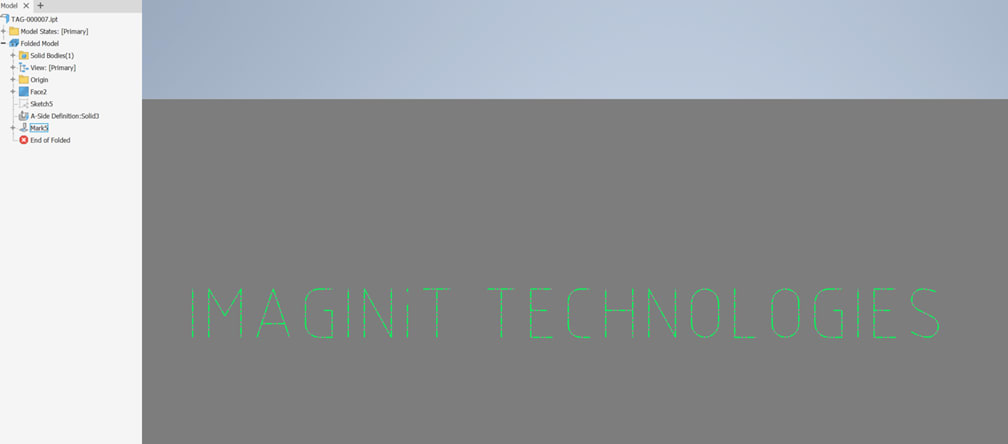
Now the Mark feature will align with the text when using either the Strokes or Outline style.
About the Author
Follow on Linkedin More Content by Shawn Heator


