

Applies to:
Inventor
Issue:
Ability to create a single part that represents an assembly.
Causes:
Assembly is required for the representation of an item, only a part is needed.
(Example: assembly file provided by vendor can be simplified to a part for insertion into design.)
Create a Simplified Part that represents an Assembly with the steps below.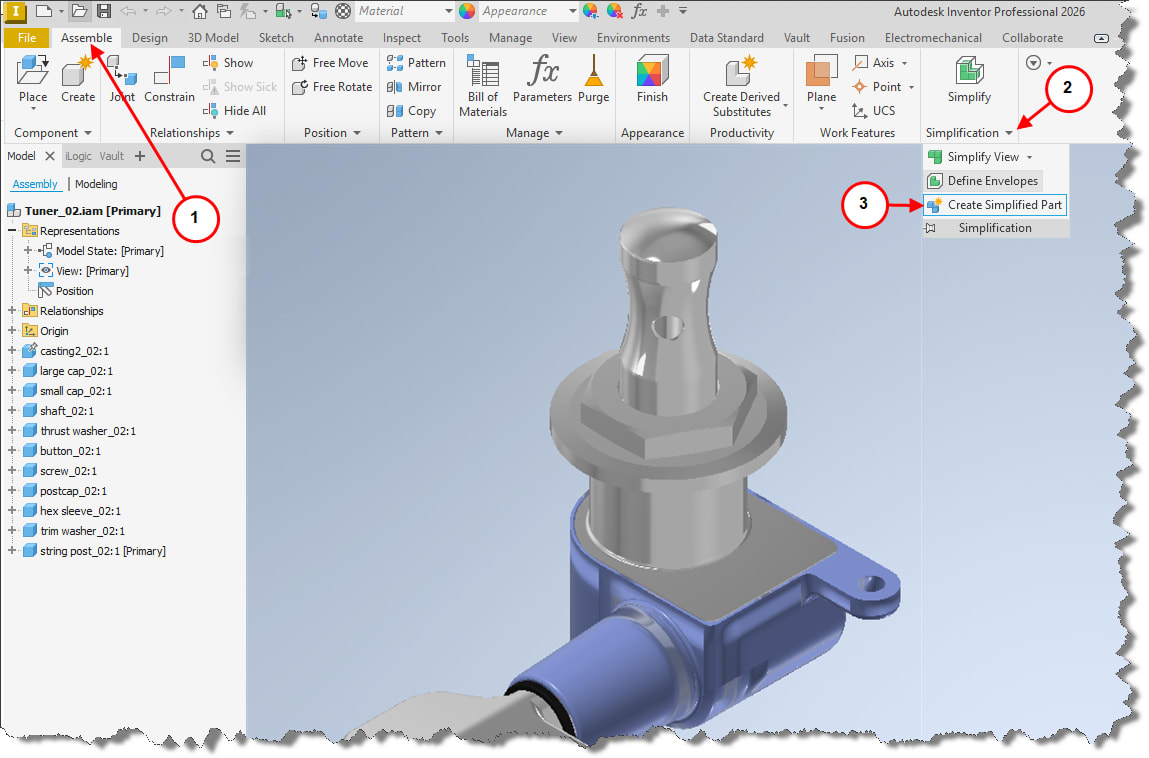
1. Select Assemble Tab.
2. Select the Simplification drop down chevron below the Simplify Icon on the ribbon.
3. Select Create Simplified Part from the menu.
Depending on final needs there are three options available for the simplication. 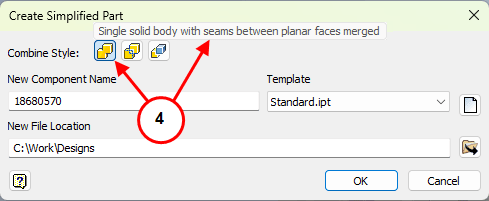
4. Single solid body with seams between planar faces merged. 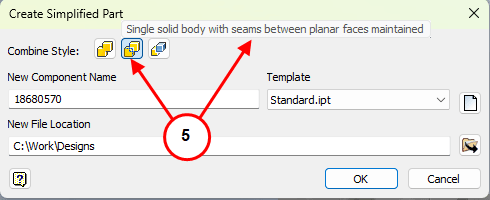
5. Single solid body with scenes between planar faces maintained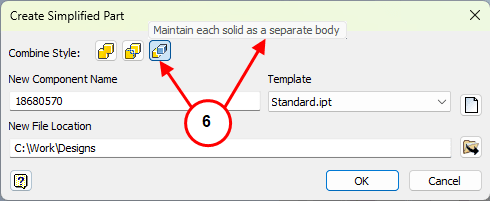
6. Maintain each solid as a separate body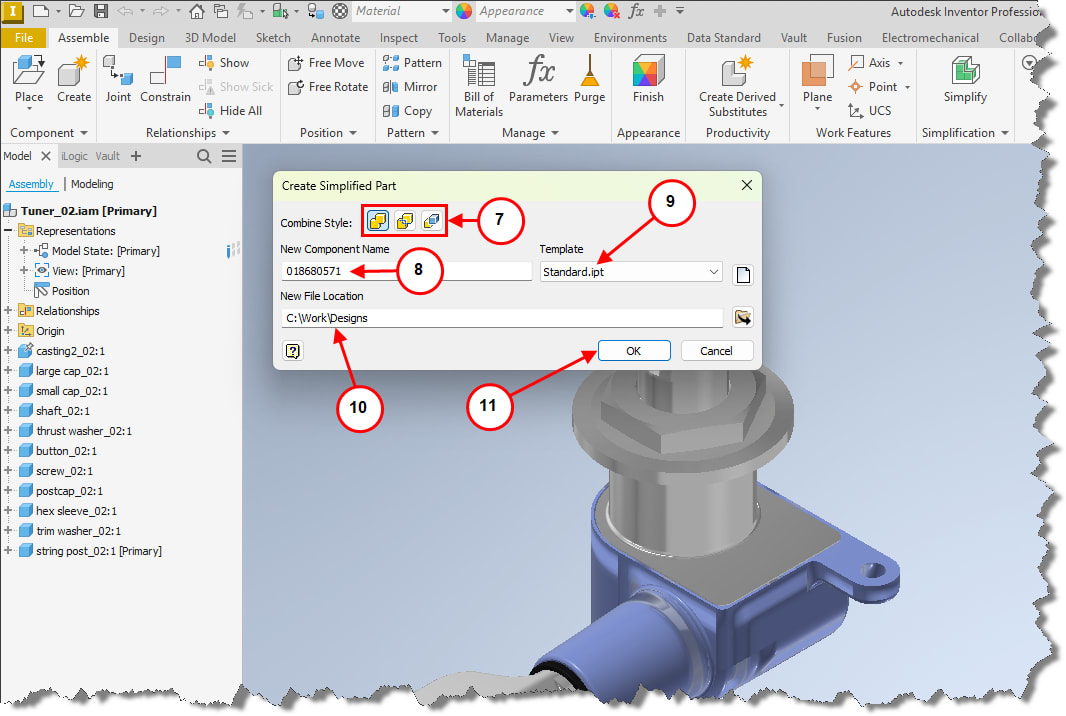
7. Select the Combine Style.
8. Enter name of new Simplified part.
9. Select the Template to be used to create it.
10. Select the New File Location.
11. Select OK. 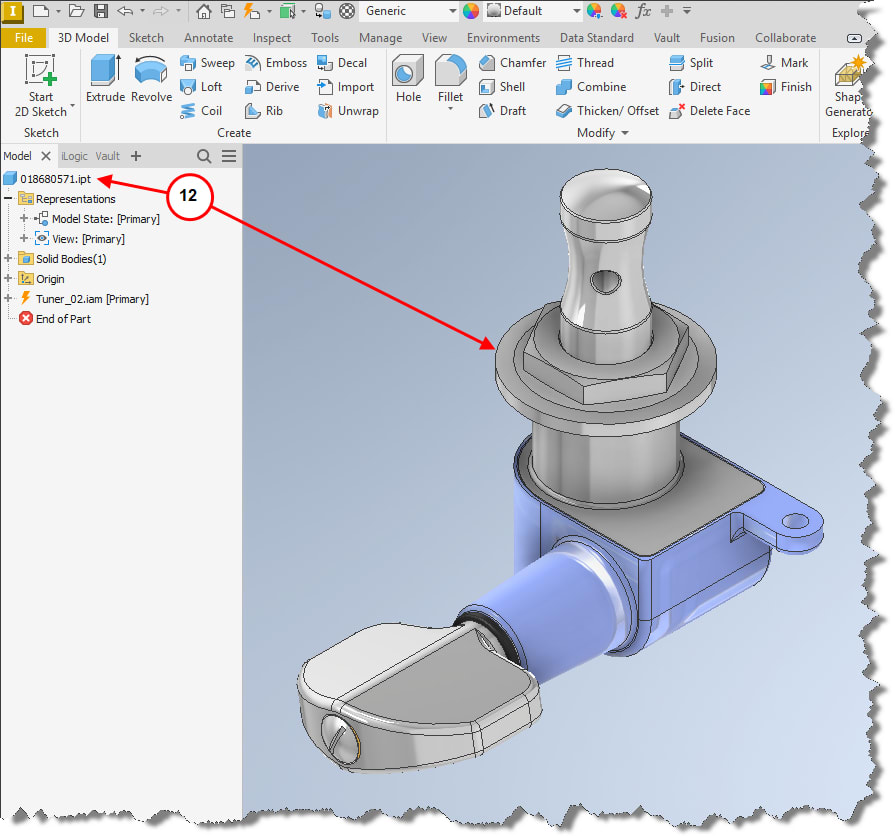
12. A new part/IPT file is created representing the assembly.



