Fusion Download Missing From Autodesk Account

June 29, 2026 Heath White

Issue:
When you log into your Autodesk account and are looking for the download link for Autodesk Fusion but don’t see a way to download the installer.


Causes:
You can be entitled to Fusion either as part of the Product Design and Manufacturing Collection or you can have an individual Fusion license with the various Fusion modules. Each option has a different access method.


Solution:
If you have a dedicated Fusion license assigned to your account you should be able to download it as indicated in the following article:

https://www.autodesk.com/support/technical/article/caas/sfdcarticles/sfdcarticles/How-to-download-Fusion-360.html


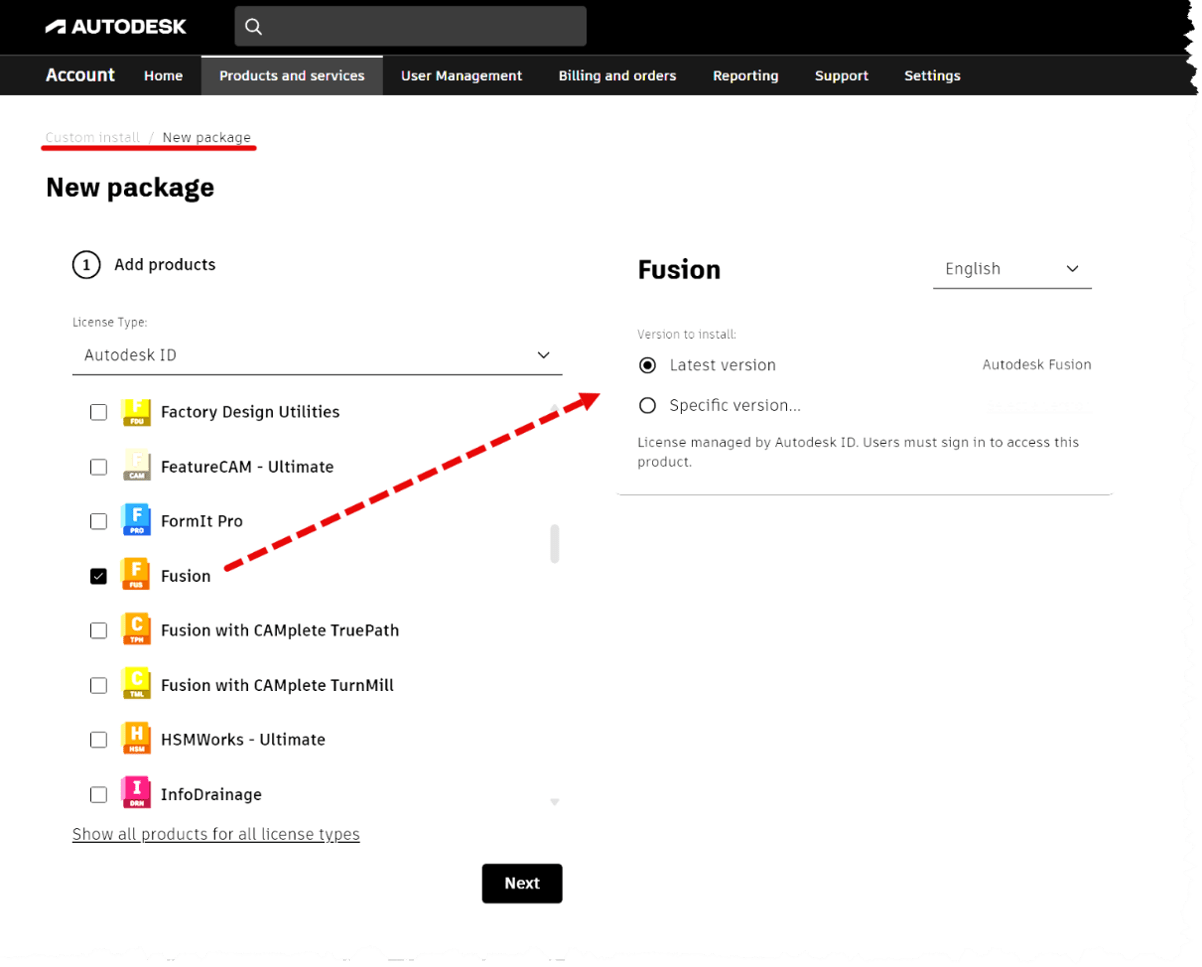
If your Fusion entitlement is part of the Design And Manufacturing Collection, you should be able to get the download from your Autodesk account by going to the Custom Install as shown below
 

About the Author

Heath White

Sr. Technical Support Specialist, Manufacturing

Follow on Linkedin More Content by Heath White
Previous Article
“An Error Was Encountered” with IMAGINiT Network Utilities License

When trying to activate or update an Imaginit Utilities License you receive the following error: "An Error ...

Next Article
Conceptual Visual Styles Quality

When the Visual Style is set to Conceptual, the view quality appears rough. Additionally, the model has som...

×

Get Tips Delivered.

Subscribe to Email Updates.

First Name
Last Name
Country
Thank you!
Error - something went wrong!