

When working with documents, it’s often necessary to apply highlights and markups repeatedly. Using the right tools and workflow can significantly improve efficiency and consistency. Below is a simple and effective method to speed up your markup and highlighting process.
Before you start...
Preferences > Tools > Markup > Check the 'Reuse Tools' option > Click OK
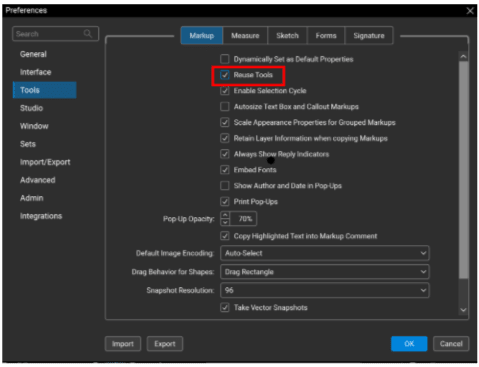
You can now apply markup or highlight annotations to multiple objects within a PDF without needing to reselect the tool after each use. This allows for continuous, efficient annotation while maintaining consistent markup settings across multiple selections.
Select Rectangle Tool > Select 'Highlight' (color is your preference)
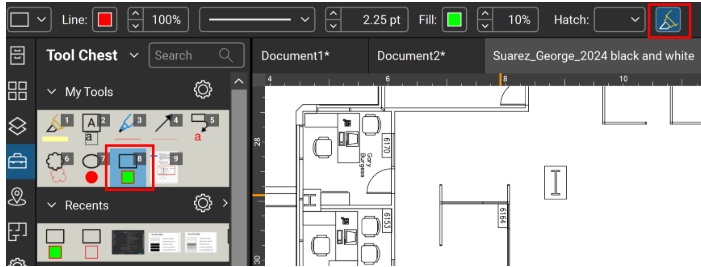
With this mode enabled, each click applies the selected tool—such as the Rectangle Tool—allowing you to place repeated markups without reselecting the tool between actions.


