PlanGrid: Managing Licenses on Multiple Accounts

March 1, 2026 Jeremy Smith

Issue:
An organization finds that it has two separate PlanGrid "hubs" or accounts.  The accounts are associated with different administrators, have separate licenses, and are hosting different projects.  If the hubs cannot be merged, what is the best way to allow Administrators to provision users with a PlanGrid license and/or add them to projects?

Solution/Workaround:
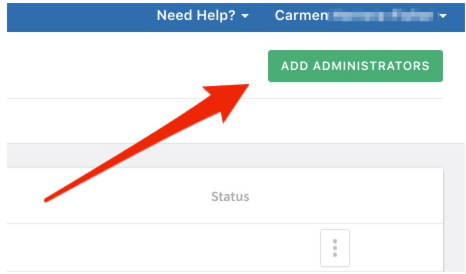
To allow PlanGrid Organizational Admins to provision licenses and add users to projects from different hubs, add the users who are administrators on one hub as administrators on the other.  For example, those who are administrators on PlanGrid Hub "A" should be added as administrators on Hub "B".  Administrators on Hub "B" should be added as Administrators on Hub "A". 
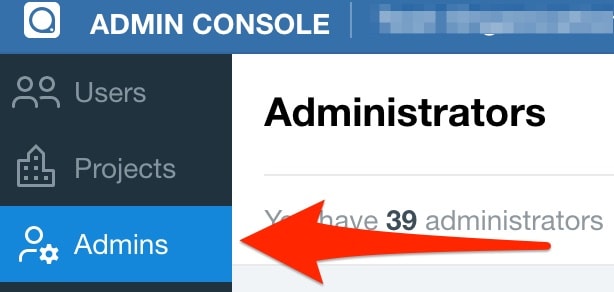
See also:  https://help.plangrid.com/hc/en-us/articles/224368648-Admin-Console-Organization-Admins

About the Author

Jeremy Smith

Sr. Technical Support Specialist, AEC<br><br>Jeremy has been delivering service and technical support to customers in the AEC industry for over 25 years. He gained much of his AutoCAD/Revit experience serving as CAD Manager at multiple MEP/FP engineering firms in the Greater Boston Area. He then worked at Autodesk as a Technical Support Specialist, eventually becoming a manager overseeing the Revit and Vault support teams. Jeremy is excited to be in his current role as Sr. Technical Support Specialist at IMAGINiT, as it allows him the opportunity to work directly with customers every day and help them successfully leverage Autodesk’s solutions to achieve their business goals.

More Content by Jeremy Smith
Previous Article
Vault: Trash Bin empty after deleting files

Issue: Files are deleted from Vault and do not show in Trash bin. Causes: Installed columns in the Trash Bi...

Next Article
Inventor: Open Part with Ballon on Drawing

Issue: Easy way to open components from assembly on drawing view.  Causes: Multiple steps required to open...

×

Get Tips Delivered.

Subscribe to Email Updates.

First Name
Last Name
Country
Thank you!
Error - something went wrong!