

Issue:
When creating a custom border and title block in Revit, you may notice that the list of available line styles—and their assigned line weights—does not include a weight heavy enough for your company’s title block standards. Inside the Title Block family, the available line styles typically only go up to a line weight of 5 (0.0180”), which is insufficient for a heavier border line.
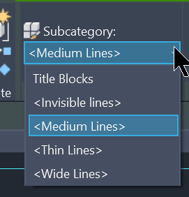
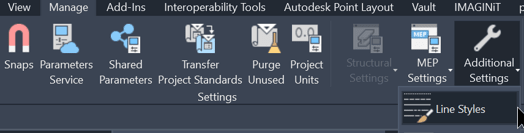
Logically, you would try to create a new, heavier line style by going to Manage → Settings panel → Additional Settings → Line Styles.
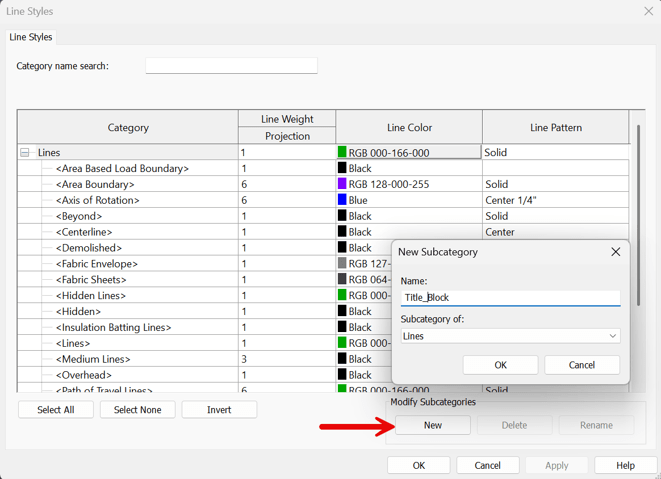
In the Line Styles dialog box, you select New under Modify Subcategories, enter a name in the New Subcategory dialog box, and then assign a heavier line weight—such as 10 (0.100”). After clicking OK, you return to the family editor, open the subcategory dropdown, and select your newly created line style.
However, even after selecting the new line style—and even with Thin Lines turned off—the heavier line weight does not appear in the Title Block family.
Solution:
The line style must be created under Object Styles for it to work properly within a Title Block family, rather than using Line Styles.

1. Edit the Title Block family.
2. On the Manage tab, select Object Styles, then choose Title Blocks to create the new line style.
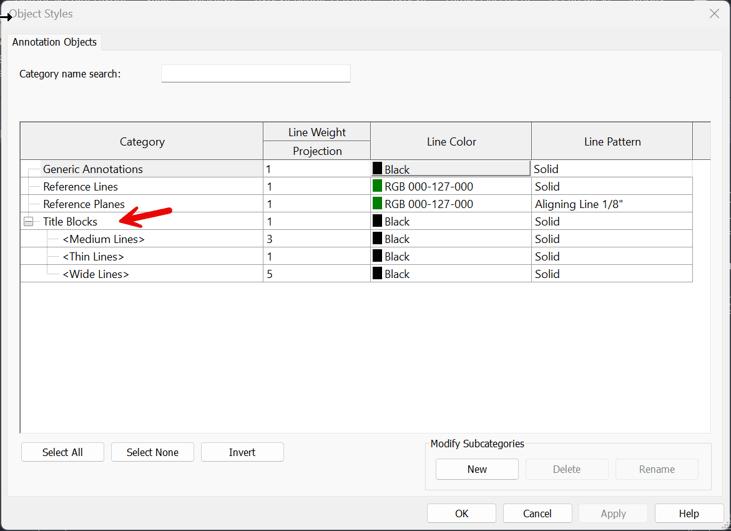
3. Under Modify Subcategories, select New, enter the name “TB” for the line style, and click OK.
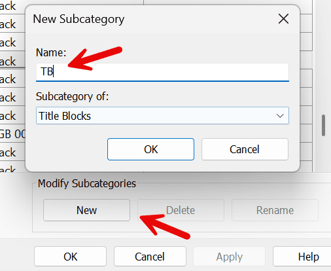
4. Set the desired line weight and color, then click to close the Object Styles dialog.
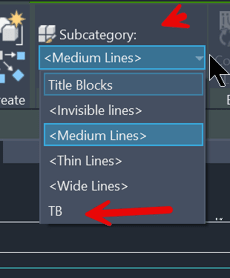
The new line style will now be available for use in the border and title block. Select the linework in the title block and assign it to the newly created line style.
About the Author
Follow on Linkedin More Content by Paul Sills


