

In this third and final post on Conditional Horizontal subassemblies, the focus will be on extending sidewalk areas between driveway sections that were created from the corridor in Part2. Building on the previous post, corridor targets have already been set, additional frequency at targets has been enabled, and left and right sides have been isolated.
The Issue
When the target driveway are set, Civil 3D at random abruptly ends the sidewalk areas between driveway sections.
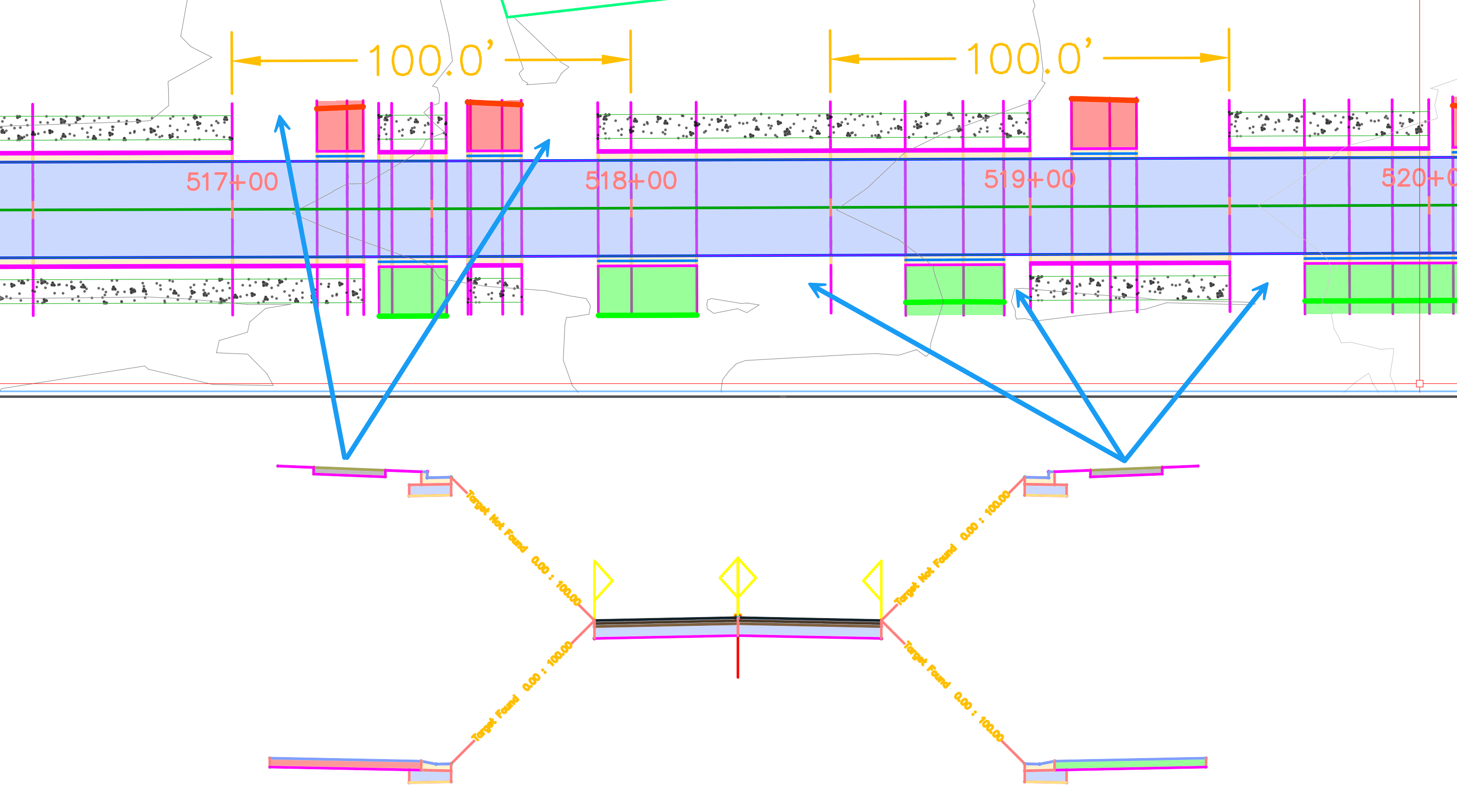
This behavior, at times it appears on only one side, but it is most often visible where there is a transition in design from one section to another.
The Solution
In this example, focus will be on the left side, where gaps are being created in the sidewalk between driveway sections.
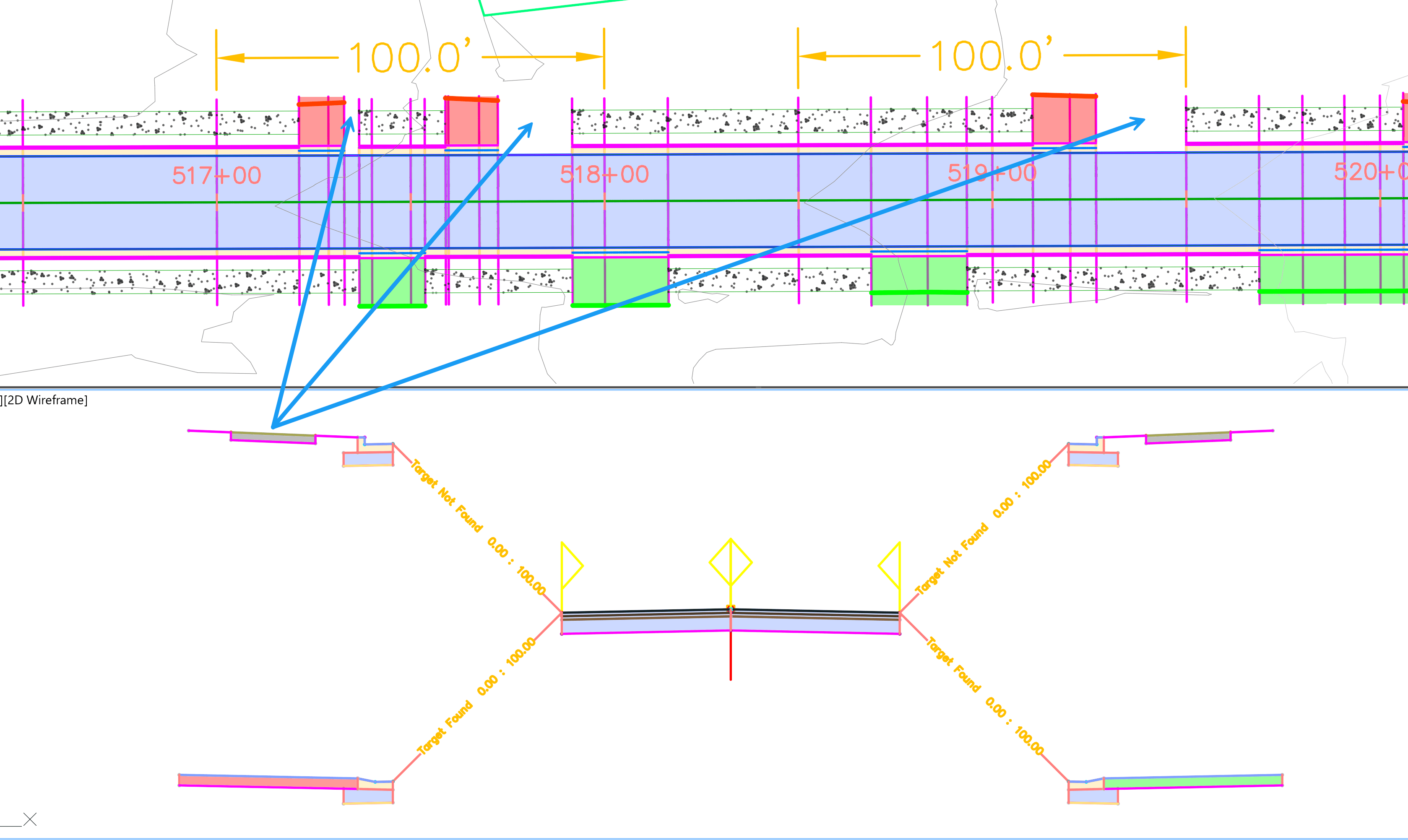
The solution is to adjust Corridor Frequencies:
- From Corridor Properties → Frequencies → Specify Additional Station button +
- Manually add extra stations using Endpoint OSNAPs at driveway locations (start/end).
- Apply a small “correction” factor to the station value. This is typically a minimal value such as 0.1, 0.01, or 0.001, as an addtion or subtraction to station. Depending on whether the correction is needed before or after the selected station.
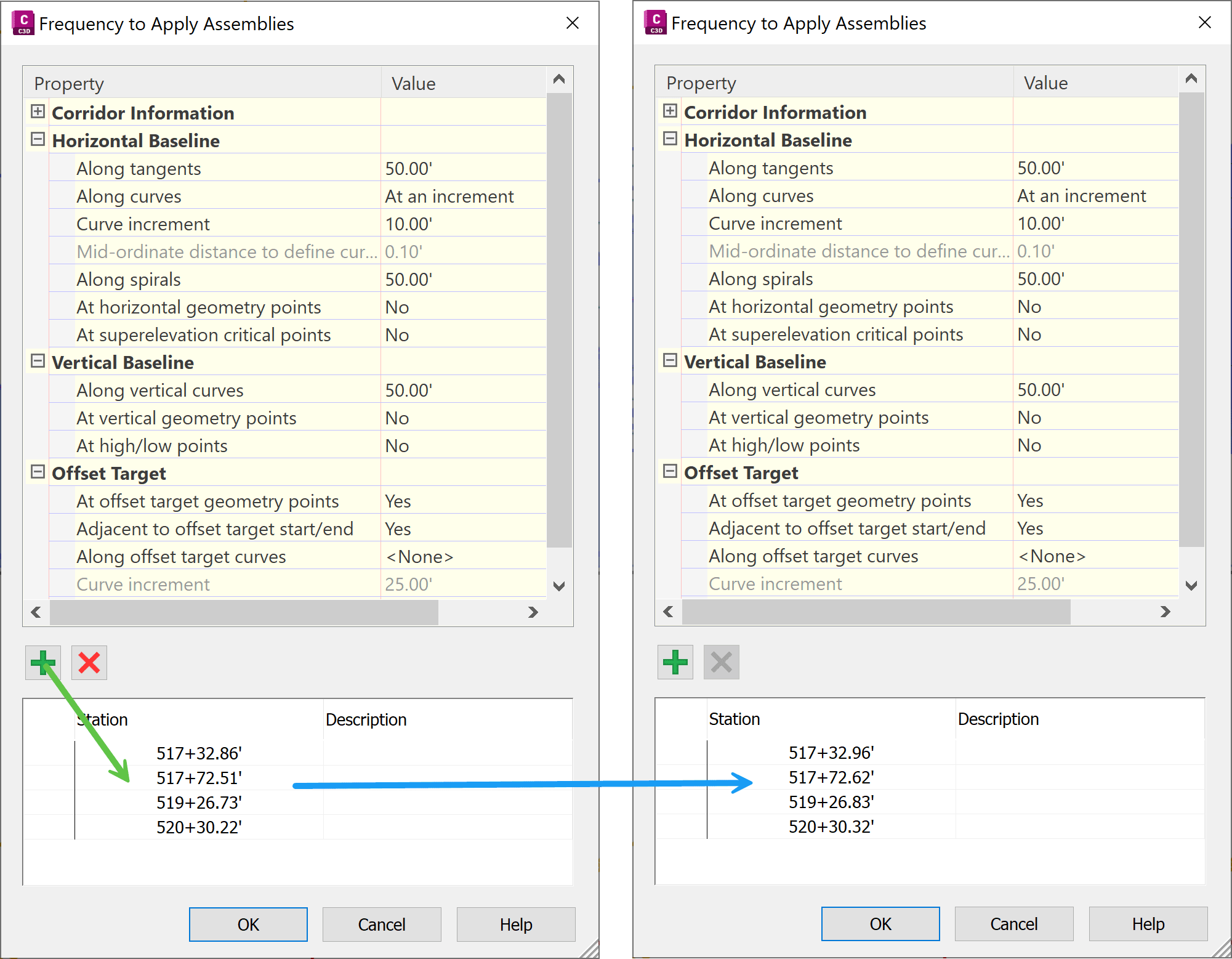
In this example, a value of 0.1 was added to all stations. This slight adjustment creates a small gap that allows the sidewalk to continue through the driveway sections.
Because this is a tedious and manual process, it is recommended to wait until later in the design phase, once corridor geometry and driveway locations are finalized.
The Results
The result is a refined, denser corridor that allows sidewalk areas to extend continuously, producing a model that engineers are far more likely to approve.
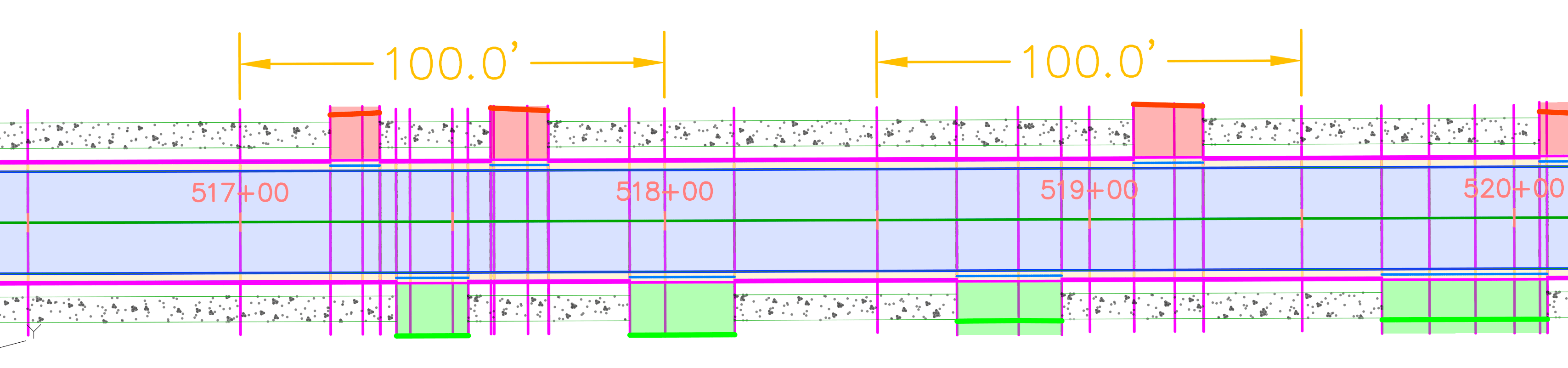
I hope you found this three-part series on using the Civil 3D Horizontal Conditional subassembly helpful. If you enjoyed this post, you may also be interested in the breakdown of the Conditional Cut or Fill subassembly:
- Part 1: https://resources.imaginit.com/civil-solutions-blog/conditional-part-1-cut-or-fill-basics
- Part 2: https://resources.imaginit.com/civil-solutions-blog/conditional-part-2-cut-or-fill-depth-options-docx
- Part 3: https://resources.imaginit.com/civil-solutions-blog/conditional-part-3-cut-or-fill-sequential-stack
- Part 4: https://resources.imaginit.com/civil-solutions-blog/conditional-part-4-cut-or-fill-advanced-test-to-distance
About the Author
More Content by Leo Lavayen


