

Continuing the exploration of the Conditional Horizontal subassembly, this post refines the corridor created in Part 1 to improve the appearance of driveway sections. Building from the previous post, corridor targets have been assigned and additional frequency at offset target geometry points has been enabled.
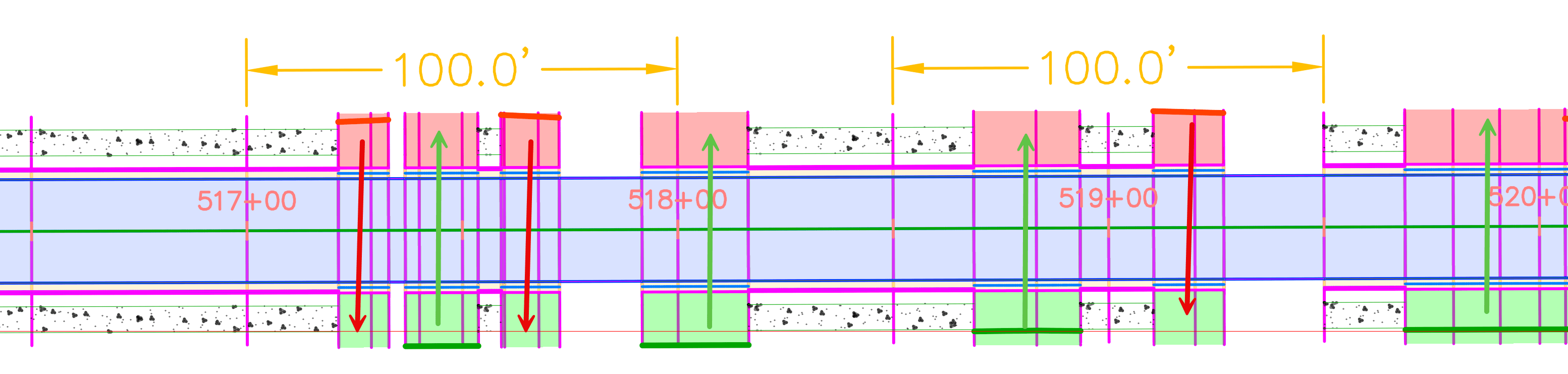
In this second part, we will address how to reduce the excessive and mirrored driveway sections appearing on both the left and right sides of the corridor.
The Issue
In this example the same horizontal target linework was assigned to both the left and right Conditional Targets.
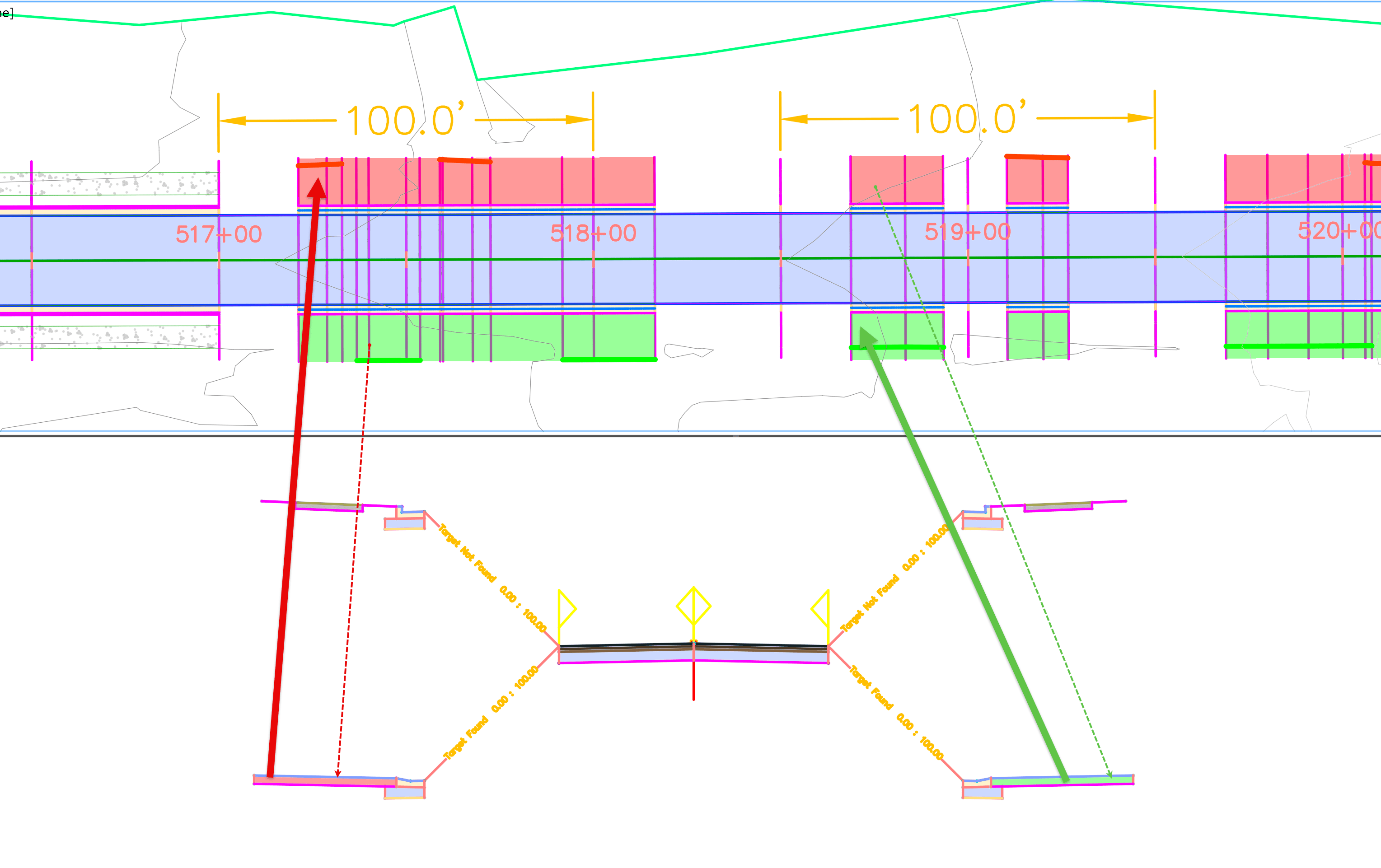
As a result, Civil 3D “sees” the target on both sides of the assembly, causing an incorrect mirrored driveway design.
The Solution
The most straightforward fix is to be exclusive with target selection for each side of the corridor. However, here the issue is resolved from the Corridor Target Mapping window → Select the Conditional subassembly → Enable the option at the bottom → “Use targets on the same side as the subassembly” ✅
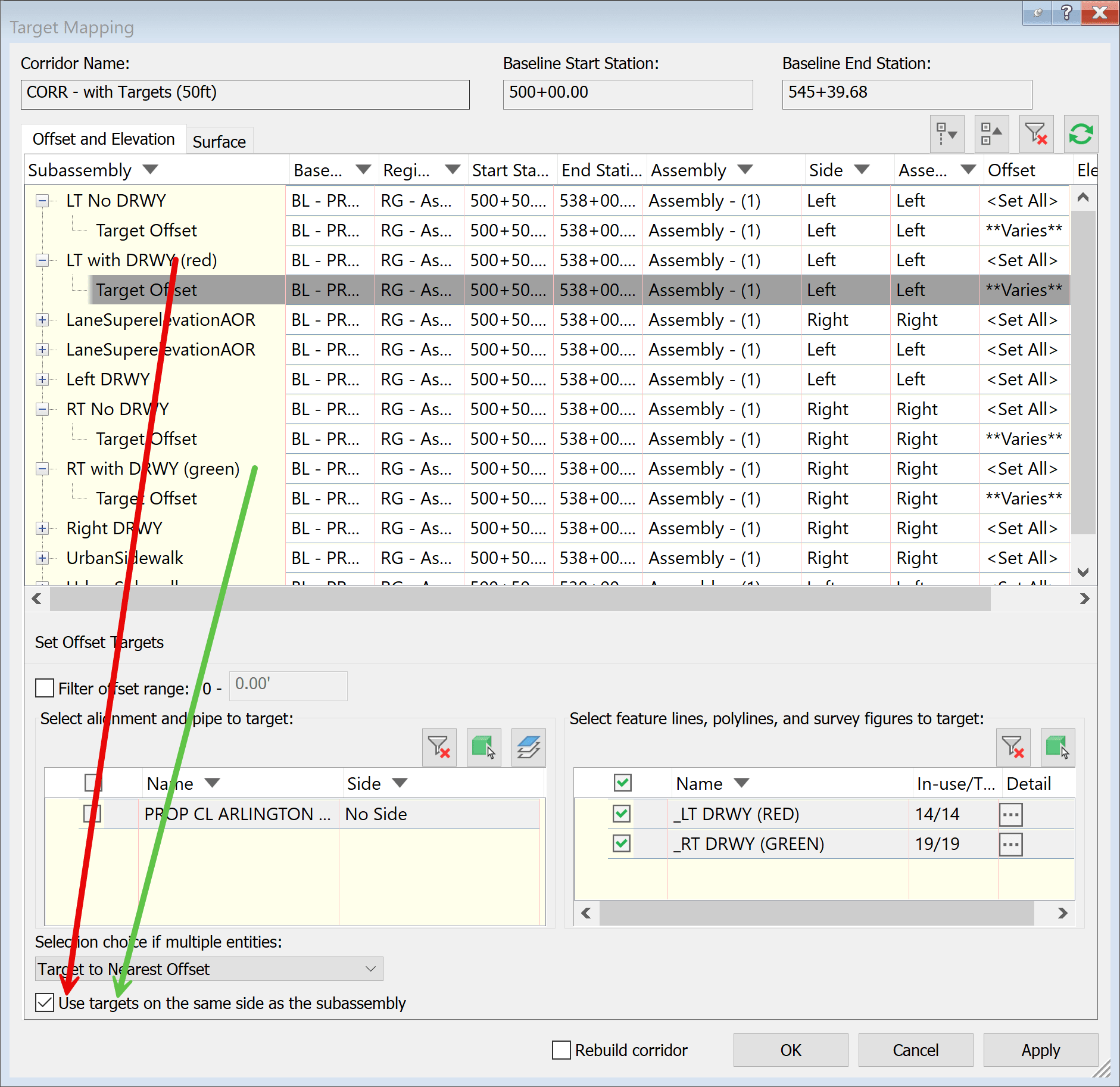
Repeat this step for all Conditional subassemblies (Found and Not Found, left and right sides).
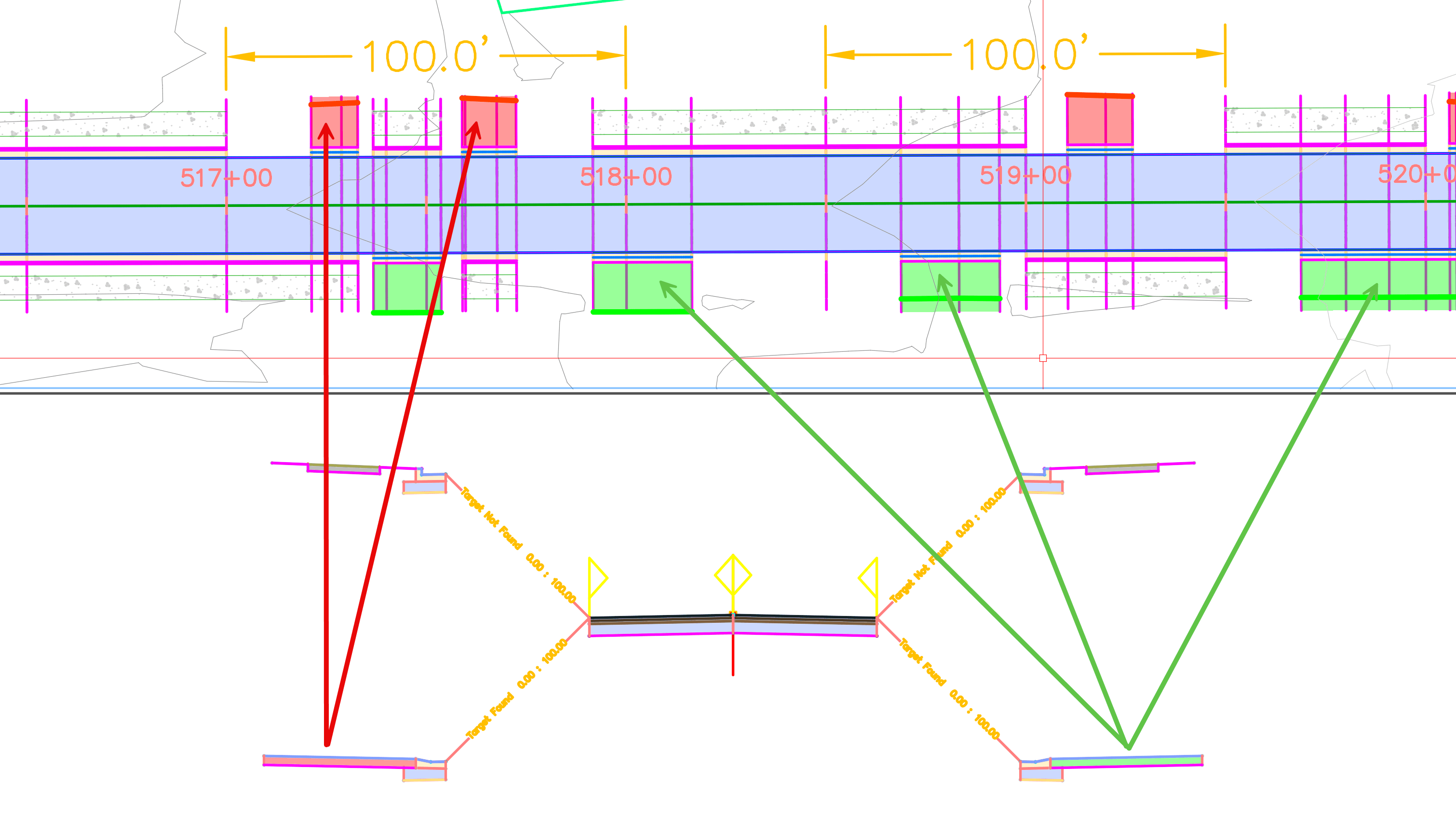
This setting restricts target evaluation to the side of the assembly on which the subassembly exists.
The Results
With this option enabled: mirrored driveway sections on the left and right sides are corrected. Driveway placement is isolated to the appropriate sides of the corridor.
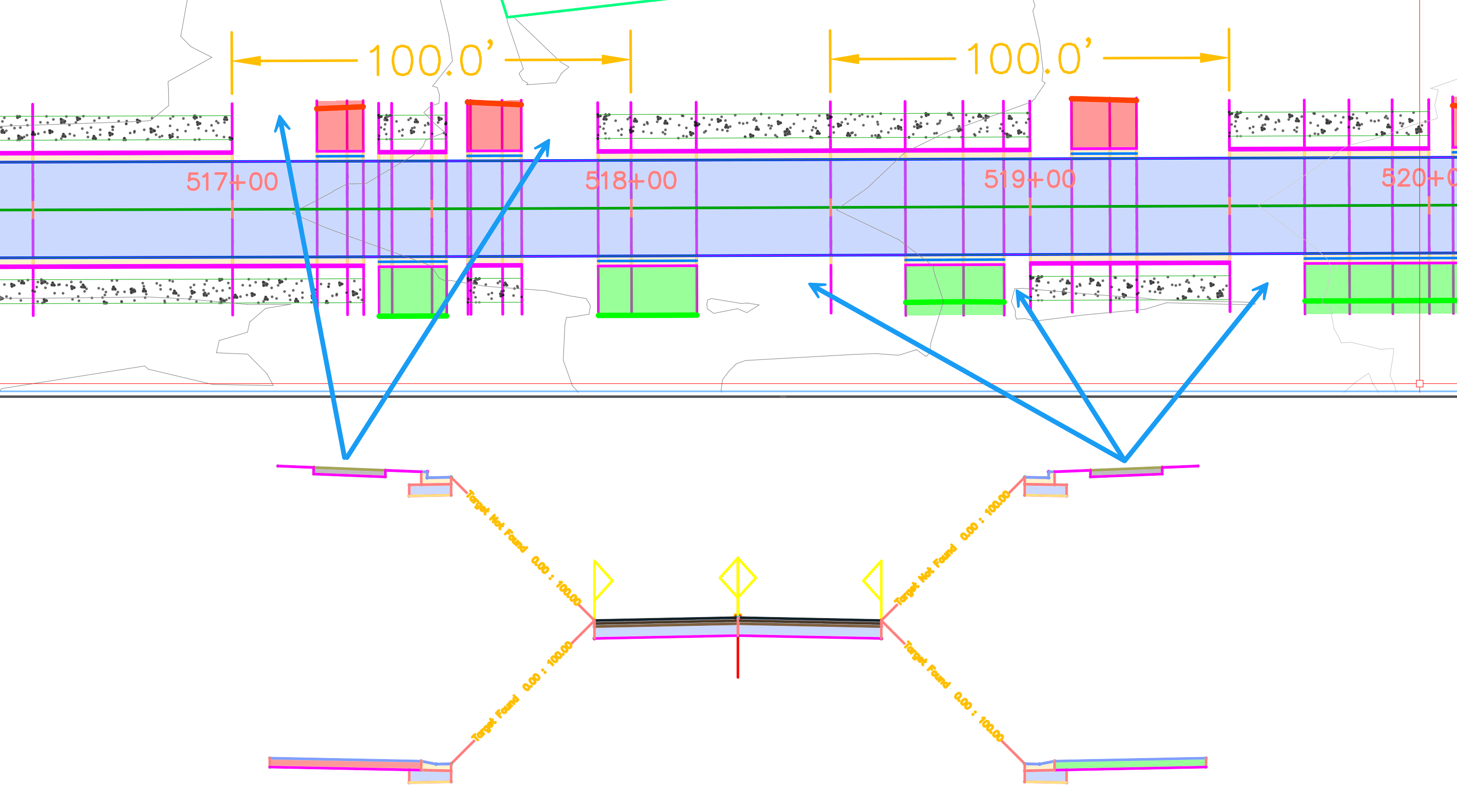
By taking a closer look, a new issue is revealed: some sidewalk areas are missing. Sidewalks do not fully connect to the driveway sections, they fall short or do not extened.
Part 3 and final post of this series will address sidewalk continuity, resulting in a layout engineers will find satisfactory.
About the Author
More Content by Leo Lavayen


