

Issue:
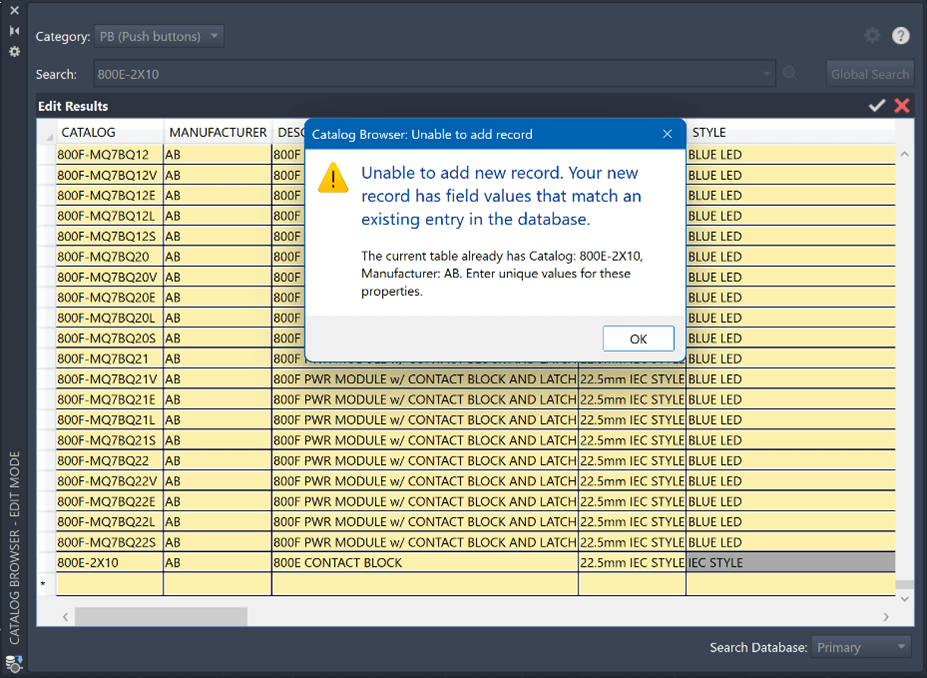
AutoCAD Electrical won’t let you create additional records in the database with the “Unable to add record” due to your record having values that match an existing entry message.

Causes:
Autodesk began restricting duplicate records in the database quite some time ago. The confusion comes from the fact that there are a lot of duplicate records already in the catalog database, you just can’t seem to add new duplicate records.
Solution:
To get multiple records into the database with similar, but not identical information you can use the “Assemblycode” field to make the record unique. Components with an “Assemblycode” will show up in normal searches and can be used as standalone components or as an assembly. If you only put information in the “Assemblylist” field, the record will not be considered unique and records with only “Assemblylist” information are treated as sub-assembly components which you only see when editing the catalog.
If the component is going to be both a standalone component as well as a subcomponent, the record that represents the standalone version will need an "Assemblycode" to make it unique.
For the sub-assemblies, you can have a single record where you add the various "Assemblycodes" into the "Assemblylist" field to associate them with the assemblies. If the sub-assembly needs to be associated with more than one assembly, instead of multiple records (which you are being blocked from creating) you would the "Assemblycodes" to the "Assemblylist" field, following this format:
Example: "2, assemblycode1; 1, assemblycode2; 4, assemblycode3; etc."
The number followed by a "," in the above example represents the quantity of the sub-assembly component in the following assembly represented by the "Assemblycode". The quantity is not required, you can just use the "Assemblycode" if you wish.
If you'd like for the feature to work differently, you can vote on the following Idea Station submission to help encourage Autodesk to change the functionality.
About the Author
Follow on Linkedin More Content by Heath White


