Issue:
Inventor 2025 crashes on launch when the Ansys Workbench 2025 R2 Add-In is loaded.
Solution:
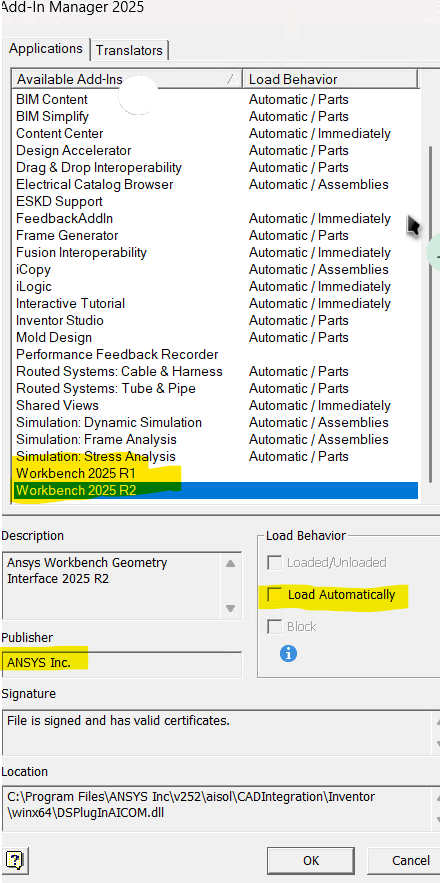
Unload the Ansys 'Workbench 2025 R2' Add-In.
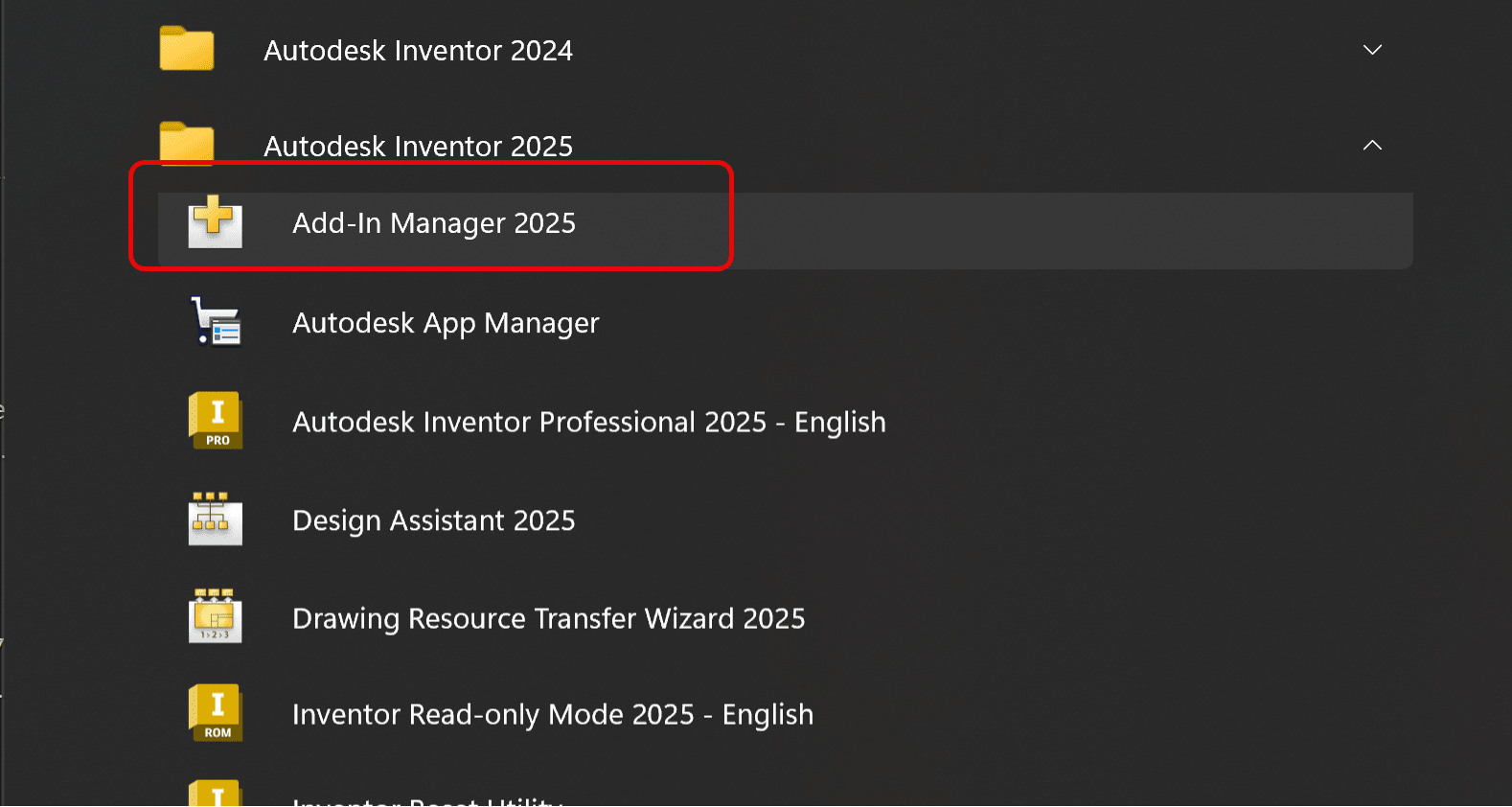
- Open the Add-In Manager 2025 from the Start Menu to unload this add-in:
- Find 'Workbench 2025 R2' and uncheck 'Load Automatically'. Launch Inventor 2025 again to apply the changes.
See the Autodesk reference article, contact Ansys support for a resolution:
https://www.autodesk.com/support/technical/article/caas/sfdcarticles/sfdcarticles/With-Ansys-Workbench-2025-R2-Inventor-2025-will-crash-on-startup.html
About the Author

Manufacturing Technical Support Specialist<br><br>Joanna has over eight years of experience working with Autodesk products. She started supporting core AutoCAD and network installations of all Autodesk products. She now has five years of experience with Inventor. <br>
She graduated from Mechanical Engineering and has been providing solutions to clients and dedicating her knowledge to the Solution Center since then.
More Content by Joanna Gryszka


