3D Solids mesh lines displayed when plotting using Legacy Hidden Visual Style

Issue

When plotting views containing 3D solids from AutoCAD using the Legacy Hidden Visual Style, mesh lines are displayed, especially on curved surfaces.
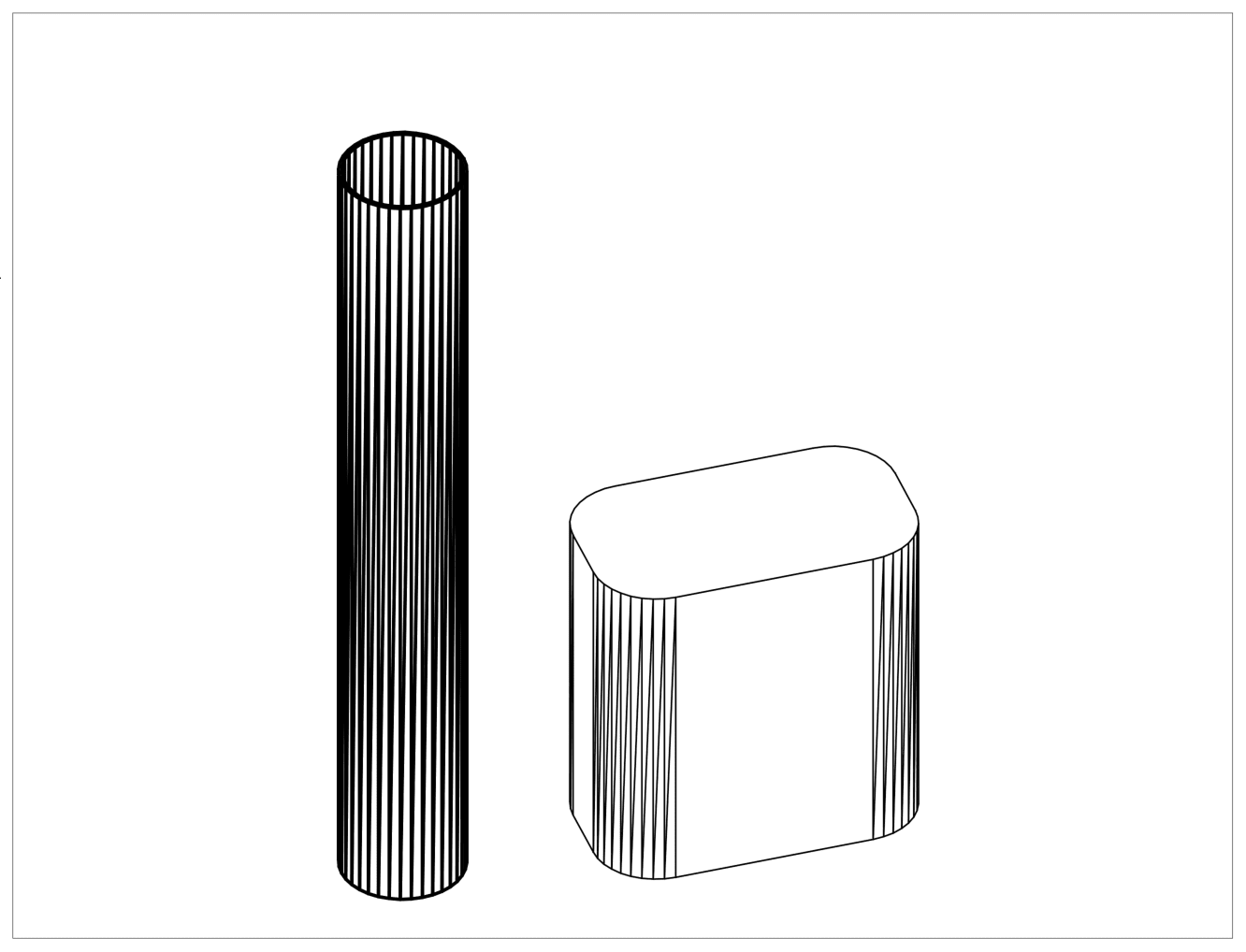

  
Causes

A system variable (DISPSILH) controlling the display of silhouette edges such as the apparent edges on a cylinder is turned off.


Solution

On the command line, type DISPSILH and set the value to 1


Previous Article
Change the tick marks on either ends of a dimension line separately in Revit

There is currently no functionality to change the dimension ticks on either ends of a dimension line separa...

Next Article
Inventor 2025 crashing with Ansys Workbench 2025 R2 Add-In loaded

Here's what to know and do when Inventor 2025  crashes on launch when the Ansys Workbench 2025 R2 Add-In is...

Need tech support? Let us help!

Learn More