

Issue:
You get the following error when starting Inventor:
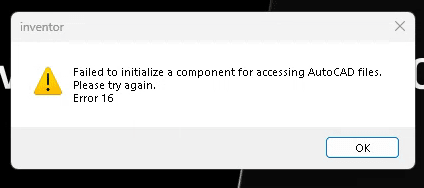
Causes:
The issue is related to the Interoperability Engine Manager, which is failing and causing the error when Inventor attempts to launch.
Solution:
Autodesk has a article with multiple steps to resolve this issue, but we’ve found that the simplest solution is to update the Interoperability Engine Manager without the need for extra steps. The following link is current as of the publication date of this article. You may also want to check your Autodesk account to see if there is a more current version.
https://up.autodesk.com/HIVE/1.4.0/InteroperabilityEngineManager.1.4.0.exe
For reference, the full Autodesk KB article is linked below:
There has also been a similar issue with the Vault Client:
https://resources.imaginit.com/how-tos/autodesk-vault-client-system-typeinilizationexception-error
About the Author
Follow on Linkedin More Content by Heath White


