

Civil 3D tables are dynamically tied to their source objects, sometimes content is not automatically added. This post will focus on working with Parcel Tables, but the ideas shared can be applied to other object type tables such as: Surface, Alignments, Surfaces, etc…
Civil 3D tables will automatically update when corresponding objects are edited. See below how the Line tagged as “L4” is edited and the Line and Parcel data tables update: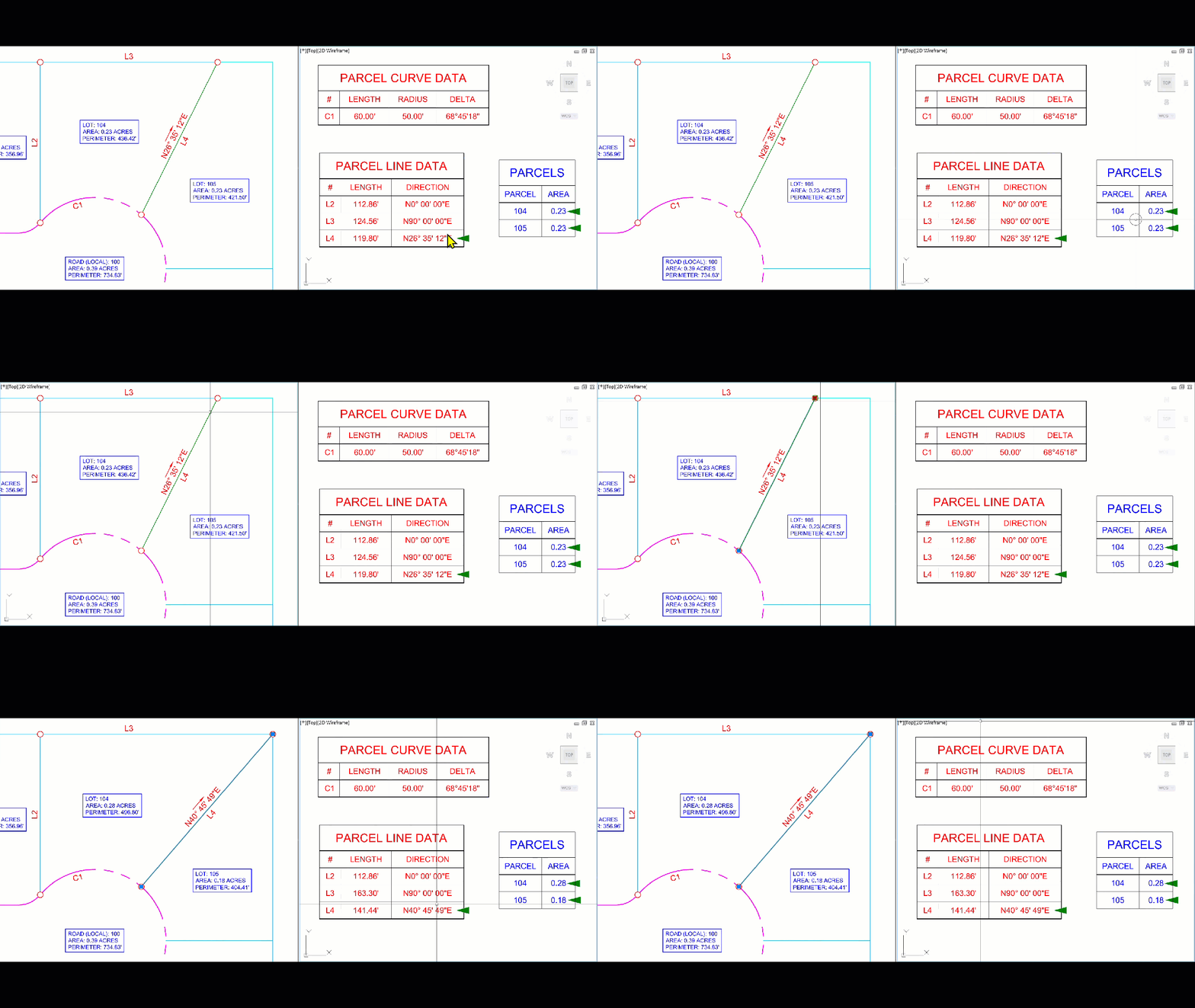
When an Civil 3D table is created as “Dynamic” table values will update. If source content is deleted rows will be automatically removed. See below how tables update when tags "L4" and "C1" are deleted. 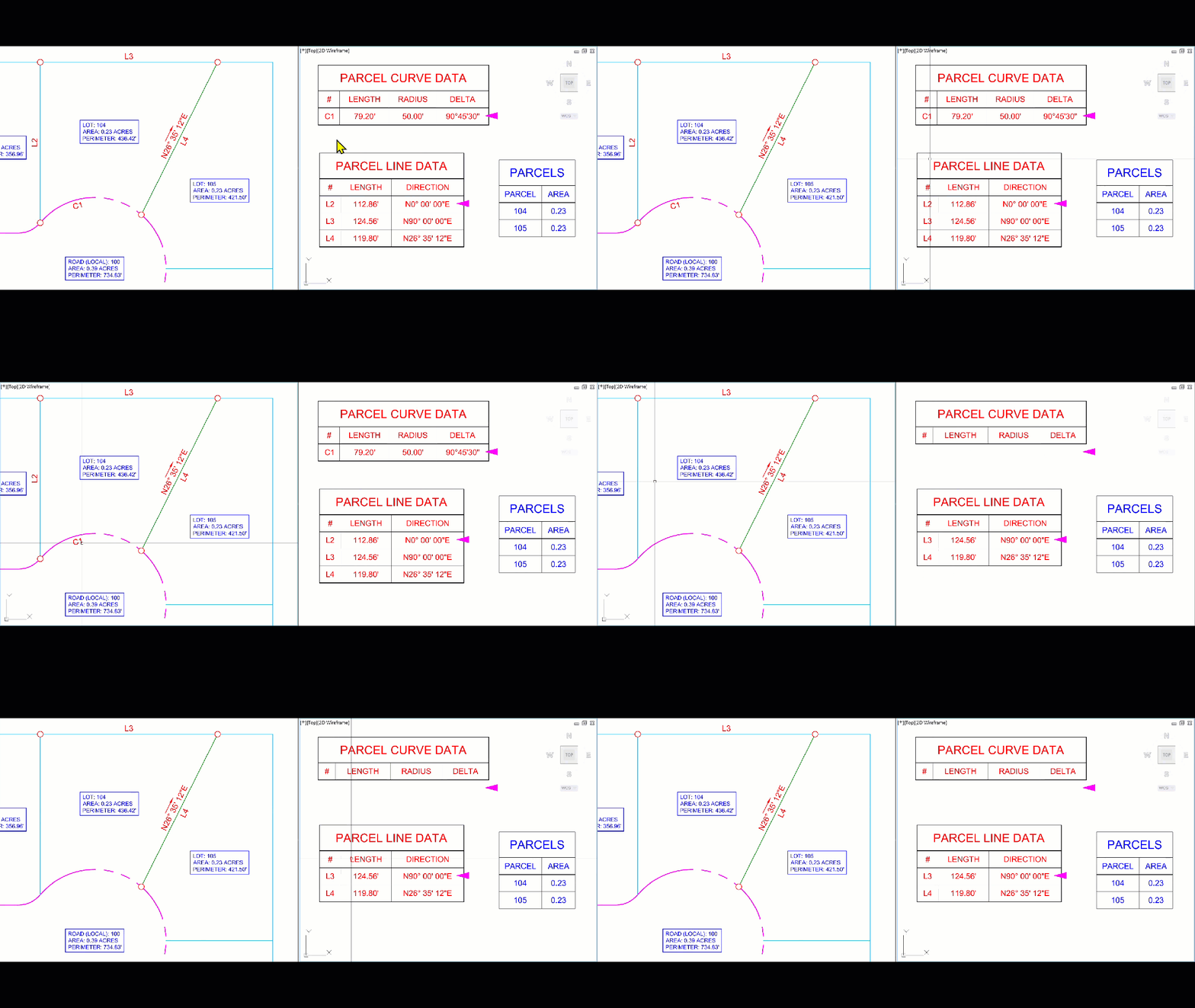
However, if more objects are created or tagged, the Table will not automatically add new rows. 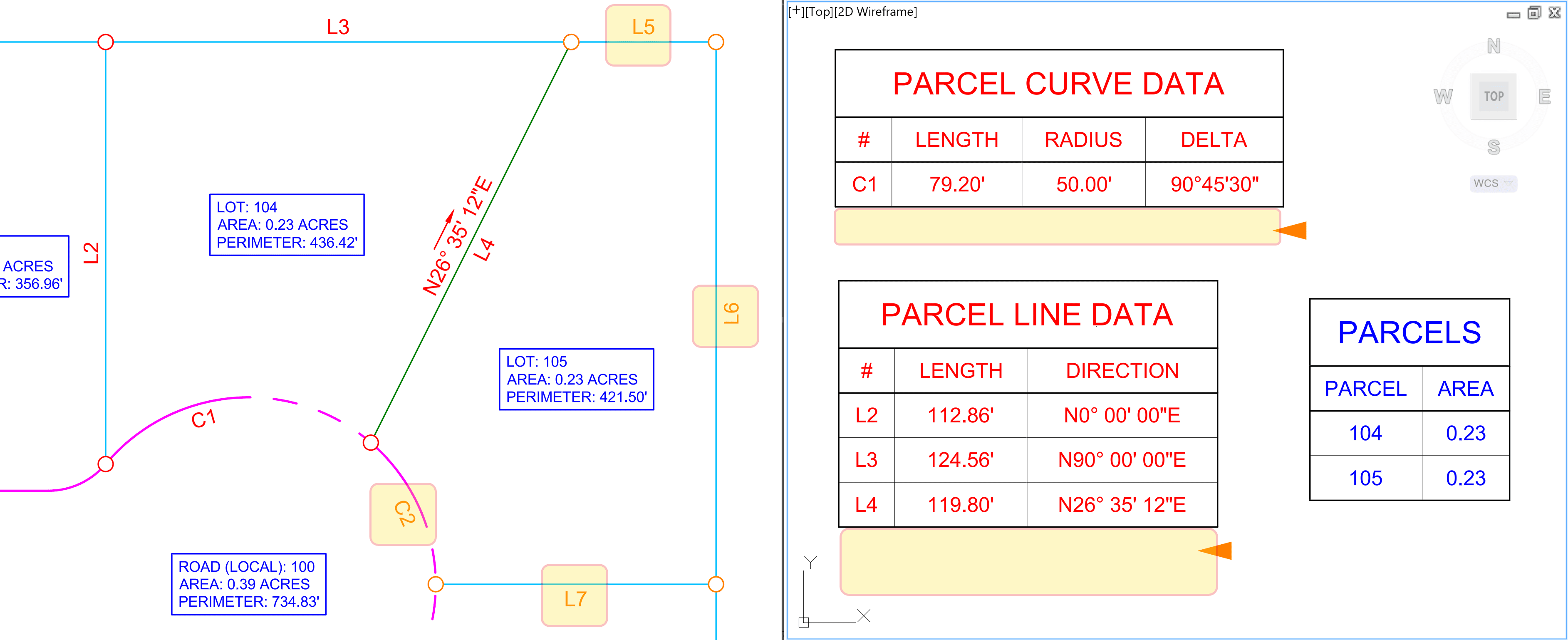
See below some options to add content and update tables:
Option 1: manually update/edit Civil 3D table
Tables can be updated by selecting the table > from the Contextual Ribbon options:
• Static Mode
• Update Content
• Relight Stacks
• Add Itmes (this one will be shown)
• Remove Itmes
• Replace Itmes 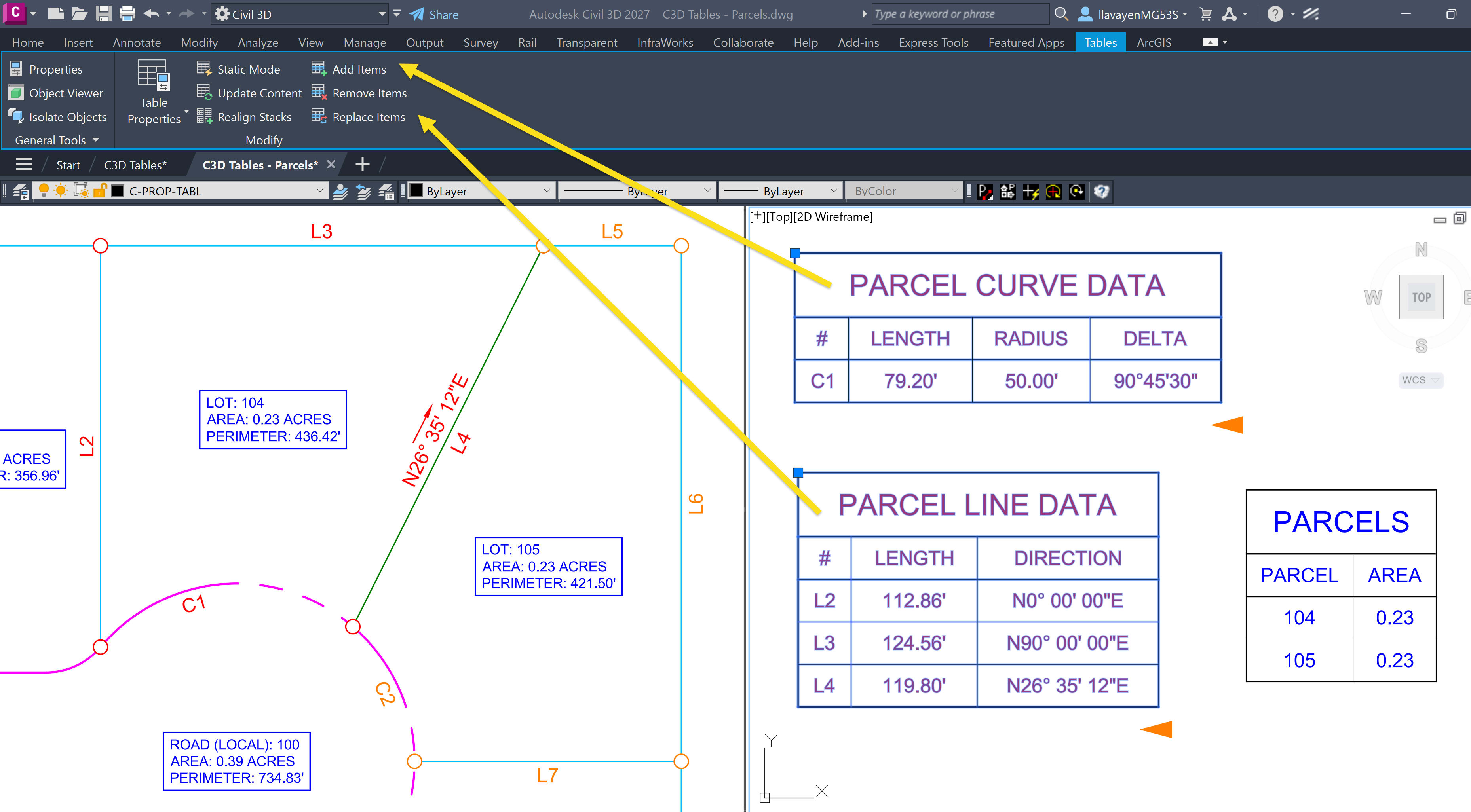
The same can be accomplished by selecting table > right clicking the with the on-screen menu options:
• Static Mode
• Update content
• Realign stacks
• Selection
o Add… (this one will be shown)
o Remove…
o Replace… 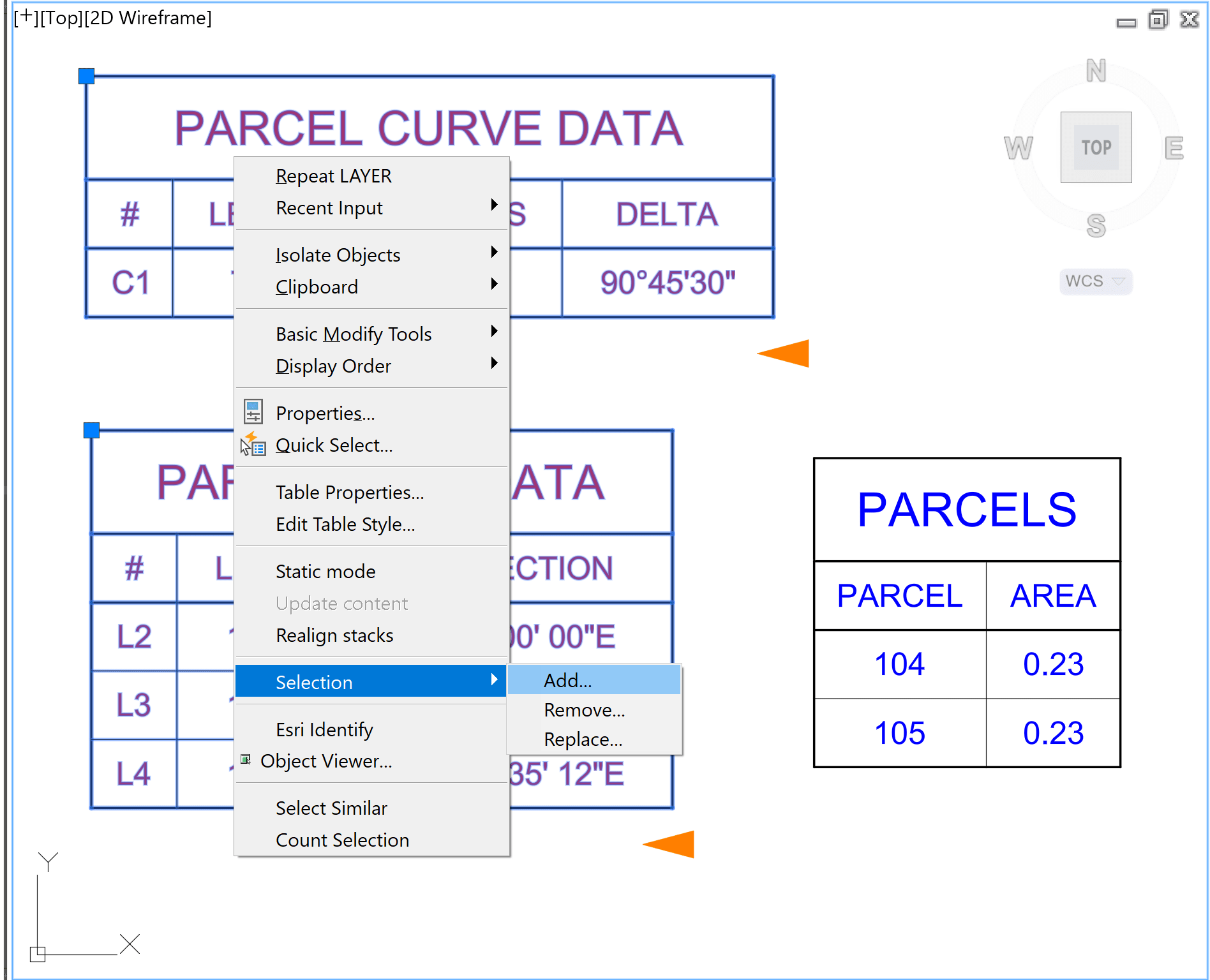
When the “Add” option is selected tables will show additional content. See below how data for "C2" is added: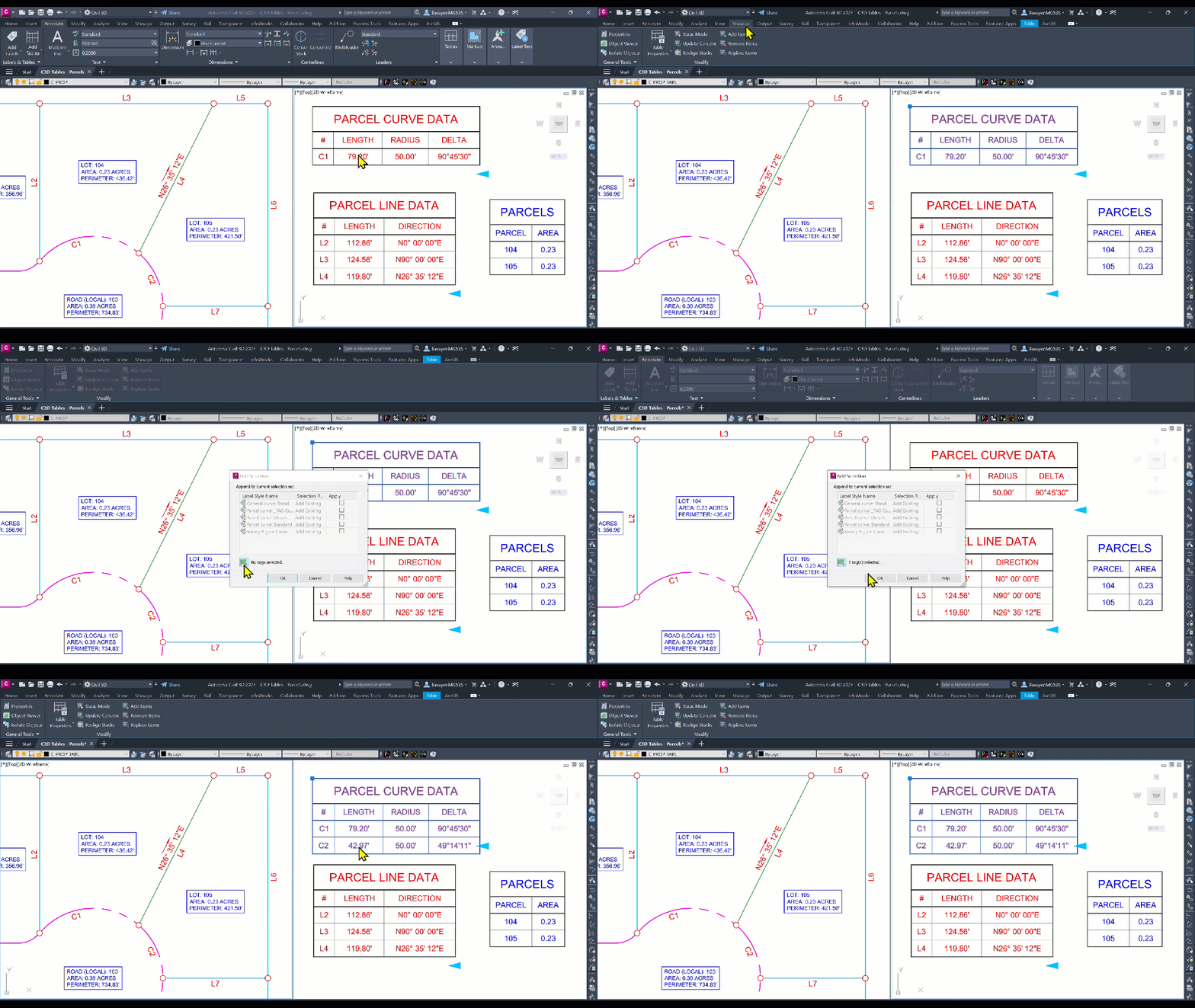
Option 2: enable auto-update when initially creating table
Another option is from the Table Creation dialog box > from the “Selection Rule” column > select “Add Existing and New” option: 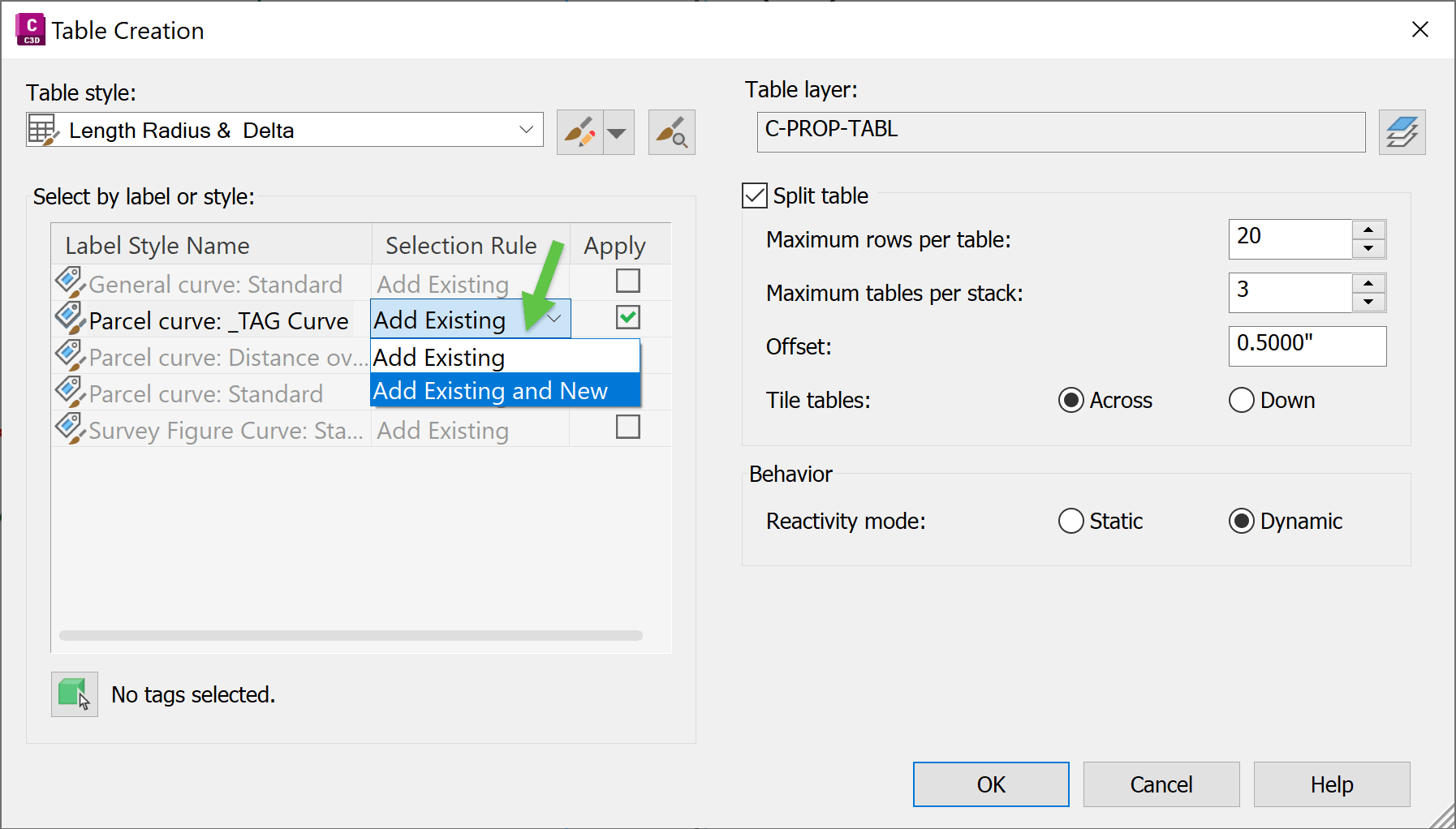
When the option Selection Rule is set and new content is created or tagged, the tables will automatically add new rows: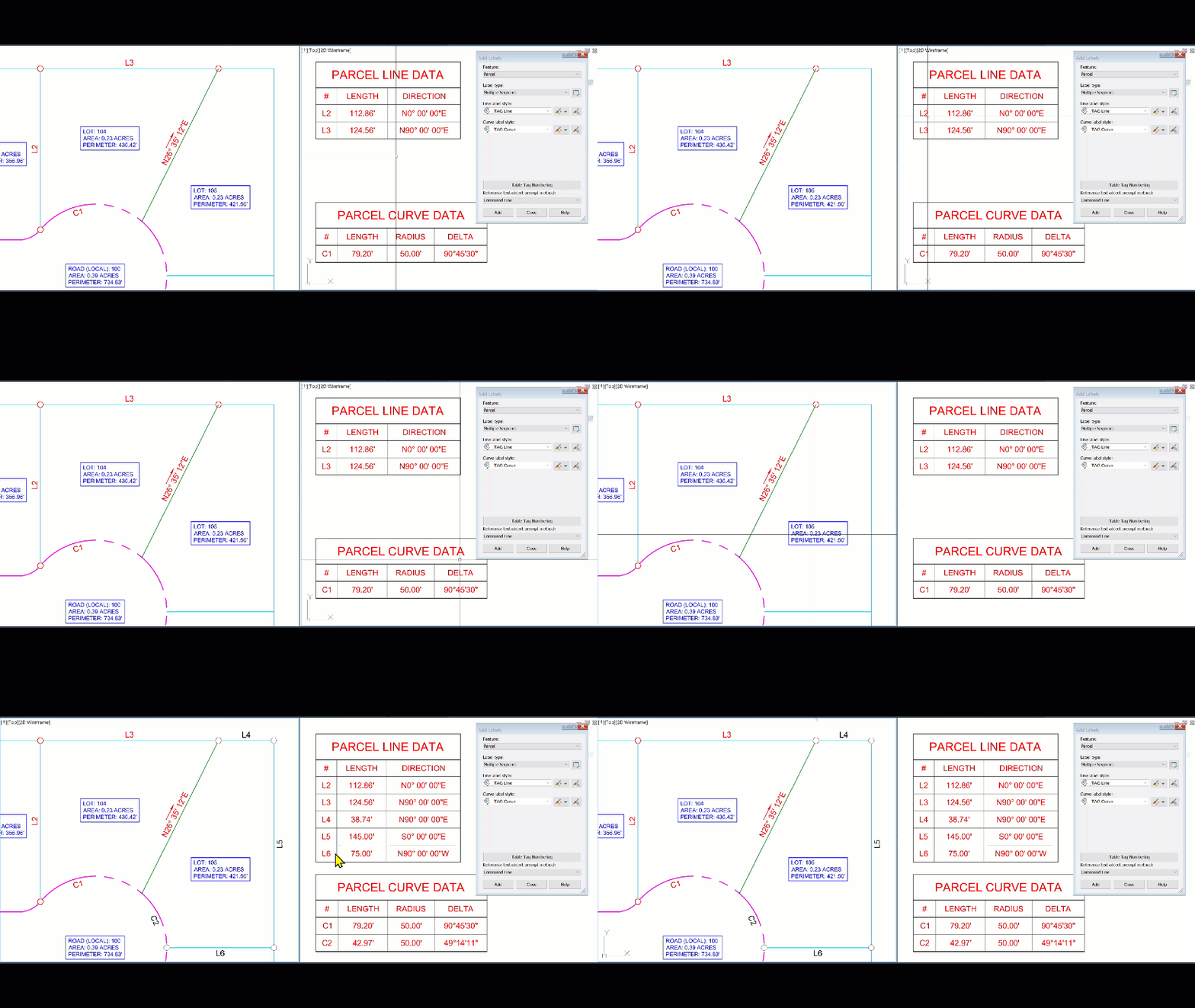
This is an good option, but there is NO way as of right now to make it the default in Civil 3D.
We hope this post clarifies how to make Civil 3D data tables more dynamic for your designs.
About the Author
More Content by Leo Lavayen


