

Civil 3D includes a built-in Rim to Sump structure label that works well for some drainage design workflows.
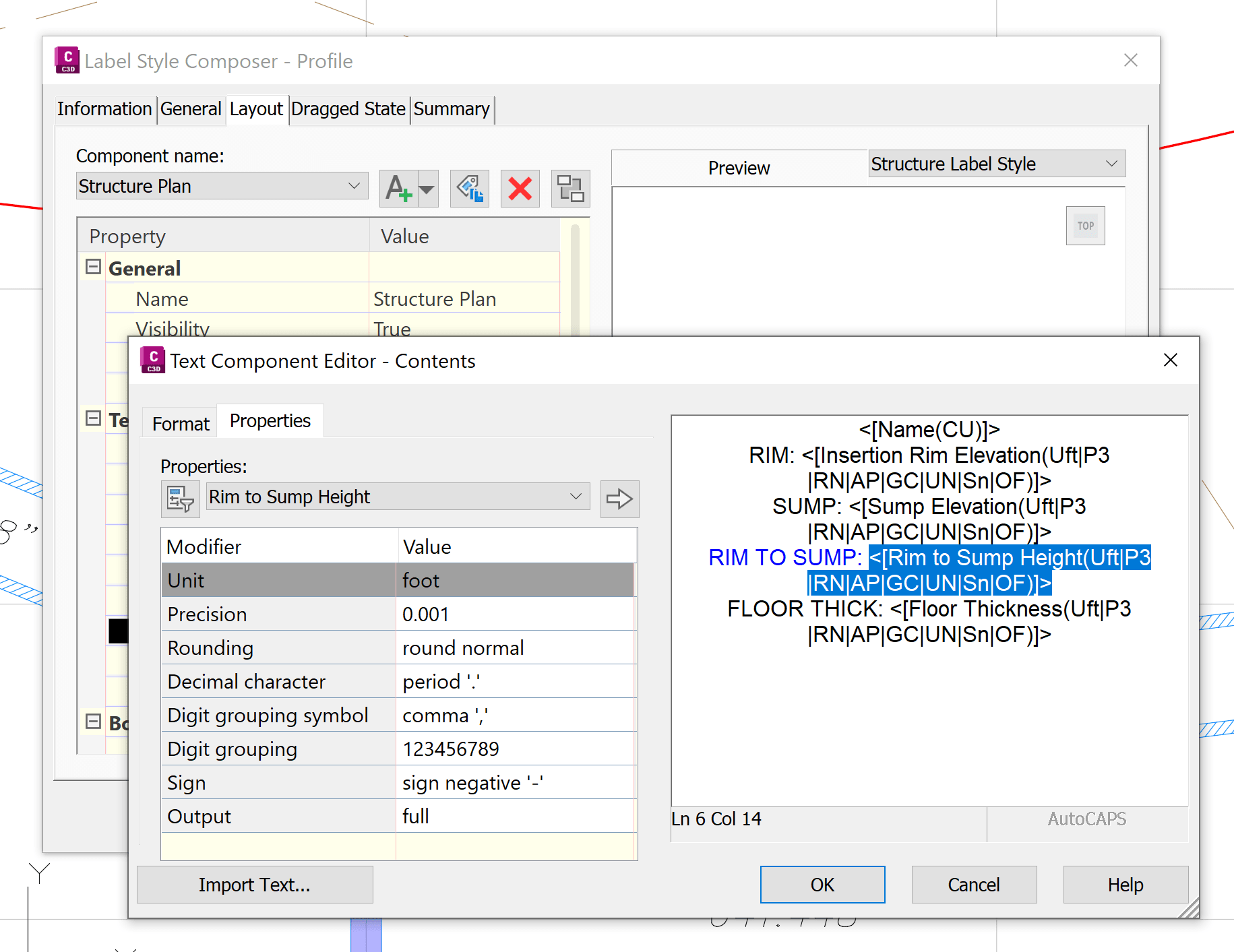
However, the Rim to Sump value does not always represent the true structure depth. If you need a label that reports the actual distance from the structure top (rim) to the bottom of the structure, the default label can produce misleading results.
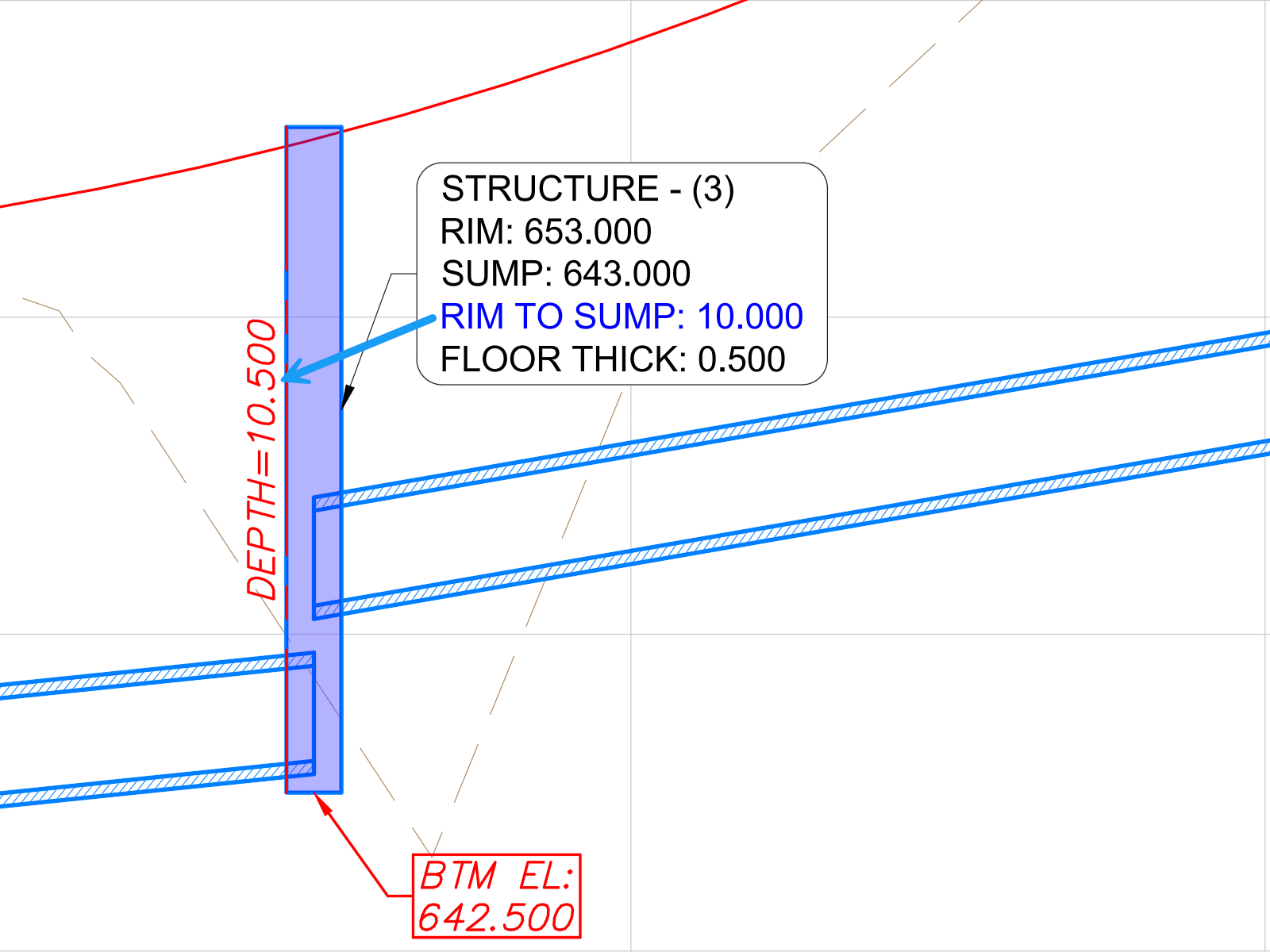
Why the Values Differ
The discrepancy is caused by the structure's Floor Thickness valuie. The built-in Rim to Sump label measures only to the sump elevation and does not account for the additional floor thickness below the sump.
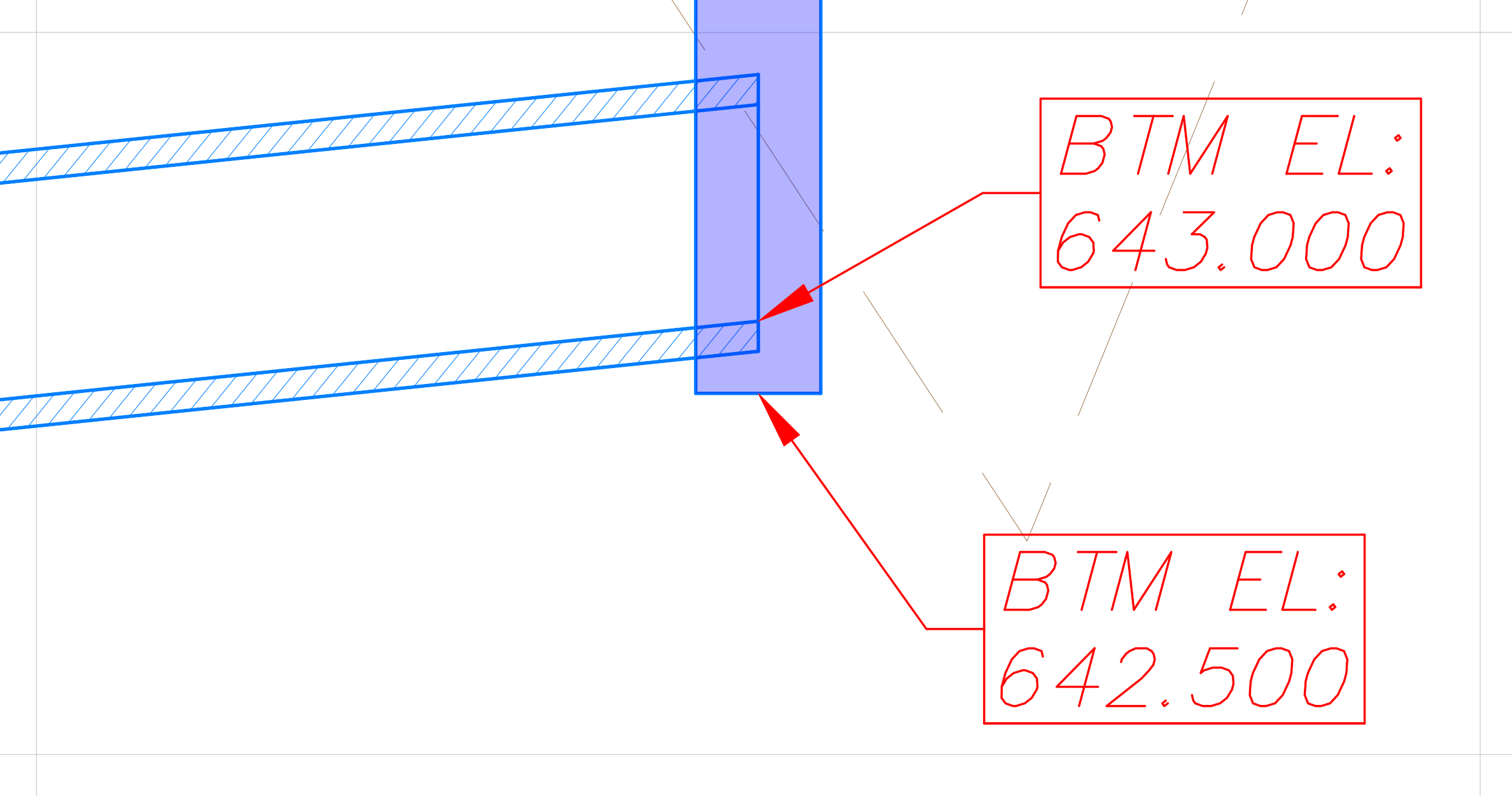
Solution
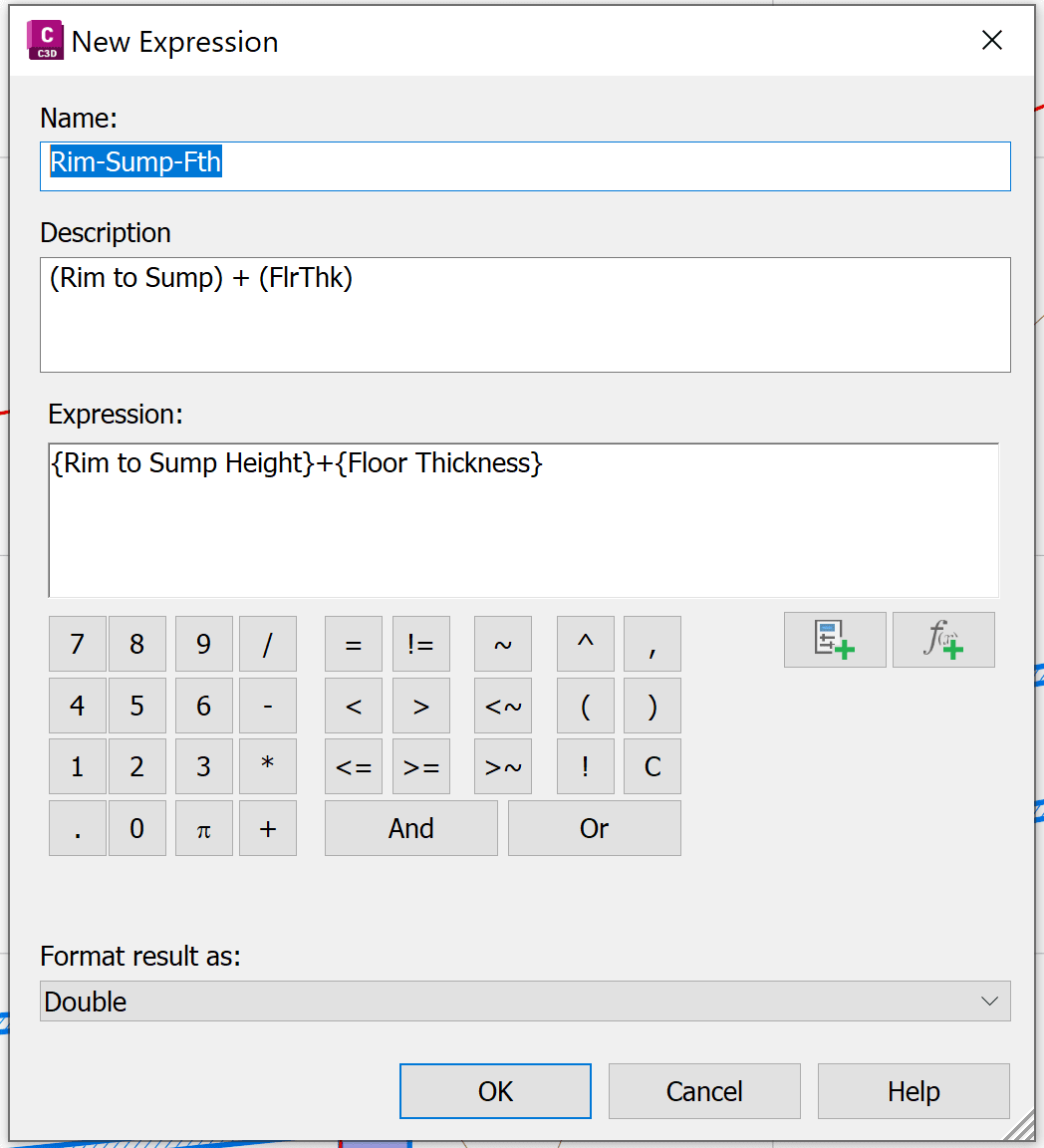
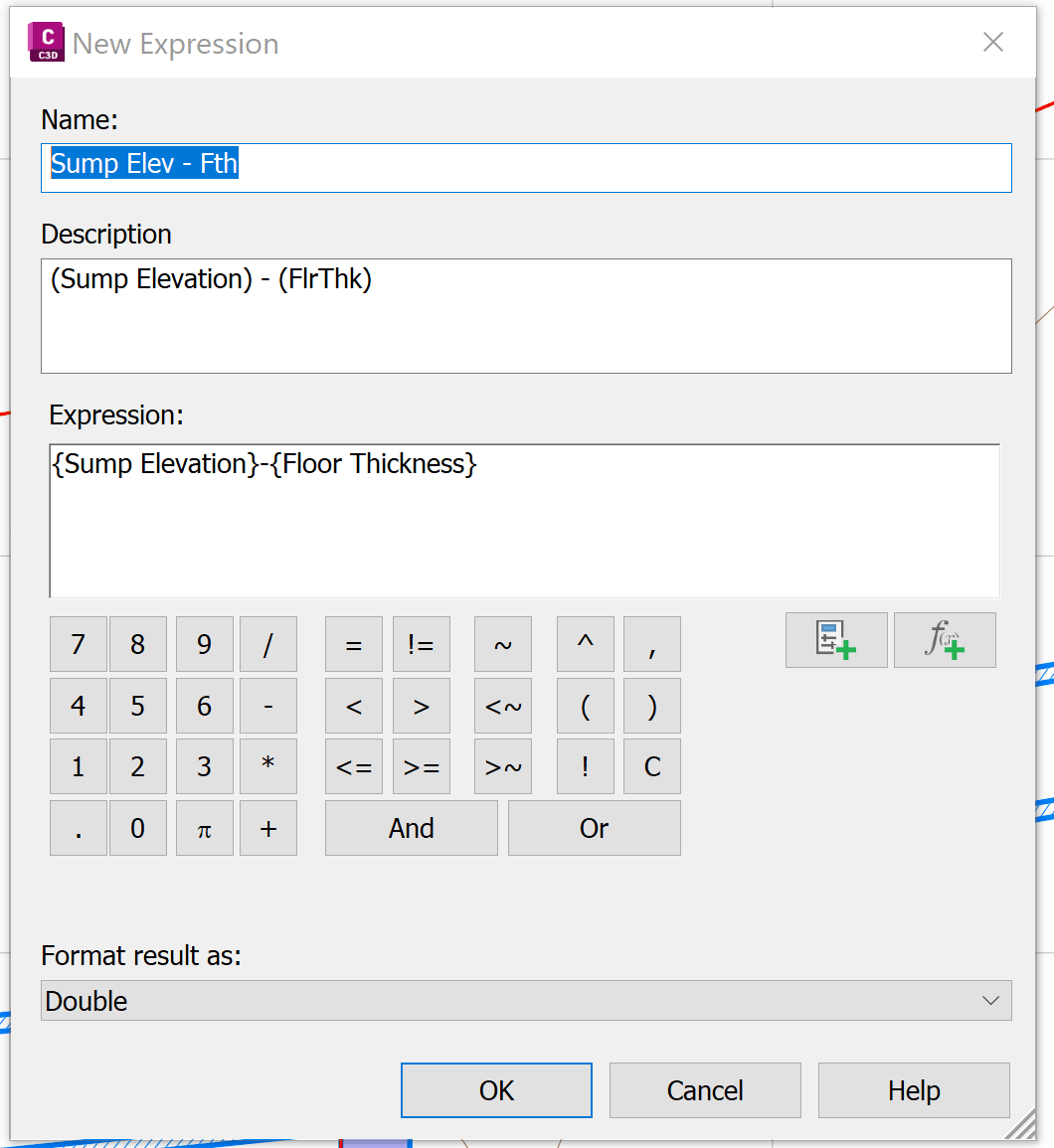
A custom expression can be created to account for the floor thickness and provide more accurate values. The expression can be used to:
- Display the true structure depth (Top to Bottom).
- Calculate and display the Structure Bottom Elevation.
| 1.) Rim to Sump + Floor Thickness |
2.) Sump Elevation – Floor Thickness |
 |
 |
Results
After adding the custom expressions to your structure label style, the labels will display the correct structure depth and bottom elevation values.
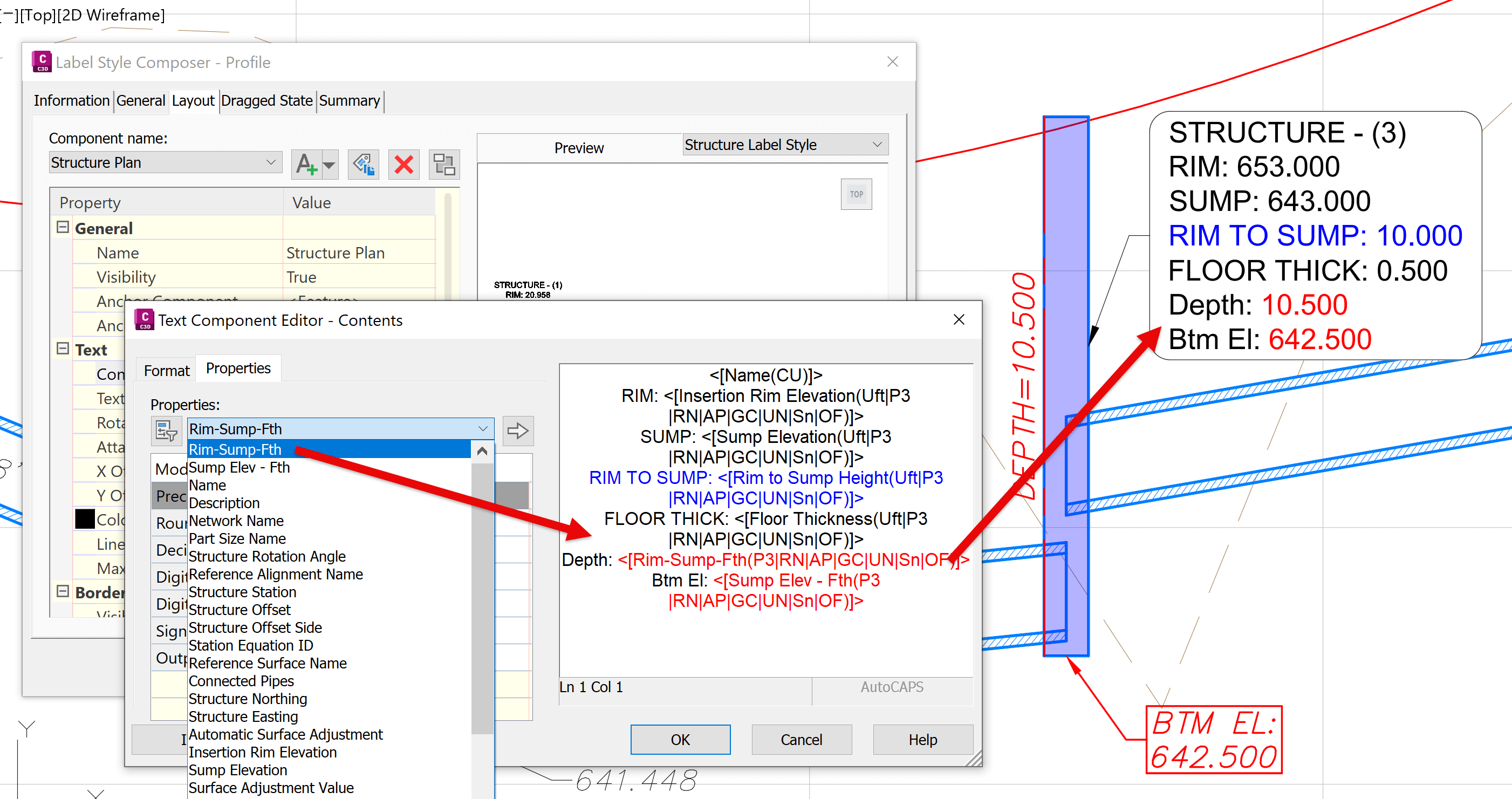
This approach provides a more accurate representation of structure dimensions and is particularly useful when structure bottom elevations are required for design reviews, quantity calculations, or construction documentation.
About the Author
More Content by Leo Lavayen


