

For a long time, I have wanted to have a smarter Contour label that drops decimals. Something like what is available for Stations type labels. A modifier that could “Drop Decimal Value for whole numbers”
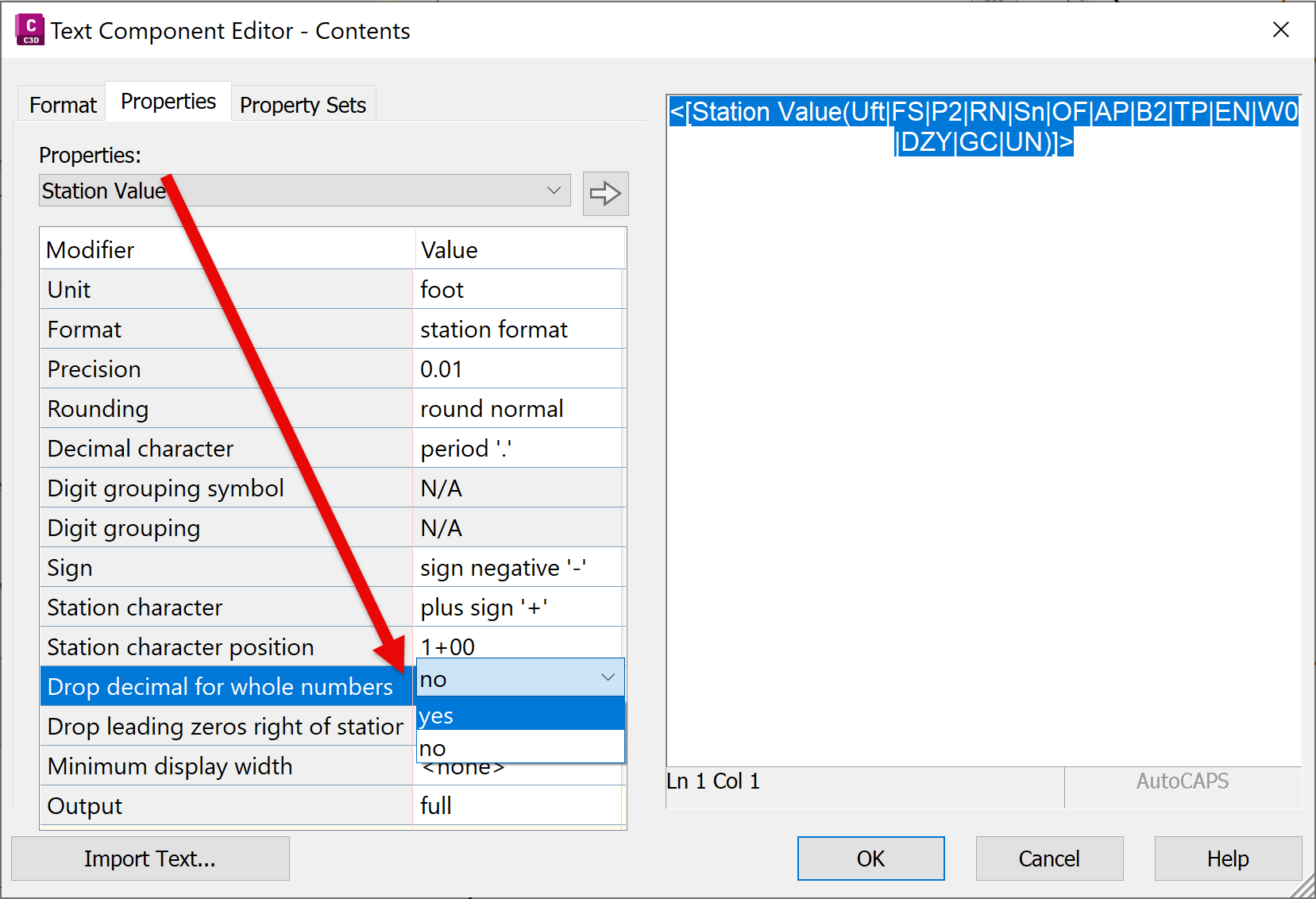
ISSUE:
In Civil 3D, Contour surface labels do not support conditional formatting for decimal precision. If a label style is set to display two decimal places, those decimals will appear for all elevations—even when the value is a whole number (e.g., 100.00 instead of 100).
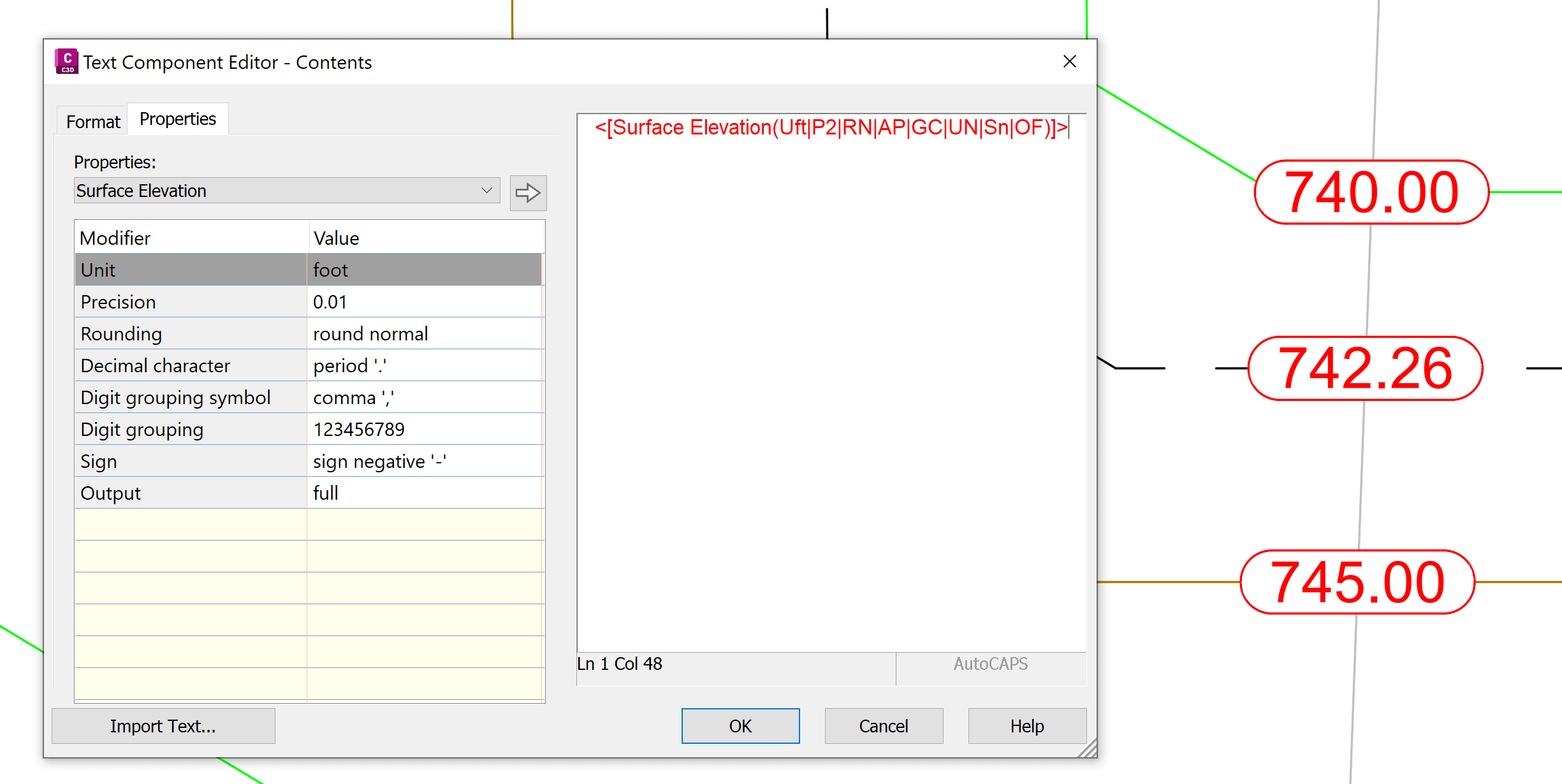
SOLUTION:
We can work around this limitation by using expressions and dual text components to conditionally display whole numbers and decimal values.
Step 1: Create Expressions
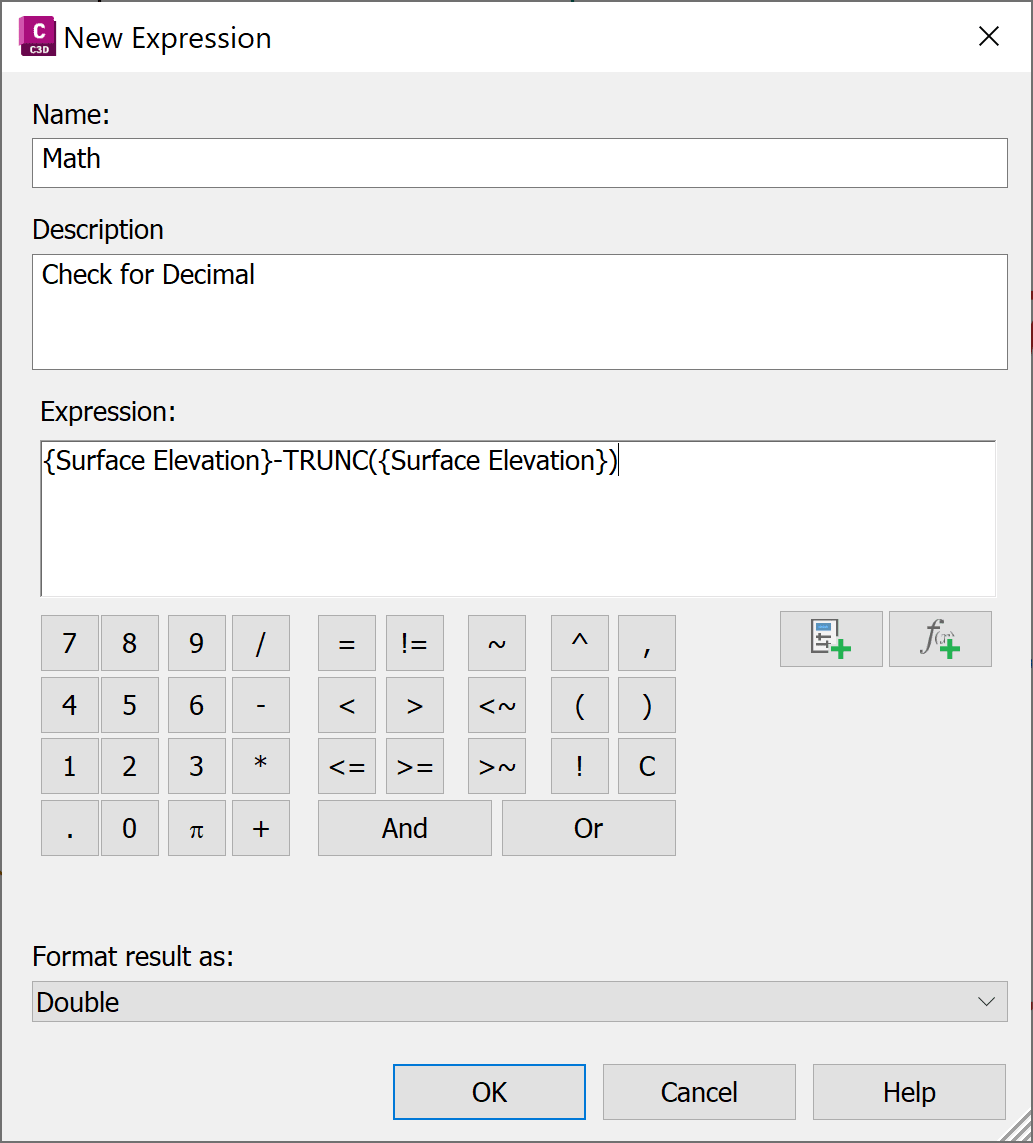
First, create expression that will check if there is a whole number:
|
Name: Math
|
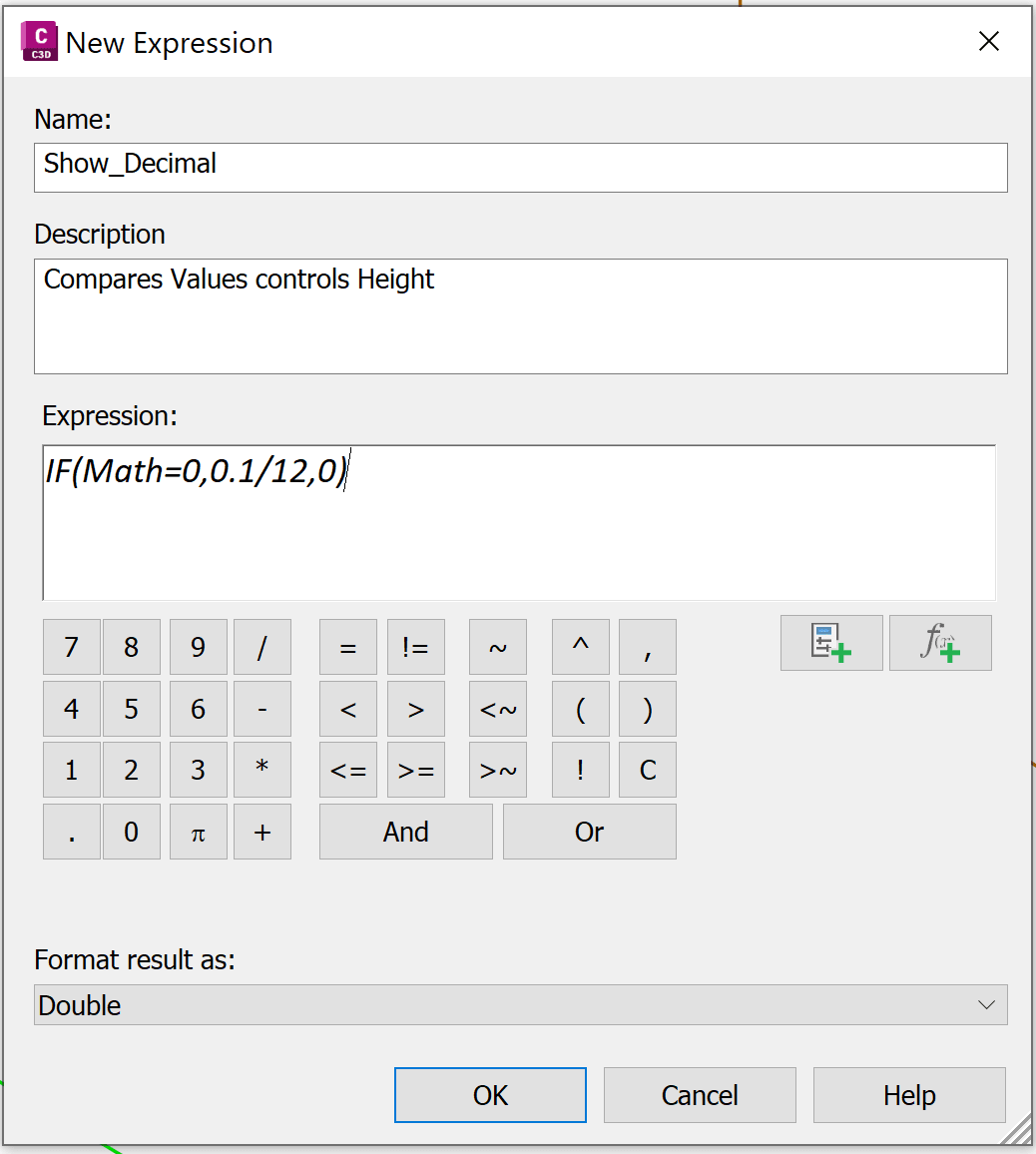
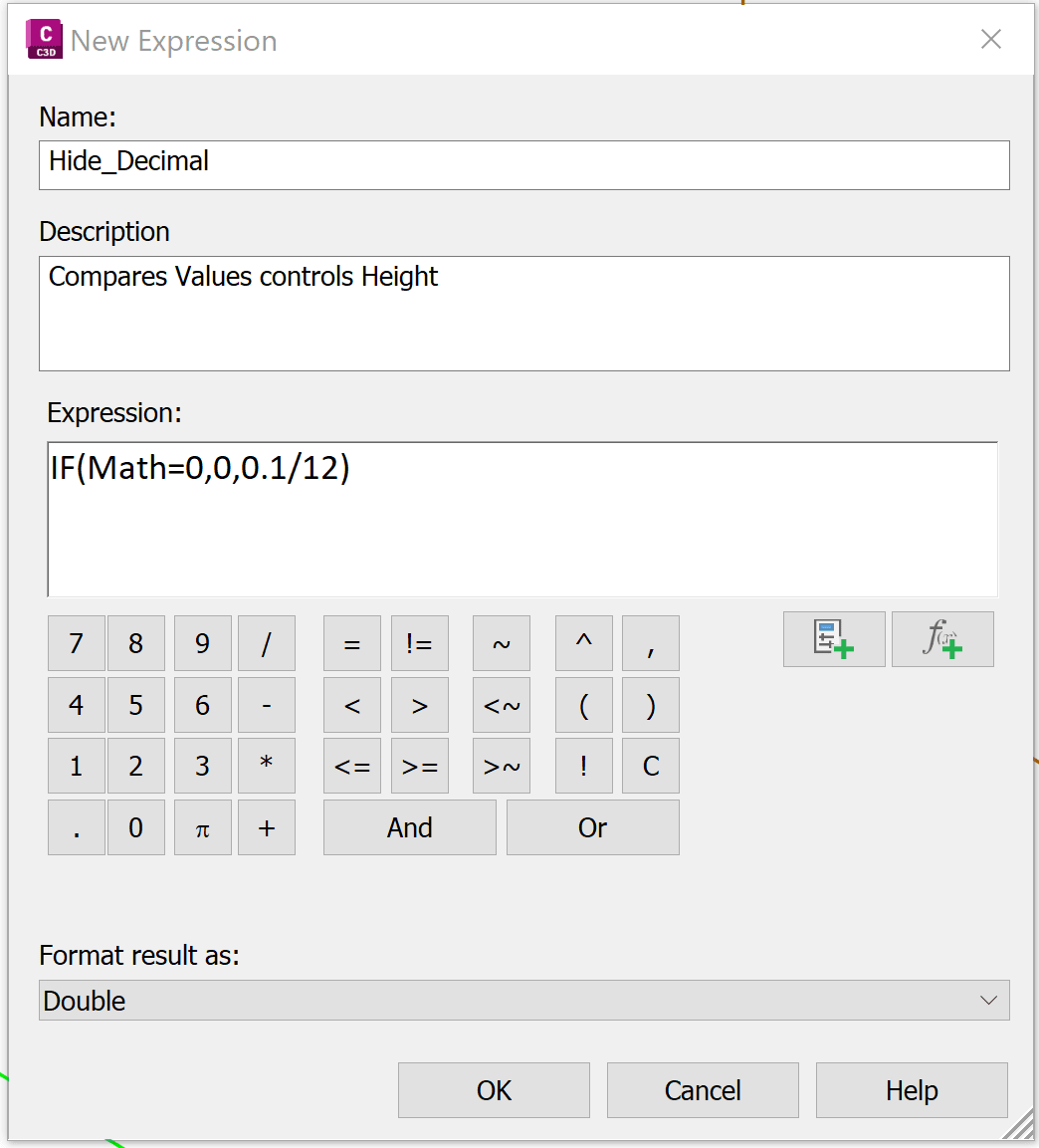
Then, create two expressions that control text height based on whether the elevation is a whole number.
|
Expression to Hide whole value |
Expression to Show Decimal value |
|
Name: Hide_Decimal |
Name: Show_Decimal |
Step 2: Create Label Style
Create a contour label style with two text components:
-
- Whole Value Component:
Decimal precision: 0 - Uses expression: Hide_Decimal - Decimal Value Component:
Decimal precision: 2 - Uses expression: Show_Decimal
- Whole Value Component:
|
“Whole” text component: 0 decimal spaces |
|
|
|
“Decimal” text component: 2 decimal spaces |
|
|
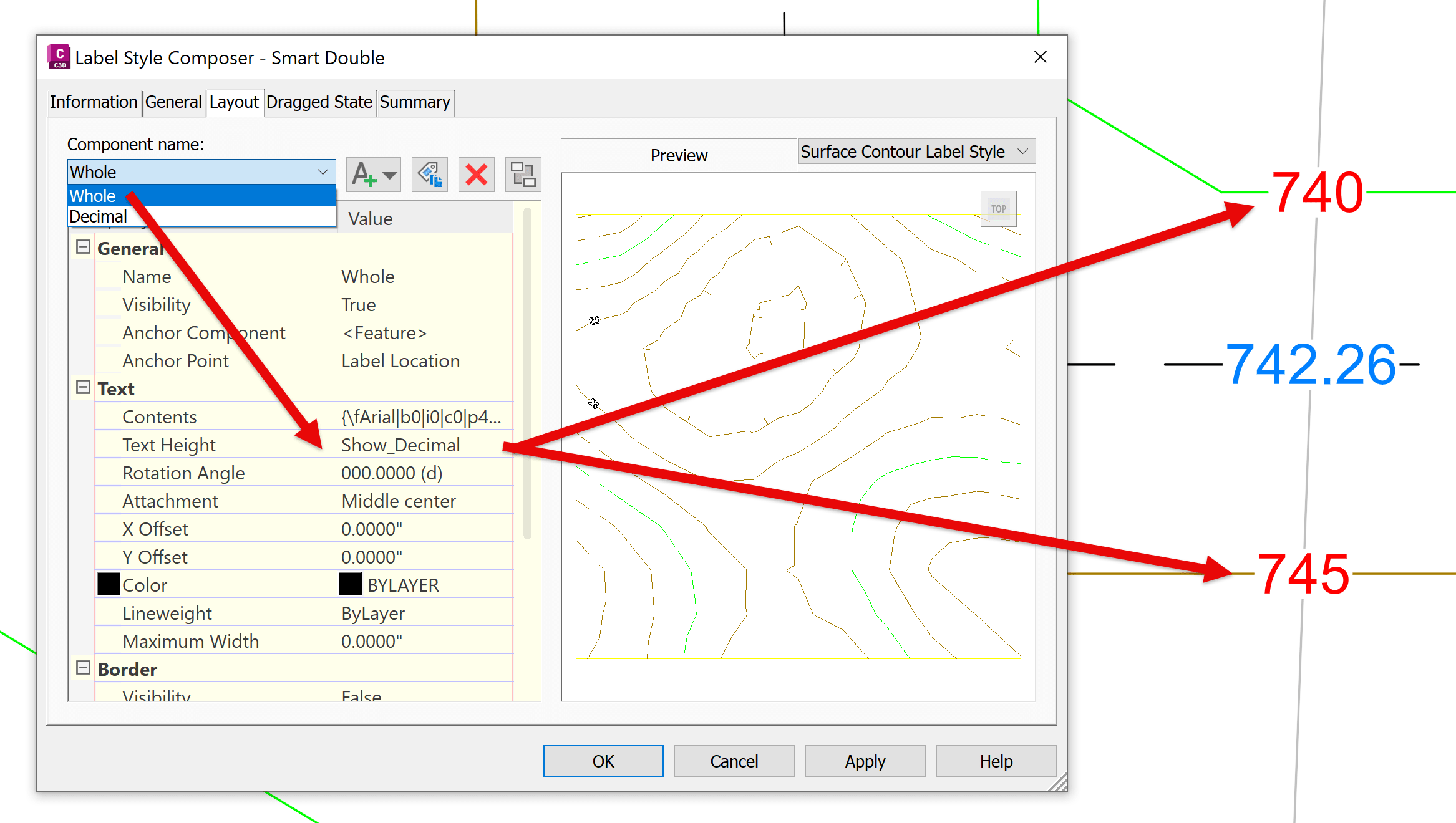
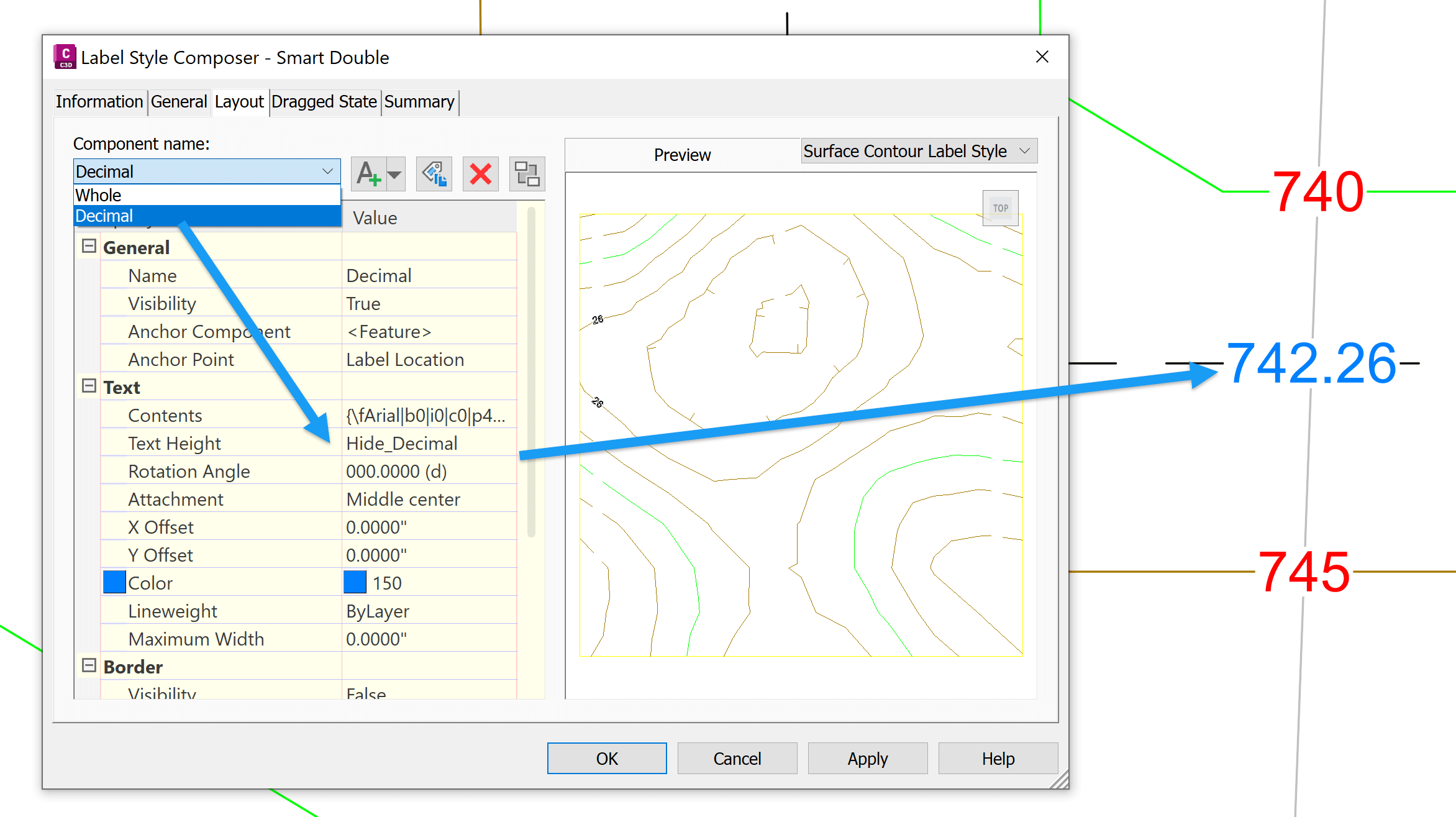
Each text component is conditionally hidden by setting its height to zero. When the elevation is a whole number, only the whole-value component is visible. When it includes decimals, only the decimal component appears. This setup is especially useful when:
-
- Contour intervals include fractional values
- Surface analysis requires mixed precision labeling
- You want cleaner, more readable contour annotations
About the Author
More Content by Leo Lavayen


