One of the questions I hear most from project teams right now is simple: How do we keep early design flexible without losing momentum when it’s time to move into detailed design? That’s exactly where the connection between Autodesk Forma and Revit starts to matter.
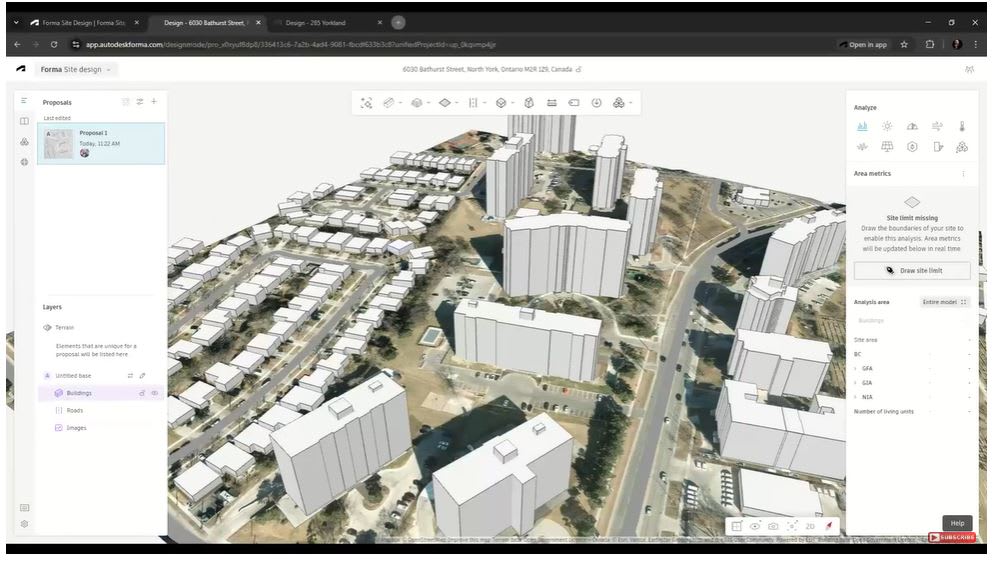
Forma gives teams a fast, intuitive way to explore ideas early. You can test massing, evaluate site constraints, and understand performance impacts without over-committing too soon. But early design only works if it feeds smoothly into what comes next. That’s where a connected workflow really pays off.
When Forma and Revit work together, you’re not starting over. You’re building on decisions you’ve already made.
From concept to design without the disconnect
Early design is where creativity should move quickly. Forma is built for that. You can explore options, compare alternatives, and respond to feedback without getting bogged down in detail. The problem is what often happens next. Teams export screenshots, recreate geometry, or manually translate ideas into Revit. That’s where time gets lost and intent can drift.
By connecting Forma directly to Revit, you maintain continuity. Massing models, site context, and early assumptions don’t disappear once the project moves forward. Instead, they become a foundation for more detailed design work.
This helps teams stay aligned. Architects, designers, and project managers are working from the same source, not parallel versions of the project.
Why this matters for day-to-day teams
For AEC managers and users, this isn’t about chasing new tools. It’s about reducing friction.
A connected workflow means fewer handoffs and fewer rework cycles. It means design intent stays intact as the project evolves. And it means teams can spend more time improving outcomes instead of rebuilding models.
It also supports better collaboration earlier in the process. Forma makes it easier to bring stakeholders into conversations when changes are still easy to make. When those early decisions flow into Revit, the entire team benefits from that clarity.
Smarter decisions, earlier
Another key advantage of working in Forma is the ability to evaluate performance early. Understanding things like daylight, site conditions, and basic sustainability metrics at the concept stage helps teams make more informed decisions before they become expensive to change.
When those insights carry through into Revit, teams aren’t guessing later. They already have context around why certain decisions were made. That’s especially helpful for managers balancing design quality, timelines, and project scope.
Keeping workflows practical
The goal here isn’t to add complexity. It’s to simplify the path from idea to execution.
Forma and Revit together support a workflow where early design exploration feeds directly into detailed modeling. Teams can move forward with confidence, knowing their early work still has value later in the project lifecycle.
That’s what connected workflows are really about. Less duplication. Better alignment. And more time spent designing instead of translating.
If you want to see how this works in practice and what it looks like inside the tools, watch the video to learn more.