

Issue:
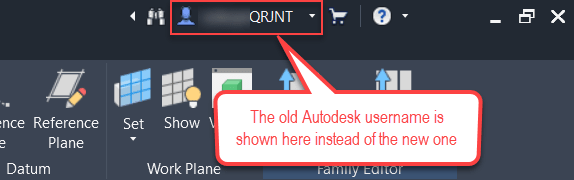
After changing the username in your Autodesk Account according to this article, the new username is not reflected in Revit. Instead, the old username is shown after signing in to Revit.
This results in errors when trying to sync new and existing Revit workshared models. Issue may persist in Revit after signing out and signing back in.
Causes:
Outdated data cache.
Solution:
Take the steps below to ensure this change is reflected in Revit and other Autodesk software:
-
- Reset the local login cache for Autodesk desktop software. See – Autodesk Licensing and Sign-in Helper - Reset Login state.
- Clear all time browsing data (Cookies and cache) for Microsoft Edge or the default browser on the device. See – How to clear the browser cache.


