Applies to:
Vault
Issue:
When opening or viewing a drawing file (IDW or DWG) in Inventor View a warning dialog is presented and the file is not opened.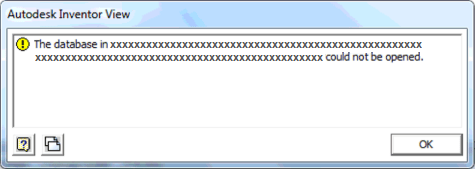
Causes:
• File began as AutoCAD and was later transitioned to Inventor.
• Corrupted file.
• Inventor View cannot open file due to being made with newer version of Inventor.
Solution:
The error message indicates the issue is related to the setting for "Beta: Use Unicode UTF-8 for worldwide language support" in Region settings. 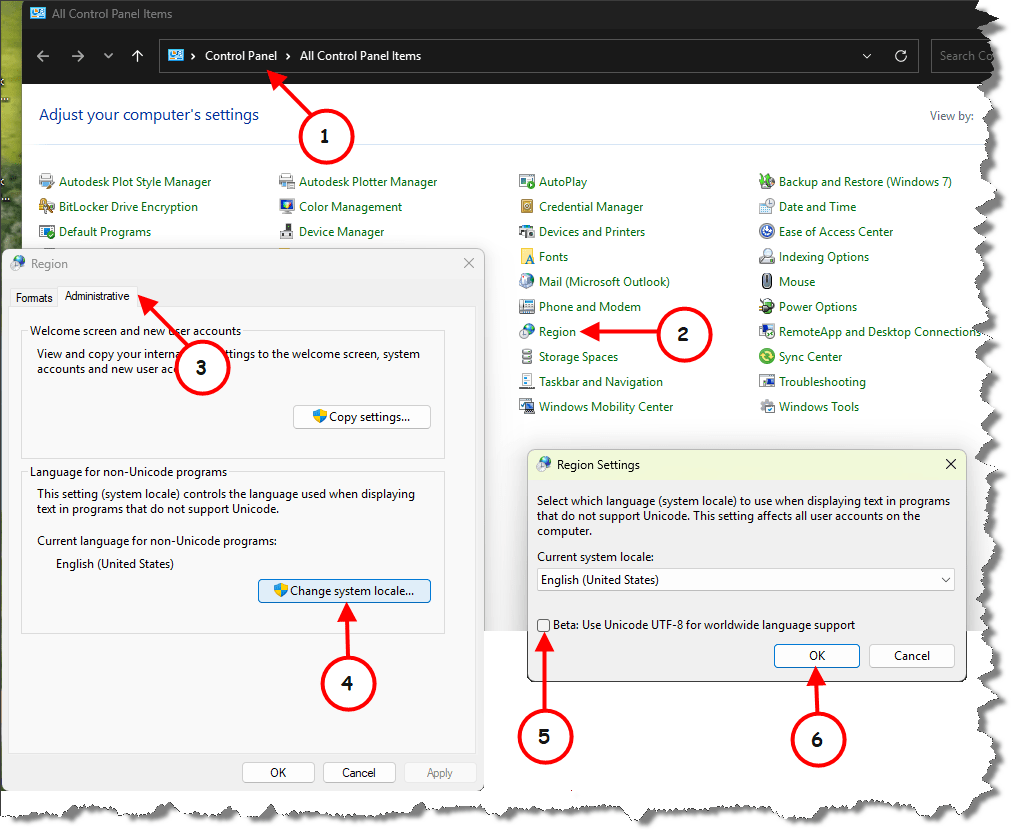
Disable "Beta: Use Unicode UTF-8 for worldwide language support" in Region settings.
1. In the Start menu, type Control Panel and select the link.
2. Select Regional.
3. Select the Administrative tab.
4. Select Change system locale.
5. If selected, deselect the box next to Beta: Use Unicode UTF-8 for worldwide language support.
6. Select OK
Restart the system/PC.