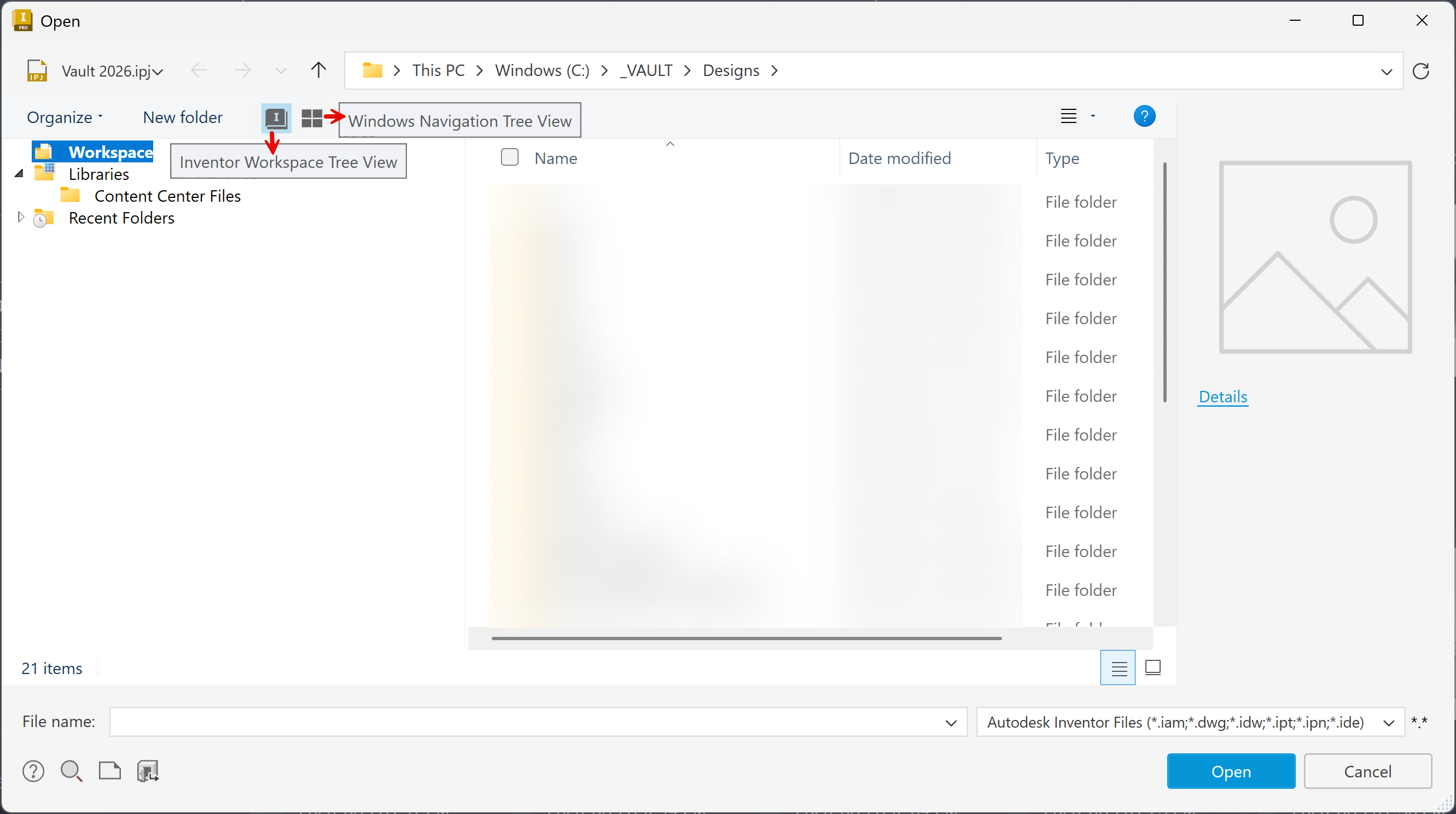
Inventor Open dialog box switch from workspace to desktop

Issue:

In Inventor 2026 and newer, the File Open and Save dialog boxes have been updated.

How do you switch between project and Windows explorer file browsing? 

Solution:

In Inventor 2026.1 and newer you can switch between these two views at the top left of the Open(or Save) dialog box.

Show the Workspace and library view or the entire Windows File Explorer tree.

  • Workspace Tree View
  • Windows Navigation Tree View

To open the Projects dialog box:

About the Author

Joanna Gryszka

Manufacturing Technical Support Specialist<br><br>Joanna has over eight years of experience working with Autodesk products. She started supporting core AutoCAD and network installations of all Autodesk products. She now has five years of experience with Inventor. <br> She graduated from Mechanical Engineering and has been providing solutions to clients and dedicating her knowledge to the Solution Center since then.

More Content by Joanna Gryszka

Previous Article
Inventor Finish appearance feature is not applying to iPart

Issue: Adding a Finish Appearance feature to an iPart doesn't always apply the chosen finish to the instanc...

Next Video
Where to Start with AI in Manufacturing

Artificial Intelligence is transforming manufacturing, but knowing where to start can be challenging. In th...

Inventor Classes Now Available

Check Schedule