Inventor: Remove Save As Data Standard Dialogue

Applies to:
Inventor

Issue:
File Save As produces Data Standard Dialogue

Causes:
Enabled Vault Data Standard

Solution:
Disable the Vault Data Standard 
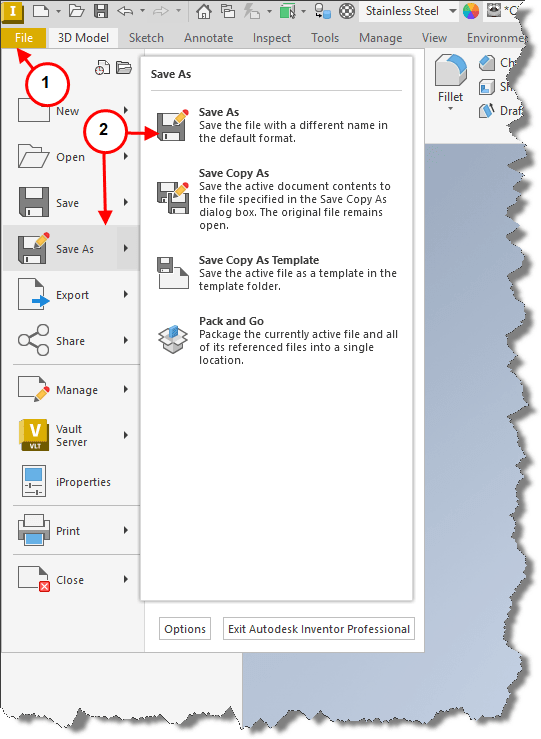
 
1.    Selecting File tab.
2.    Followed by Save As.
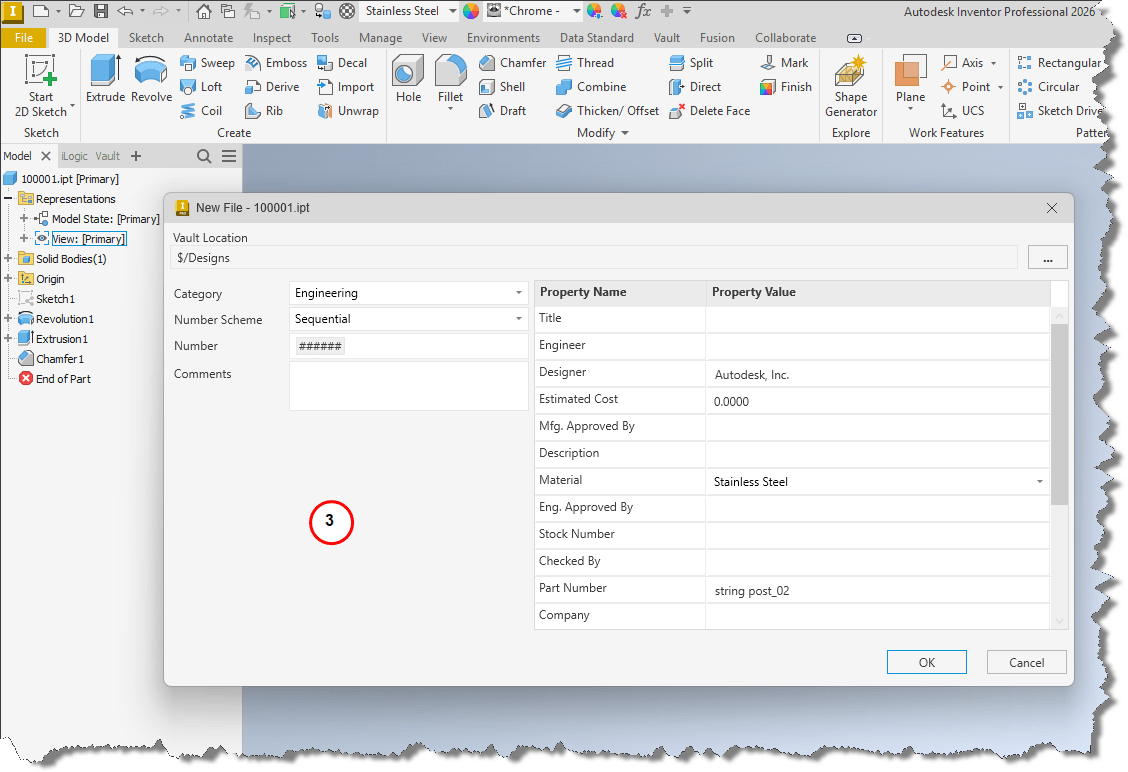
3.    Displays the Vault Data Standard New File menu.
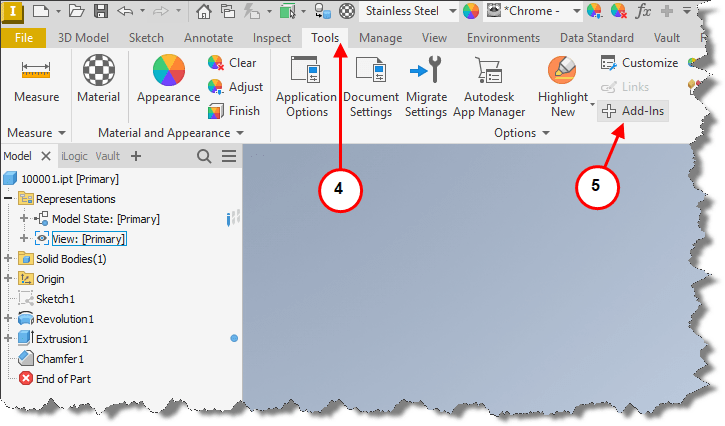
 
4.    To disable Vault Data Standard, select the Tools tab.
5.    Followed by Add-Ins in the Options section.
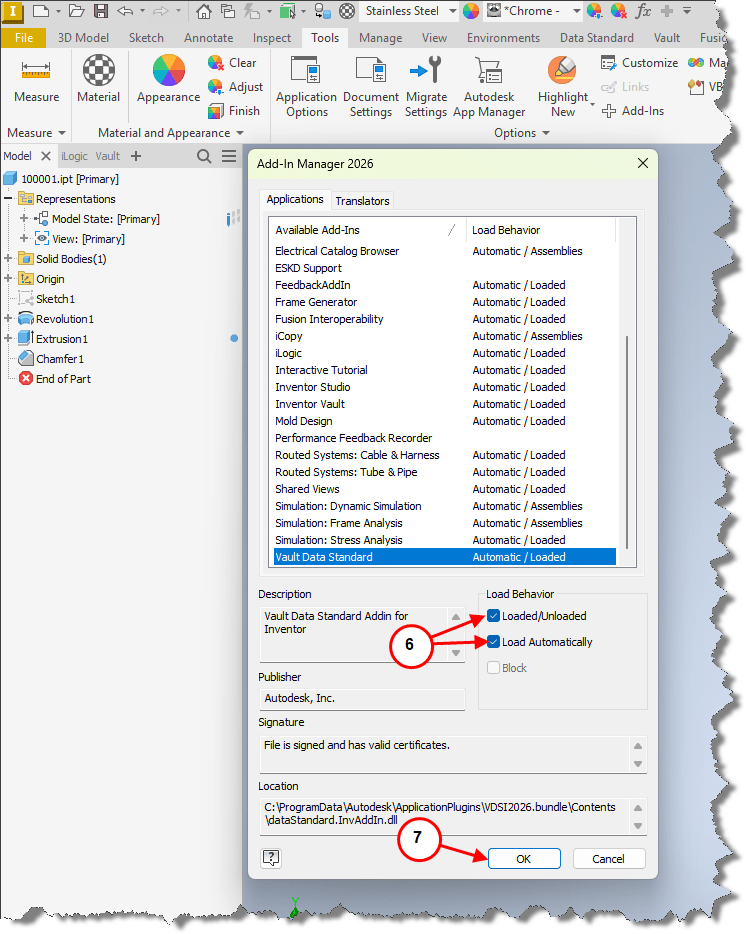
 
6.    Scroll to and highlight the Vault Data Standard Add-In, uncheck Loaded/Unloaded and Load Automatically.
7.    Select OK.
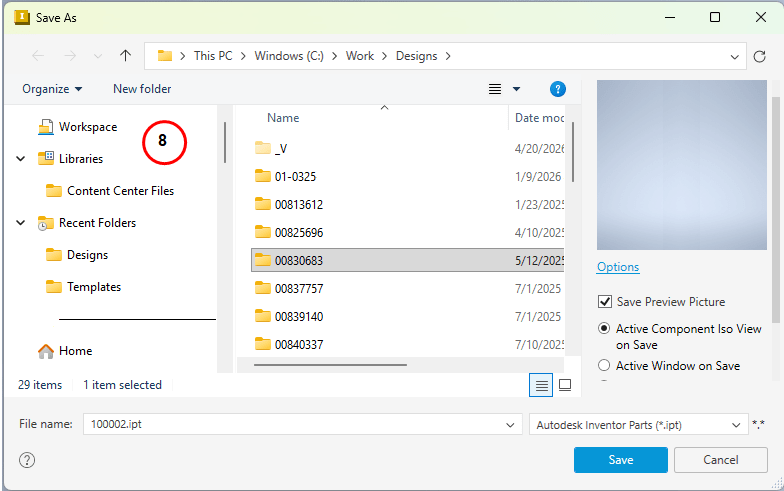
 
8.    Selecting File tab followed by Save As will produce standard Save As menu.

Previous Video
What's New in Inventor & Vault 2027

Get up to speed on what’s new in the 2027 releases of Autodesk Inventor and Vault. IMAGINiT expert Mark Fl...

Next Video
New Manufacturing Features and Workflows that are Changing the Way We Work

Manufacturing technology is evolving fast, and Autodesk is leading the change. In this video, IMAGINiT expe...

Inventor Classes Now Available

Check Schedule