IMAGINiT Utilities Reprise License Manager: How to Change default Port 27051

January 8, 2026 Jeff Arbogast

Issue:
IMAGINiT Utilities Reprise License Manager: How to Change default Port 27051.

When using the Reprise License Manager with the IMAGINiT Utilities there are 4 ports that must be open. 5054, 5053, 27051 (by default but can be changed), and a Dynamic port that changes. 


Causes:
How to change the 27051-default port.

Solution:
1.)    Start SetupHelper.exe.
2.)    Go to the “License File” Tab. (see figure 1)
3.)    Select “Set Port” lower right. (see figure 2)
4.)    On the new Dialog type the port you would like to replace 27051 and select “OK”. (see figure 3)

You should now have Port 27051 changed to the new Port.
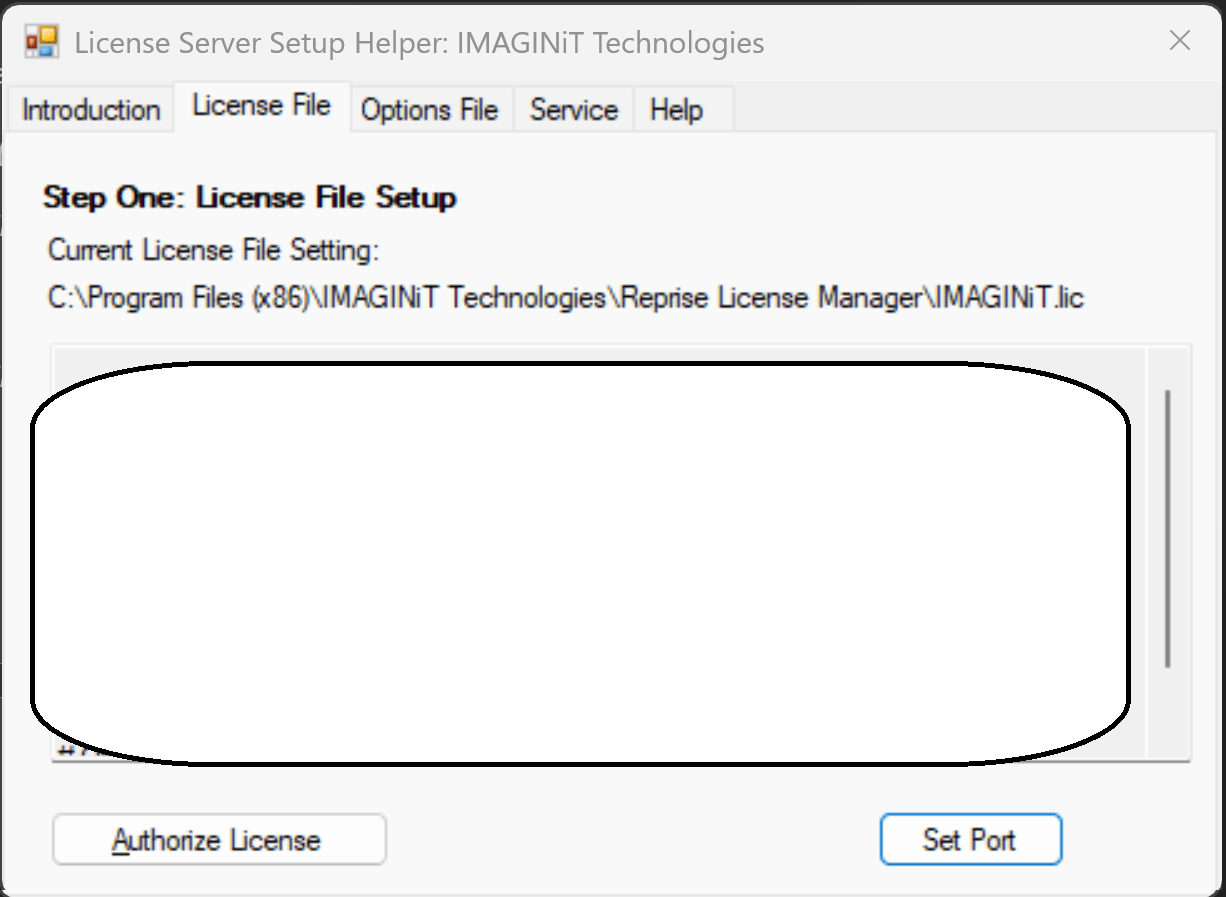
 

Figure 1
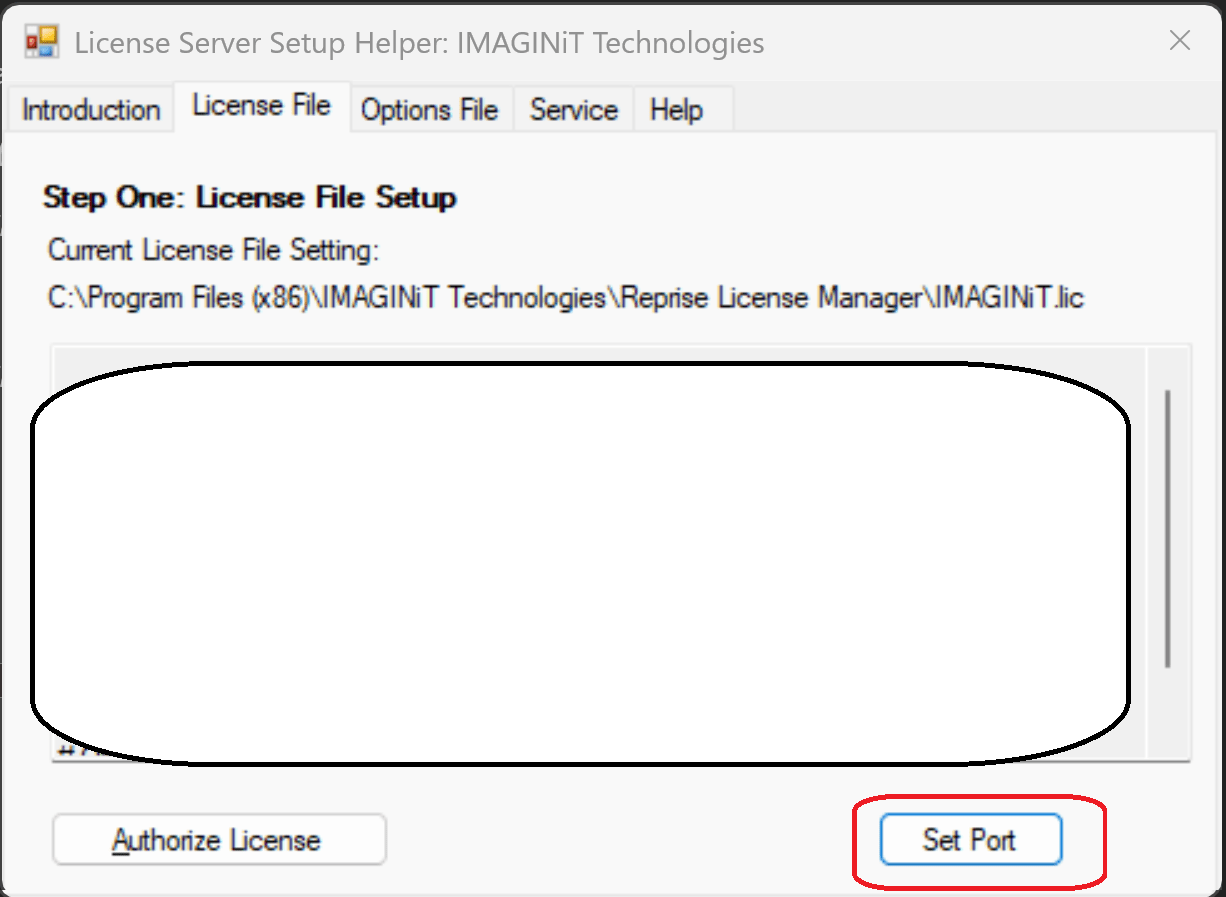
 

Figure 2


Figure 3


Note: This file is in the same folder the Reprise License Manager is installed in.
Traditionally (Depending on version)
C:\Program Files\IMAGINiT Technologies\Reprise License Manager
or
C:\Program Files (x86)\IMAGINiT Technologies\Reprise License Manager

About the Author

Jeff Arbogast

Manufacturing Solution Center Team Lead<br><br>Jeff is responsible for manufacturing Technical Support for both internal staff and customers. In addition to the daily activities of the support center, he helps write for the National Support Center blog, and has written online classes for the IMAGINiT training on demand site.

Follow on Linkedin More Content by Jeff Arbogast
Previous Article
IMAGINiT Utilities: How to Authorize your IMAGINiT utilities (Client side)

When you install the Utilities on the user system. You will be asked to Authorize the Utilities

Next Article
IMAGINiT Utilities Reprise License Manager: How to hardcode the dynamic Port

When using the Reprise License Manager with the IMAGINiT Utilities there are 4 ports that must be open. 505...

Get More from Revit with IMAGINiT Utilities

Learn More