

Problem
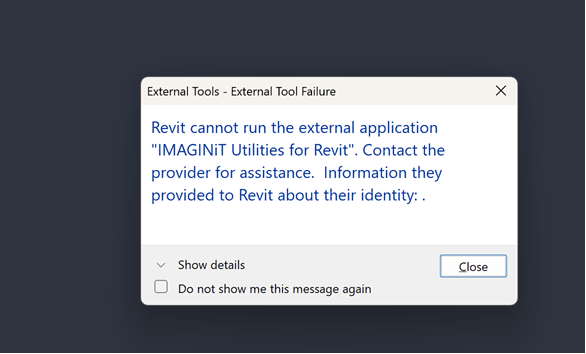
When launching Revit, you may encounter the following error:
Could not load file or assembly 'System.Runtime, Version=10.0.0.0'.
This error can be viewed by expanding the Show Details dropdown in the error message.
Solution
This error is typically caused by a compatibility issue between the version of .NET required by your Revit installation and the version supported by the IMAGINiT Utilities.
Certain versions of Revit have transitioned to .NET 10.
To resolve this issue, install the latest available updates for your Revit version and ensure that you are running a compatible version of the IMAGINiT Utilities.
For additional information about Revit versions affected by the .NET 10 transition and their requirements, refer to Autodesk's knowledge article:
Revit: Requirements for Products Affected by the Microsoft .NET 10 Transition
About the Author
Follow on Linkedin More Content by Derek Piccininni


