

Issue:
Clients are being logged out of Vault Thin Client after a short time or after briefly navigating the Vault. In some cases it may take as long as 5 minutes or more, but in other cases the time is much less You may have already checked your timeout settings in the web.config file as well as your IIS Recycling, but had no luck resolving the issue.
Causes:
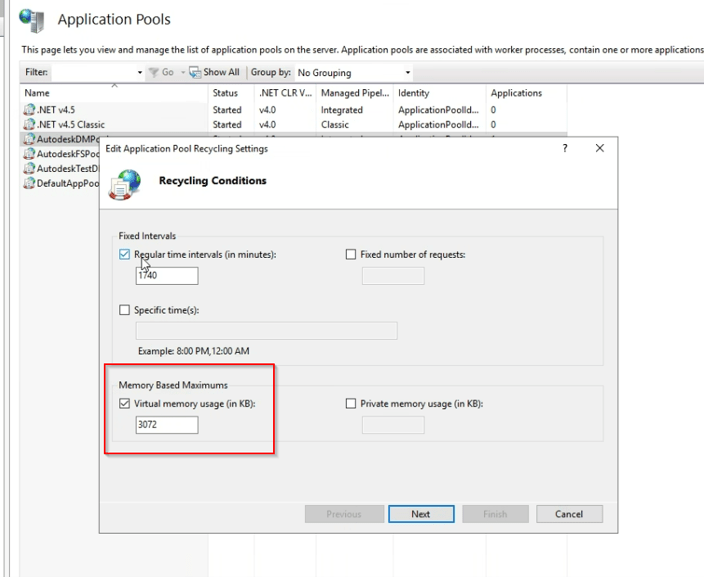
In the cases where the normal troubleshooting steps have not resolved this issue, we have found that the root cause has been the “Memory Based Maximum” setting under the IIS Recycling for the APP Pools.
Solution:
The solution for these situations has been to remove the check from the “Memory Based Maximum” setting under the IIS Recycling for the APP Pools. In most cases it has been set only under the Autodesk DMPool, however it is a good idea to check the other application pools to ensure that the setting has not been check under other app pools as well.
About the Author
Follow on Linkedin More Content by Heath White


