

Issue:
Your Vault Gateway is not working, and you are unable to get the Vault Gateway Service to run.
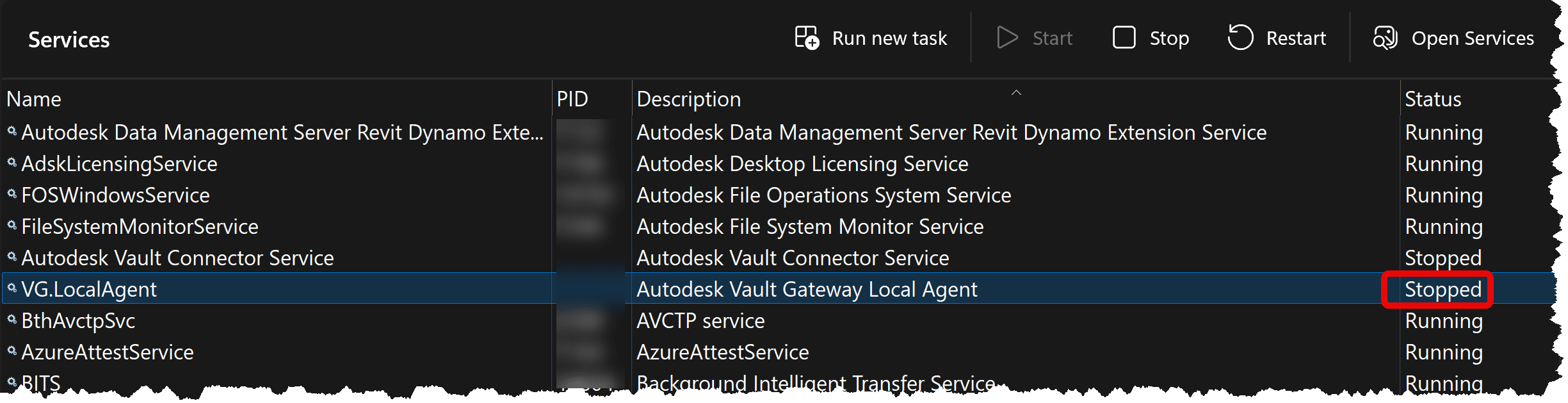
Causes:
This issue is caused by running the Vault Gateway Local Agent service under any account other than the “Local Service” account.
Solution:
The Autodesk Vault Gateway Local Agent MUST be run using the "Local Service" Windows account. If you change the service account to anything else, the service will eventually stop running and log an error stating, "Cannot start the service for account other than Local Service."
To restore it to the required "Local Service" account:
1. Open the Windows Services manager (services.msc).
2. Locate the Autodesk Vault Gateway Local Agent service and double-click it.
3. Switch to the Log On tab.
4. Select the Local Service account radio button.
5. Clear the password fields if any text remains and click Apply / OK.
6. Restart the service.
7. Re-authenticate and configure the gateway through the Autodesk Data Management (ADMS) Console.
About the Author
Follow on Linkedin More Content by Heath White


