

Issue:
Revit 2027: Installs approximately 30% and then fails and rolls back.
Causes:
Nonlocal drive custom paths are no longer supported.
Solution:
Custom Nonlocal drive paths are no longer supported when installed Revit 2027. The 2027 release using Custom paths (see figure 1) are no longer supported and will make the install roll back. You must create a custom Revit.ini and replace the existing with the new Revit.ini with custom paths included after the installation. (See Working with Shared Content & About the Revit.ini File for Installation)
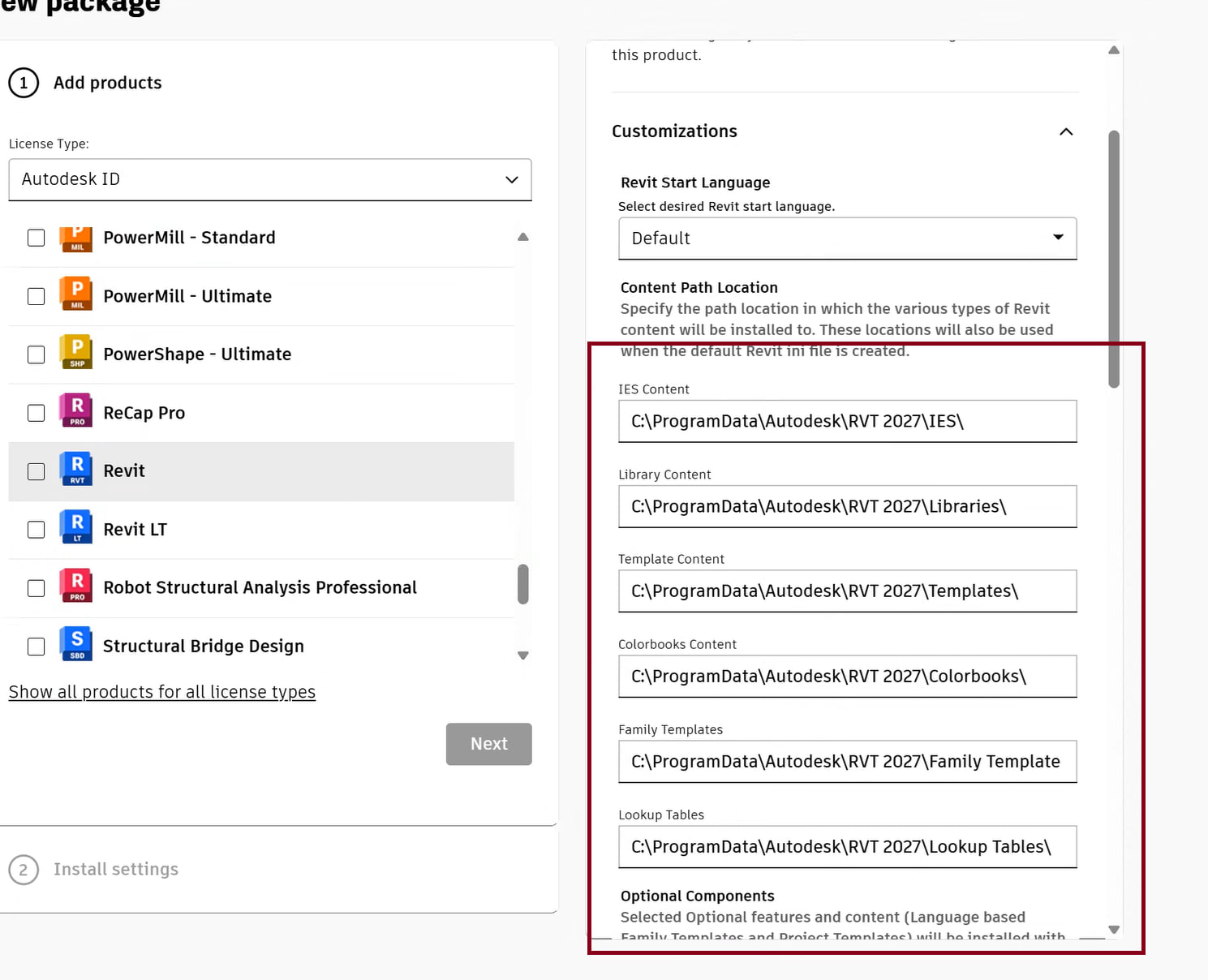
Figure 1
Autodesk warning
Warning: Starting with Revit 2027 Release, the use of Shared content behavior is no longer available. Providing a non-local drive location will cause each deployment installation to update the content within the non-local drive. This also includes the uninstall of Revit 2027 Release which has these paths set to a non-local drive, the content will be uninstalled along with Revit 2027 Release product. To utilize content on a non-local drive, refer to Working with Shared Content.
Working with Shared Content
https://help.autodesk.com/view/RVT/2027/ENU/?guid=GUID-C34D4CF7-CD7A-47D0-A788-CD0252F92AAC
About the Revit.ini File for Installation
https://help.autodesk.com/view/RVT/2027/ENU/?guid=GUID-FE24D0A5-4603-41A5-BACB-4122993AFA6A
About the Author
Follow on Linkedin More Content by Jeff Arbogast


