

Issue:
Microsoft OneDrive either asked if you would like to backup your files and you agreed or your organization has enabled OneDrive for you automatically. Now, your AutoCAD Electrical software cannot find the required support files (catalog databases, default projects, environment file, etc.) which is preventing you from using your software.
Causes:
OneDrive can redirect a key folder used by AutoCAD Electrical, often without the end user’s knowledge, and it typically does so without all the required information being copied to the new location. This leads to errors in ACADE and frustration for the user.
Solution:
Warning! Problems caused by improperly editing the Windows registry could render your computer/operating system unusable. Microsoft provides a wealth of critical information that you need to know about the registry in the Microsoft Knowledge Base. Use the Microsoft® Registry Editor only at your own risk and only after backing up the registry as well as the system.dat and user.dat files as outlined for your operating system in the Microsoft Knowledge Base. Additional information about the registry is also contained in the Help topics in the Microsoft Registry Editor.
There are a few things you can try, but which will be successful will depend on your environment.
The first thing I would suggest is disabling the backup of the "Documents" folder as indicated below:
If you have the ability to disable the OneDrive backup settings, then you would want to confirm that the "aedata" folder is still intact in the default "Documents/My Documents/Personal Documents" folder (the name is different depending on the OS version).
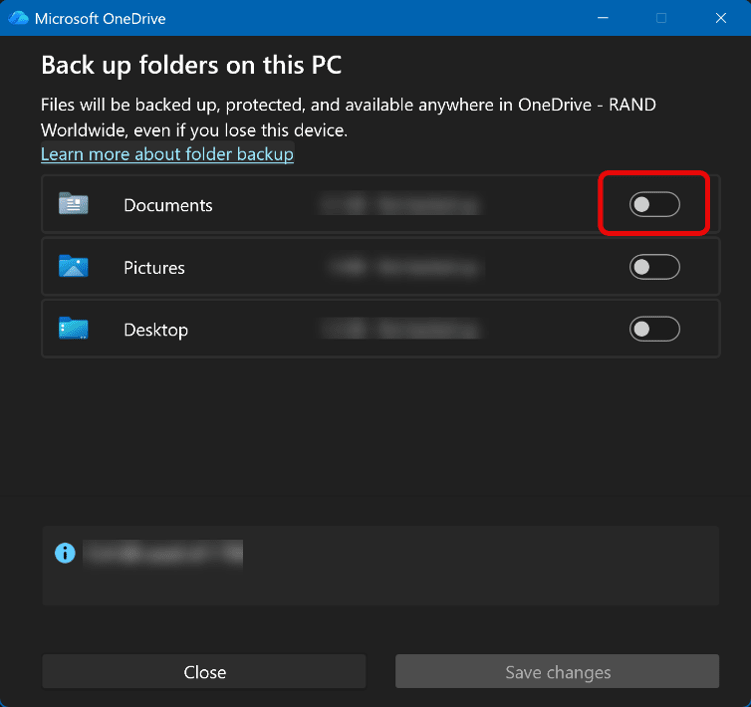
If disabling the OneDrive settings does not work, you can either move the support files AutoCAD Electrical requires to the redirected folder or you can edit the registry to correct the folder redirection.
If OneDrive has redirected the user's folders, then the Default Paths shown below would have been replaced with the OneDrive path. Restore the original Default Path to set the Documents folder to be available to ACADE once again.
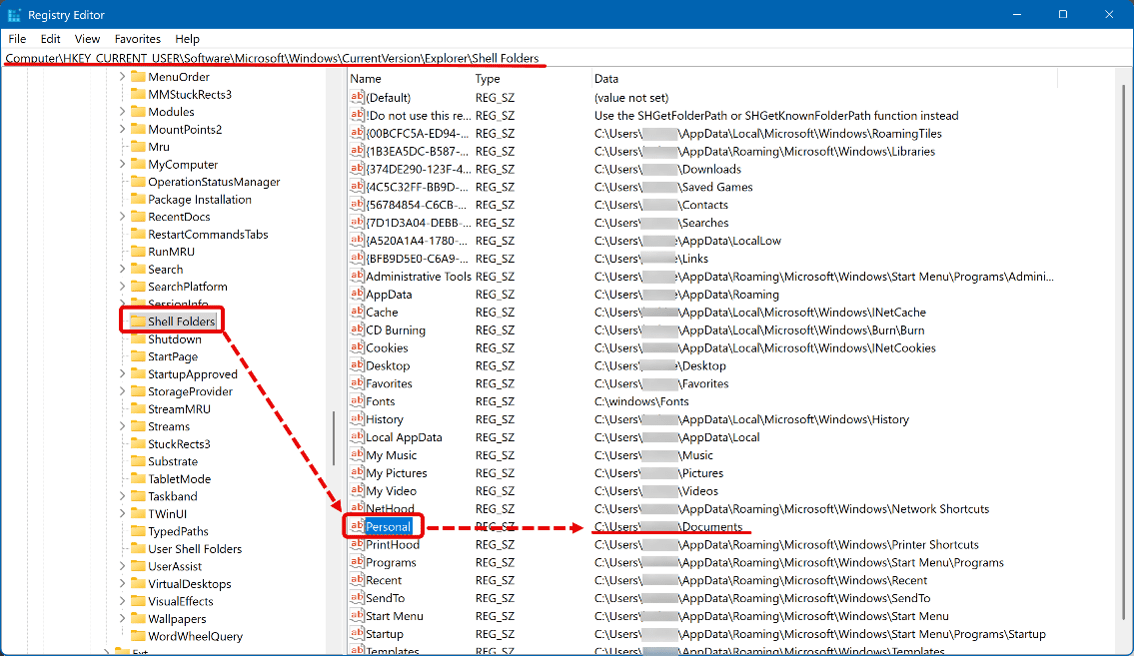
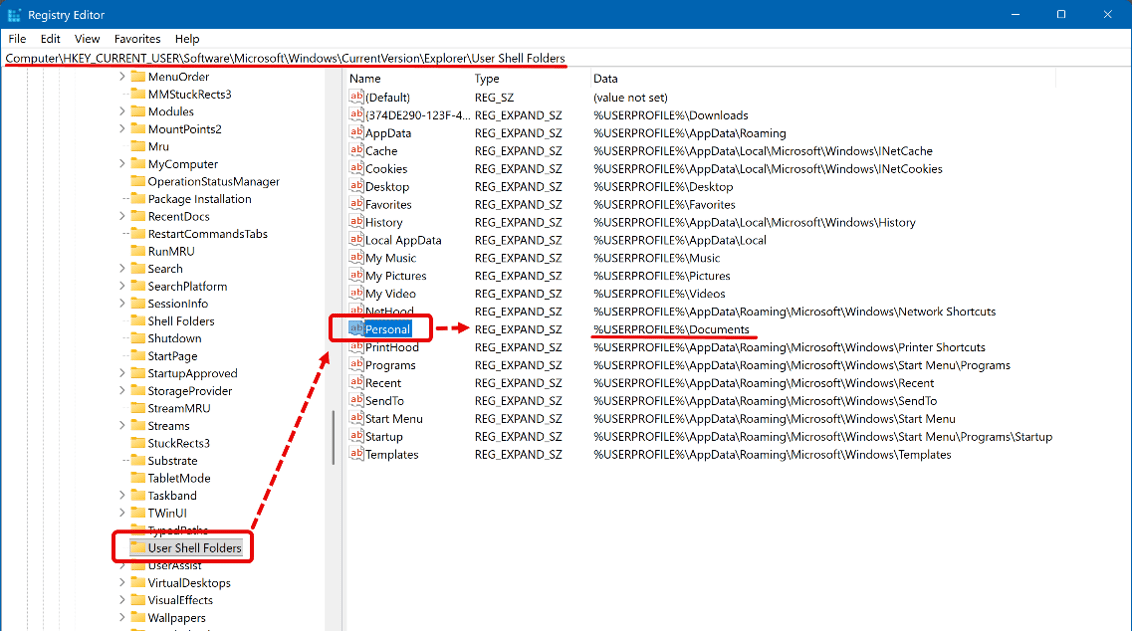
Additional information on folder redirection from Microsoft: https://learn.microsoft.com/en-us/sharepoint/redirect-known-folders
About the Author
Follow on Linkedin More Content by Heath White


