Inventor Finish appearance feature is not applying to iPart

Issue:

Adding a Finish Appearance feature to an iPart doesn't always apply the chosen finish to the instance. 

Also when the iPart is placed in the assembly, the Finish appearance may not be applied.

Cause:

Autodesk is investigating a cause logged in this article:

https://knowledge.autodesk.com/article/Finish-Feature-Is-Not-Applied-to-iPart-Instances-When-Placed-in-Inventor-Assembly

Solution:

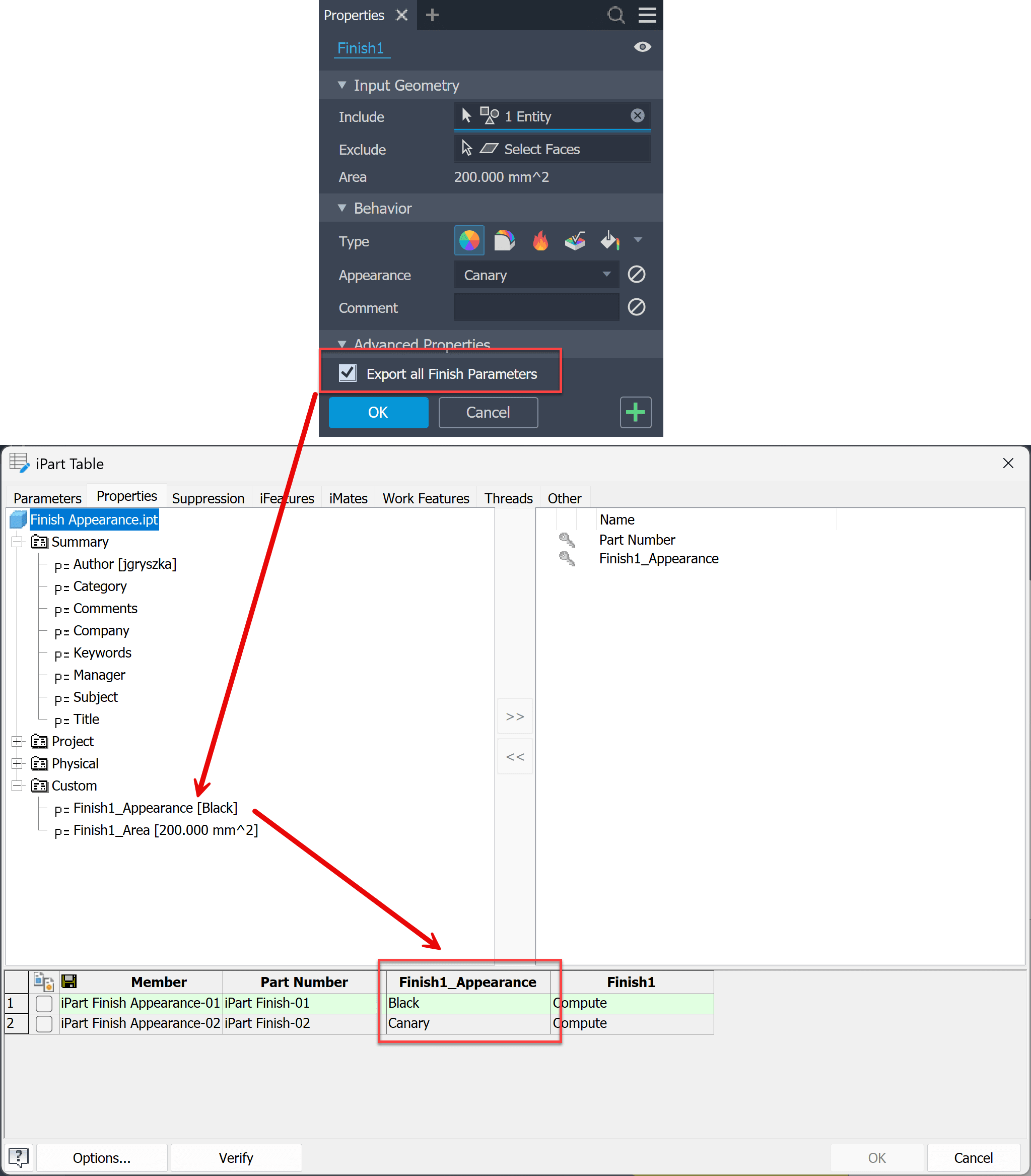
  • In the Finish feature, select the 'Export all Finish Parameters' option.
  • In the iPart table, include the custom property 'Finish_Appearance' and assign appearance values in the table cells: 
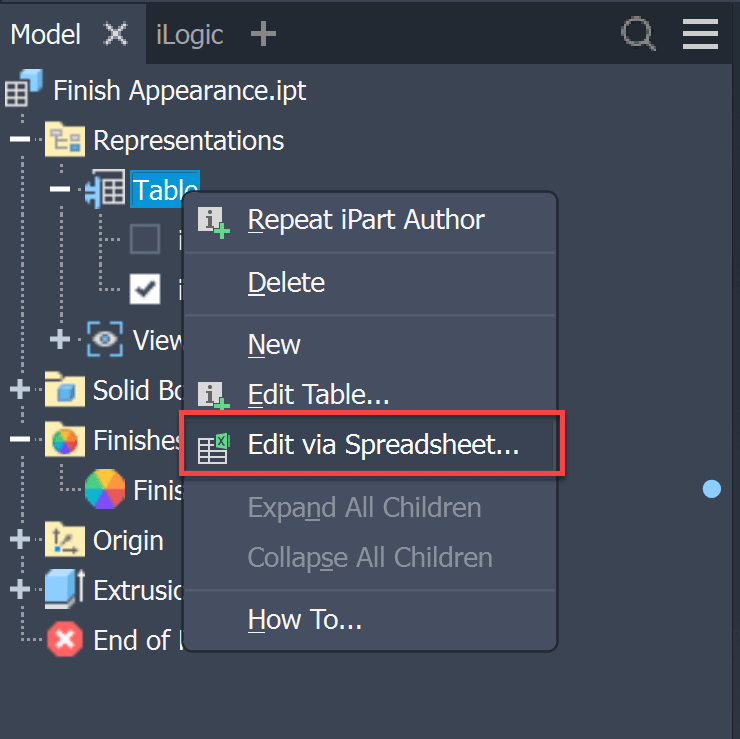
  • Edit the table in Excel with the 'Edit via Spreadsheet' command:
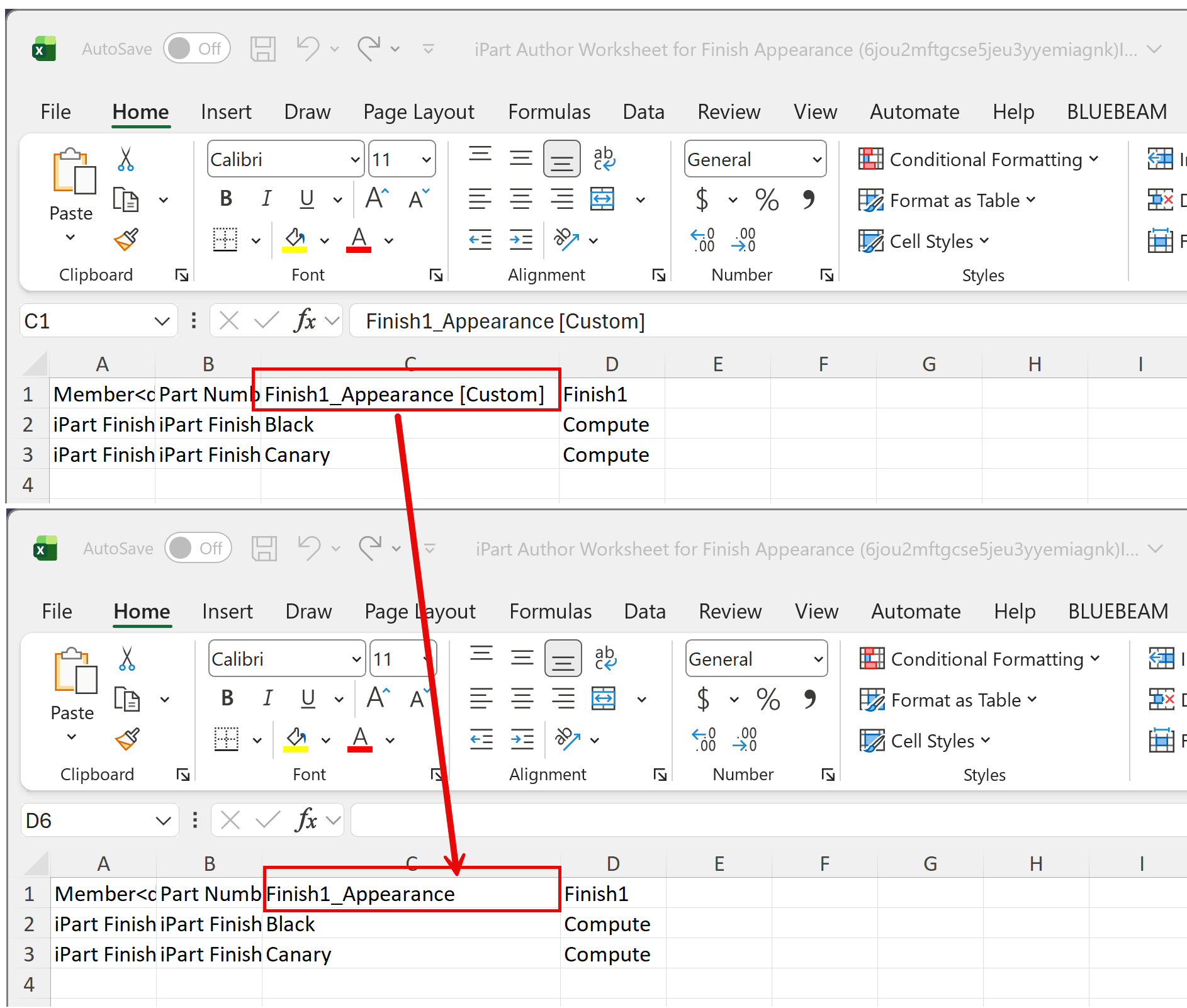
  • In Excel, remove the [Custom] text string from the column header and save the file.
  • iPart members should now display the instance Finish appearance.

How to add a Finish feature to a Model State:

https://resources.imaginit.com/support-blog/inventor-add-finish-feature-to-model-state

About the Author

Joanna Gryszka

Manufacturing Technical Support Specialist<br><br>Joanna has over eight years of experience working with Autodesk products. She started supporting core AutoCAD and network installations of all Autodesk products. She now has five years of experience with Inventor. <br> She graduated from Mechanical Engineering and has been providing solutions to clients and dedicating her knowledge to the Solution Center since then.

More Content by Joanna Gryszka
Previous Article
Unlocking Efficiency: AI-Powered Design for Manufacturing (DFM) Reports in Autodesk Fusion

Learn how AI-powered DFM in Autodesk Fusion helps identify manufacturing issues early, reduce rework, and s...

Next Article
Text Character Spacing issue in AutoCAD 2027

When opening drawings created in previous versions of AutoCAD in 2027, single-line text contained within bl...

Need tech support? Let us help!

Learn More