

Issue:
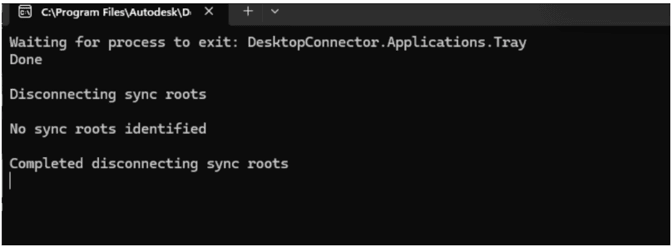
After updating Autodesk Desktop Connector, the application may stop functioning and display the message:
“Disconnecting sync roots…”
Causes:
This issue has been reported primarily with version 17 and later.
The most common cause is cache files not being properly cleared during the update process, which prevents Desktop Connector from initializing correctly.
Solution:
If the error appears after updating Desktop Connector, use the Reset Utilities tool to clear the application cache.
1. Exit out from Desktop Connector and make sure it is not running in the background.
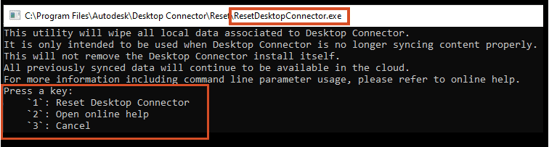
2. Run Desktop Connector Reset Utilities tool from:
C:\Program Files\Autodesk\Desktop Connector\Reset\ResetDesktopConnector.exe
3. Follow the instructions on prompt:
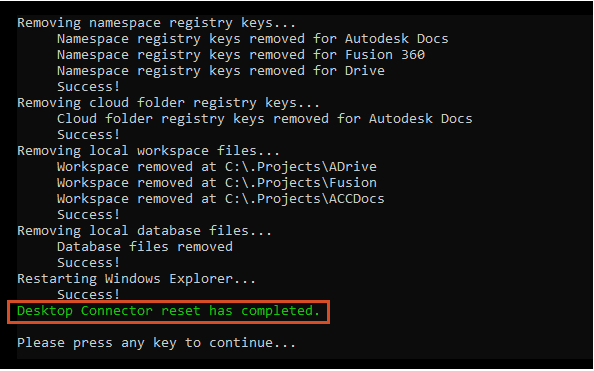
4. Restart the Desktop Connector
*Do not attempt to uninstall Autodesk Desktop Connector, as this may make the issue more difficult to resolve.
About the Author
Follow on Linkedin More Content by Gregory Lee


