Civil 3D: Using the Solve Tangent Intersection command

December 16, 2025 Leo Lavayen

Wanted to share a quick tip on how to extend Profile Tangents by projecting lines to PI location. 
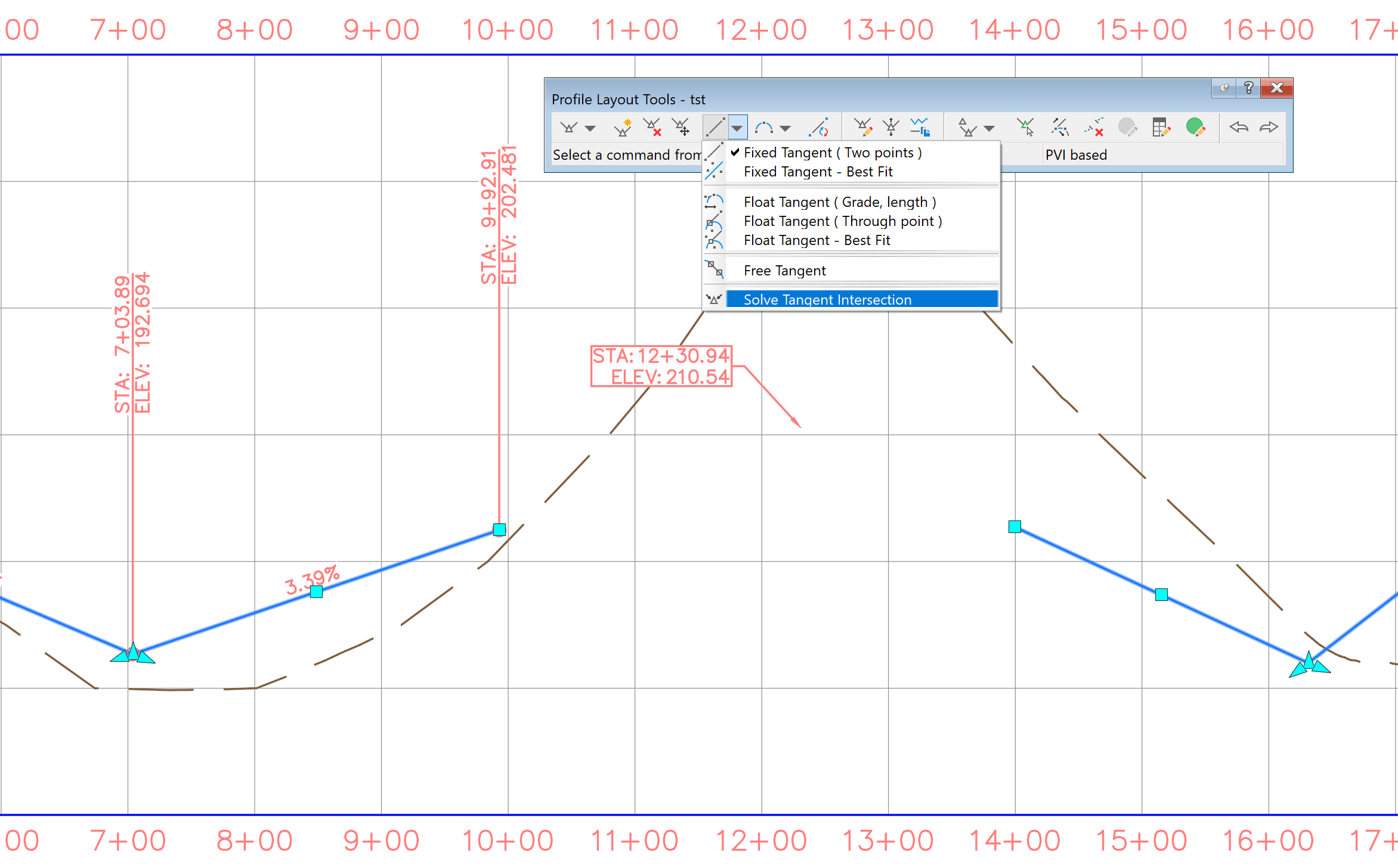

Using the Profile Layout Tools bar > Lines flyout > Solve Tangent Intersection command: 

Simple and Clean solution provided by a built in tool that help Profile drafting that some users may have missed.
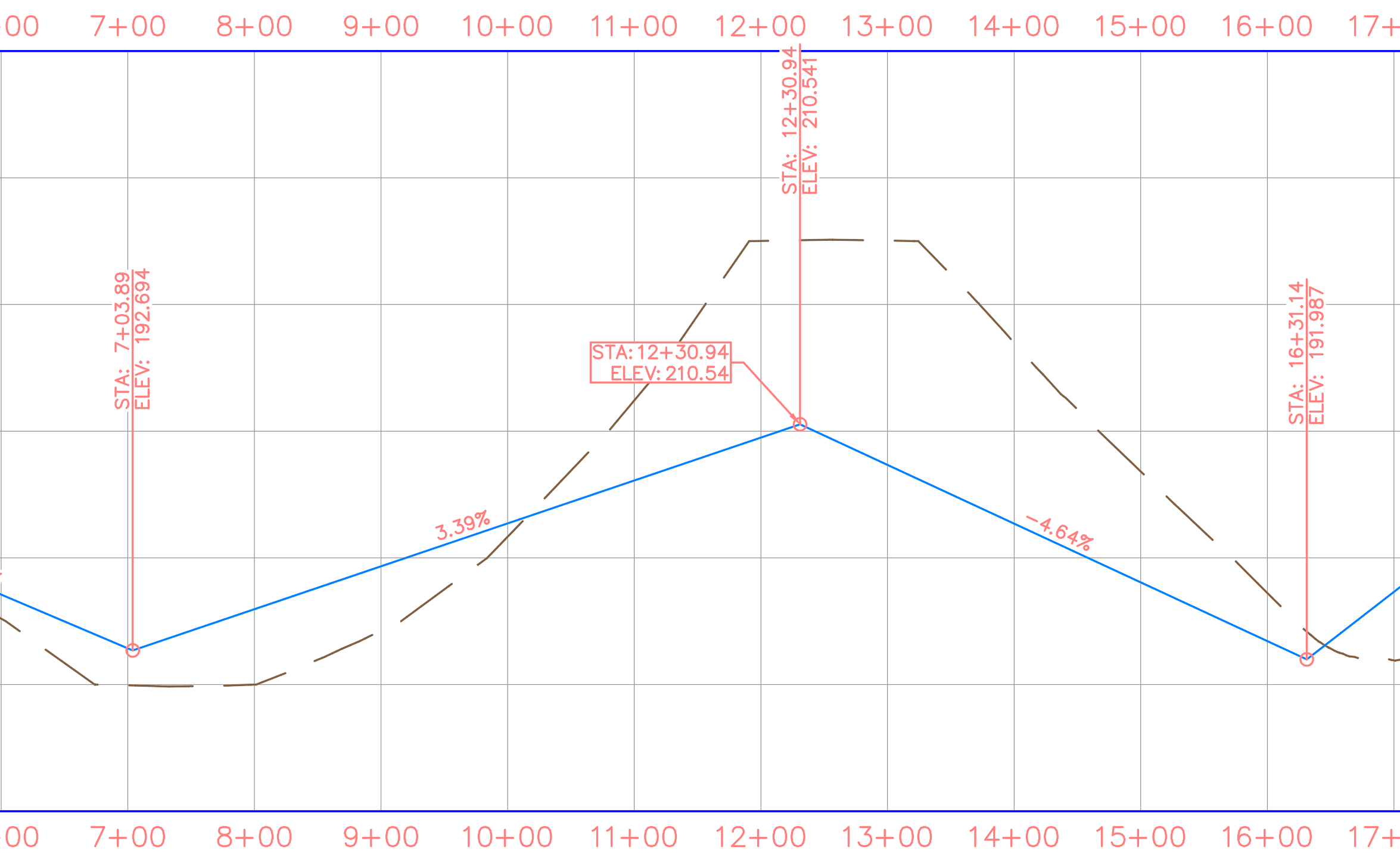
For more tips like this visit us at:   https://resources.imaginit.com/civil-solutions-blog

About the Author

Leo Lavayen

Civil Applications Expert<br><br>As an Applications Expert, Leo is responsible for supporting, training and implementation of software for survey and civil engineering professionals. He has more than 20 years of experience helping large and small, public and private clients in the eastern United States.

More Content by Leo Lavayen
Previous Article
Civil 3D: leveraging unused Structure Fields for smarter Labels.

Reduce configured Structure labels by taking advantage of built in fields.

Next Article
Civil 3D: understanding Corridor issue when reversing Feature Line Baseline

This post will review an odd corridor behavior when a feature line direction is changed.

×

Get Tips Delivered.

Subscribe to Email Updates.

First Name
Last Name
Country
Thank you!
Error - something went wrong!