

Civil 3D users often create separate label styles for Box and Cylinder structure types. In many cases, the labels need different prefixes depending on the structure shape—for example:
• Box = Top
• Cylinder = Rim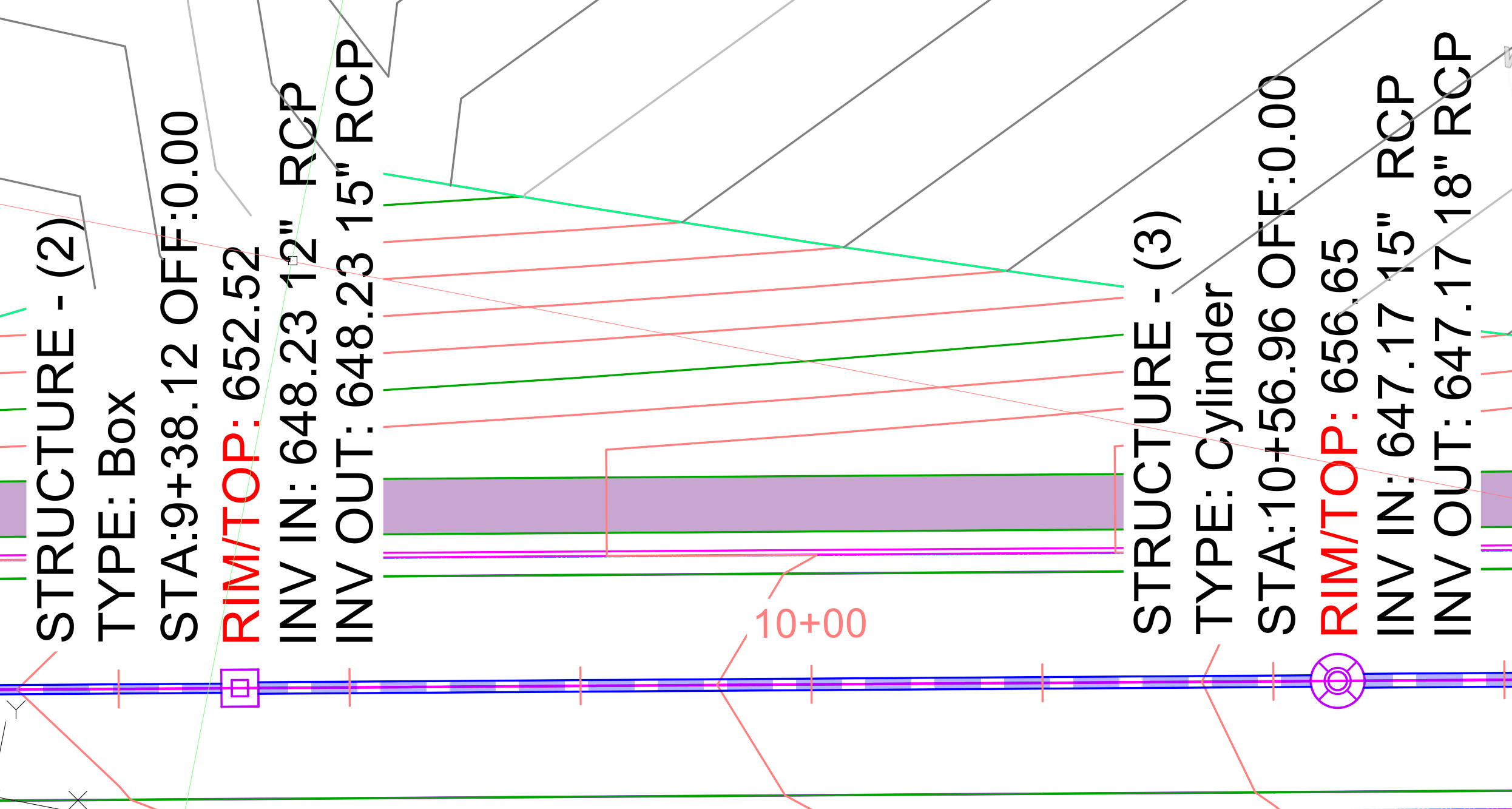
The typical solution is to build individual label styles for each situation:
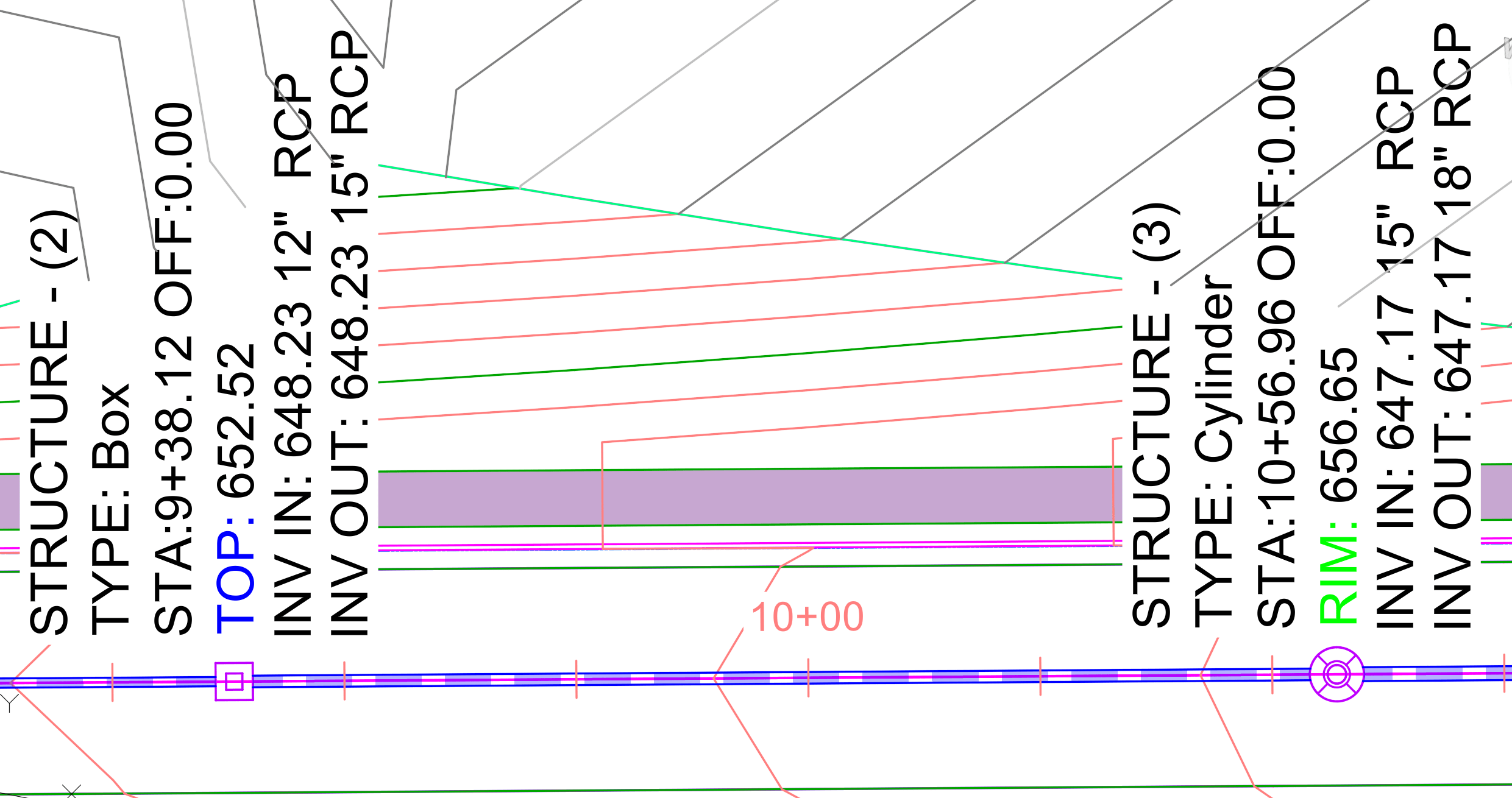
However, we can often get by with a single “smart” label by leveraging some default fields available in Civil 3D junction type structures. In the Parts List, both box and cylindrical structures include three editable fields:
• Frame
• Grate
• Cover
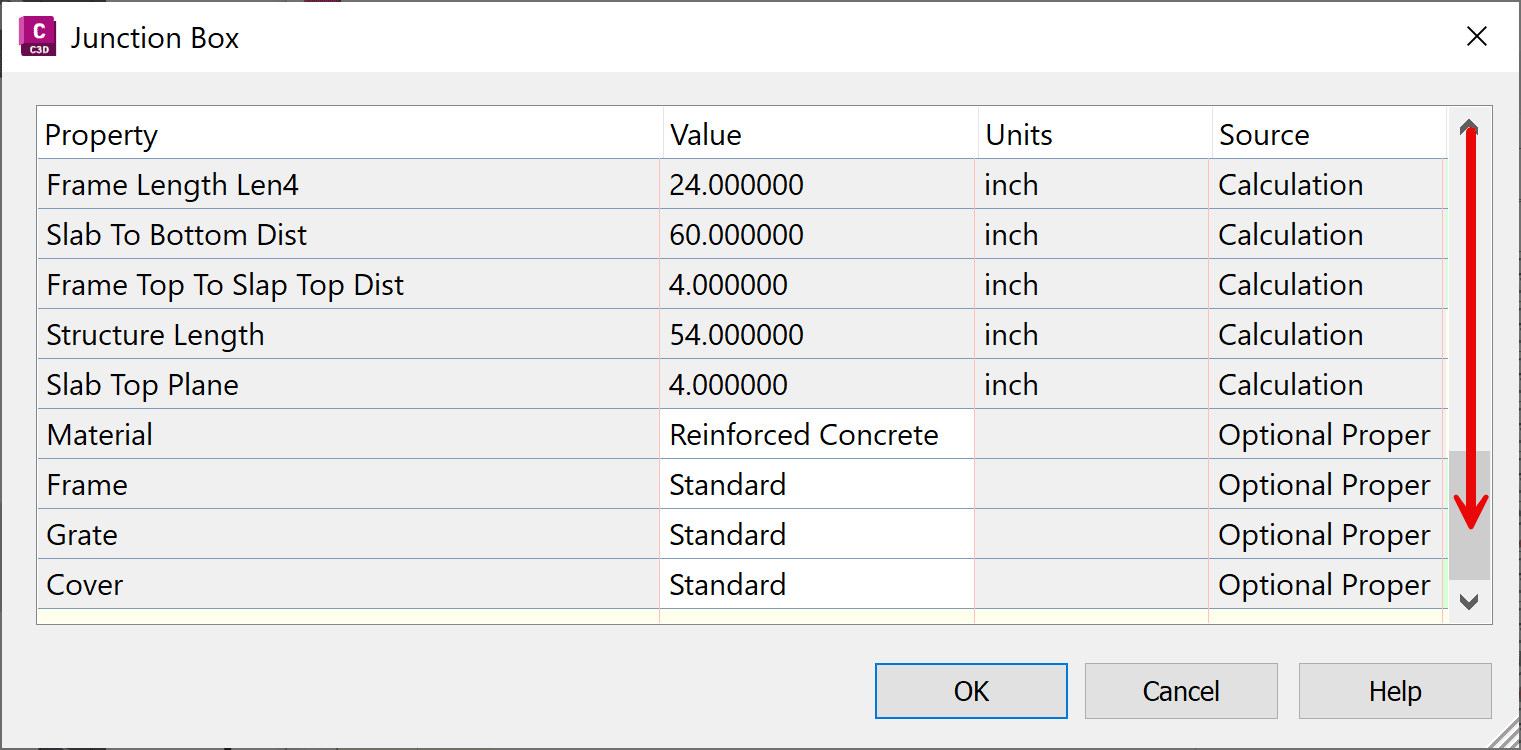
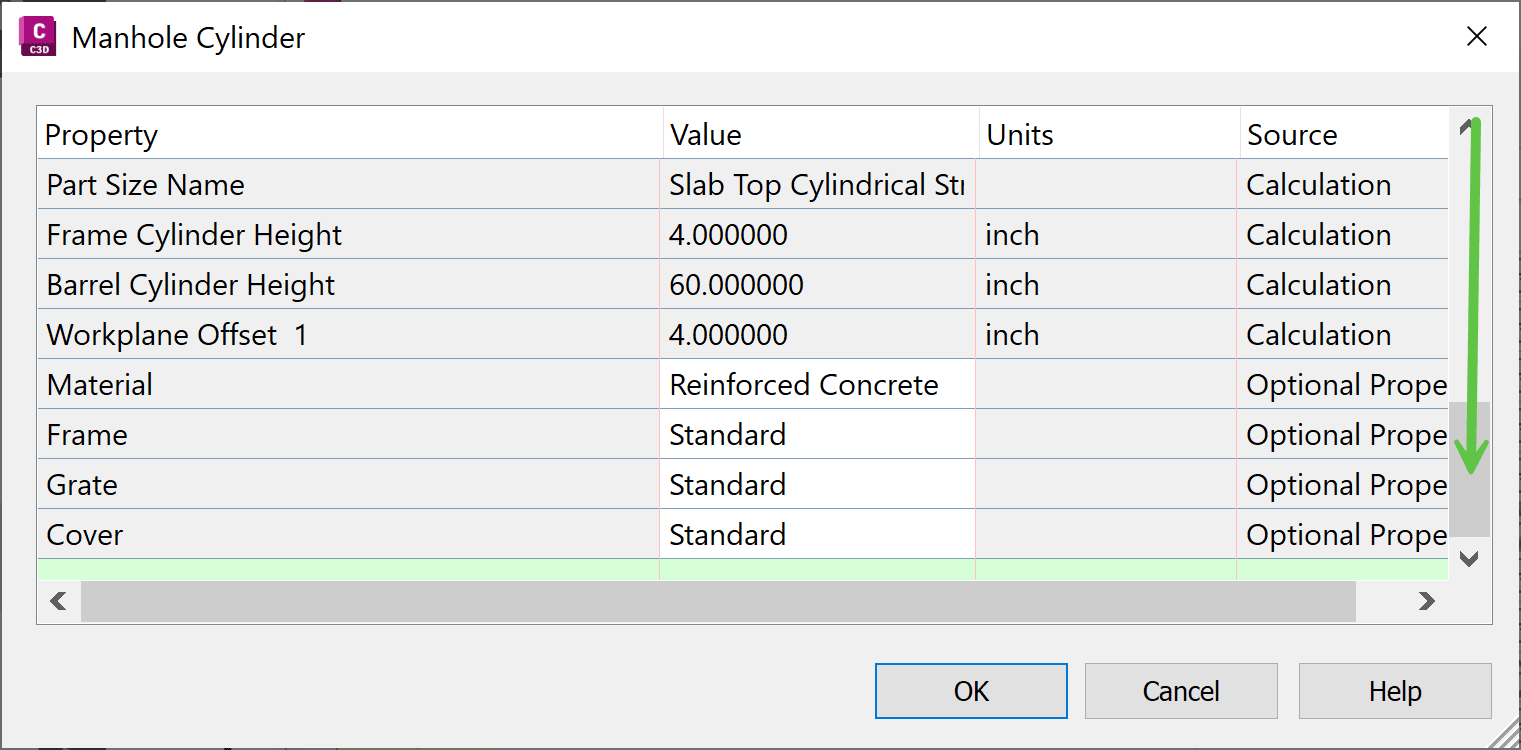
For this example, we’ll use the Grate field. You can add this property to your Structure Label Style as a text component.
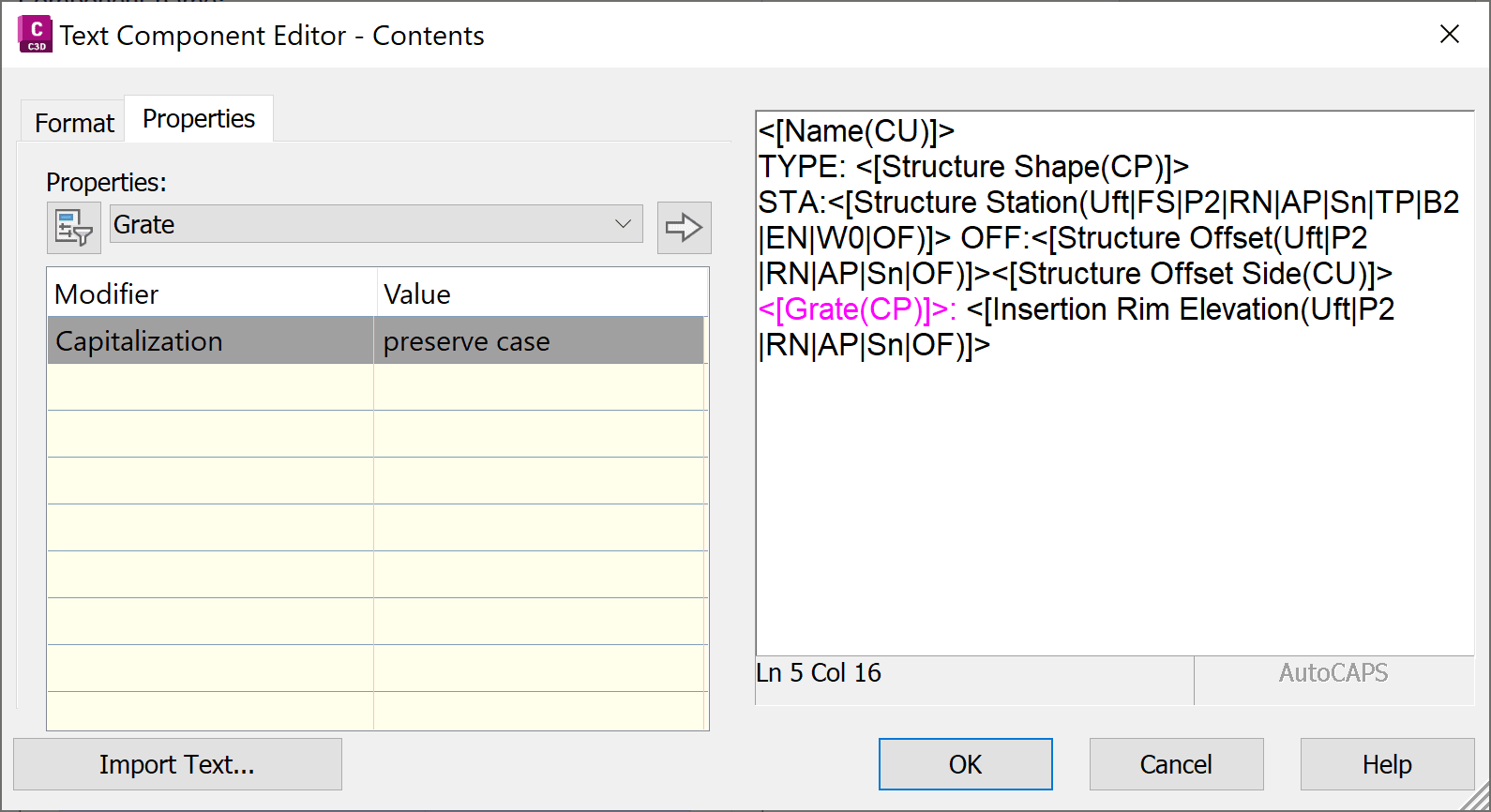
By default, the value displays as Standard, but this field is fully editable.
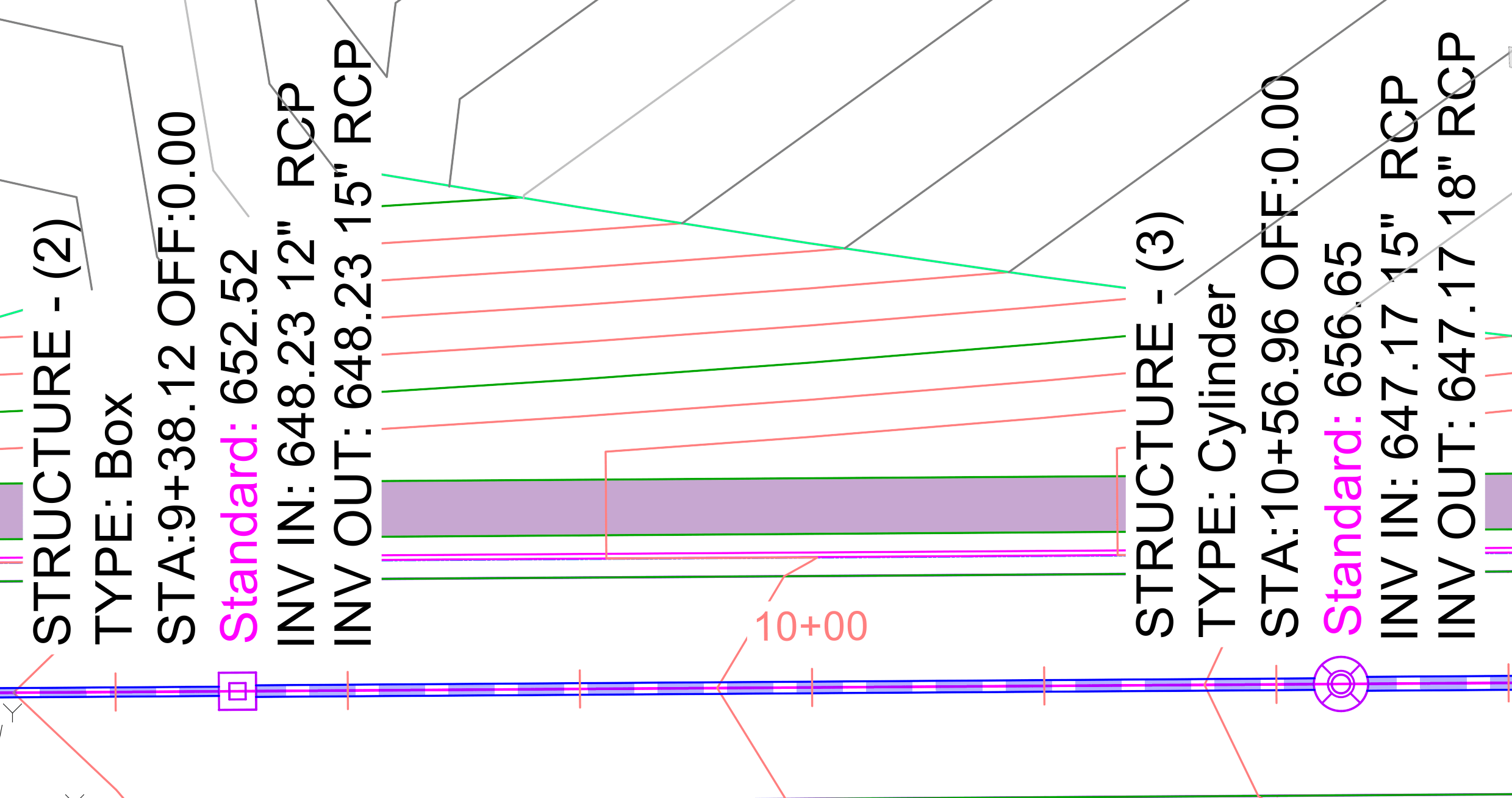
Users can assign custom text either in the Parts List or in the individual Structure Properties. 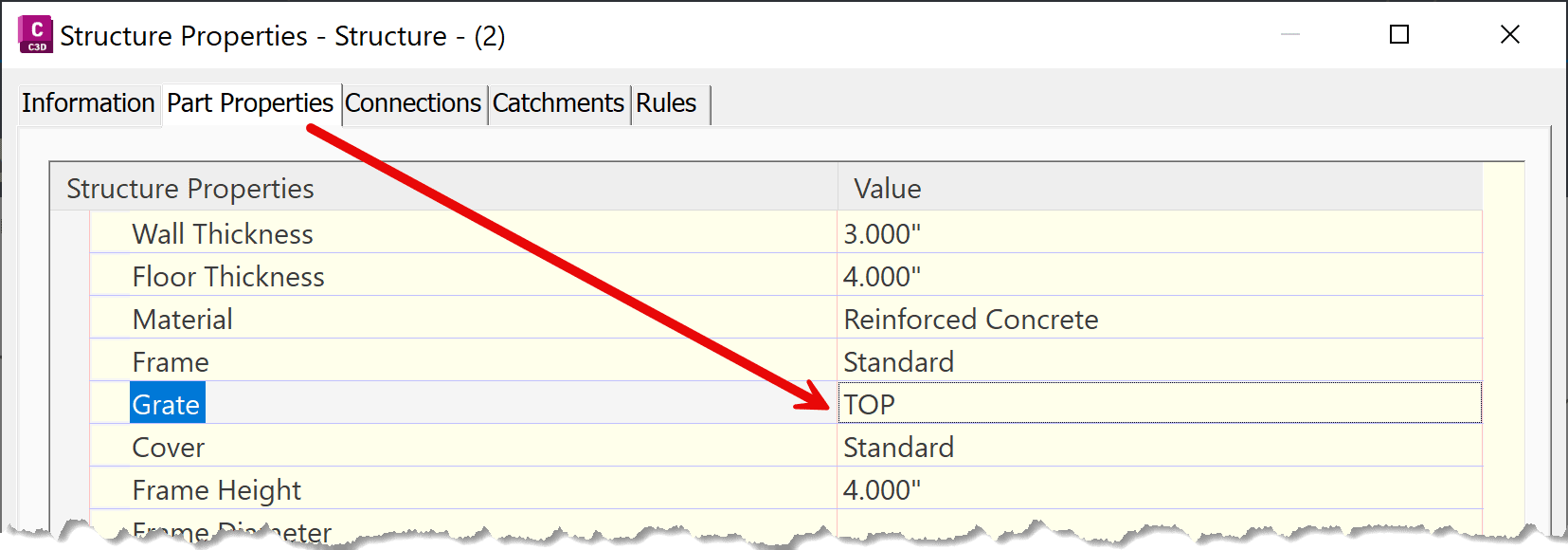
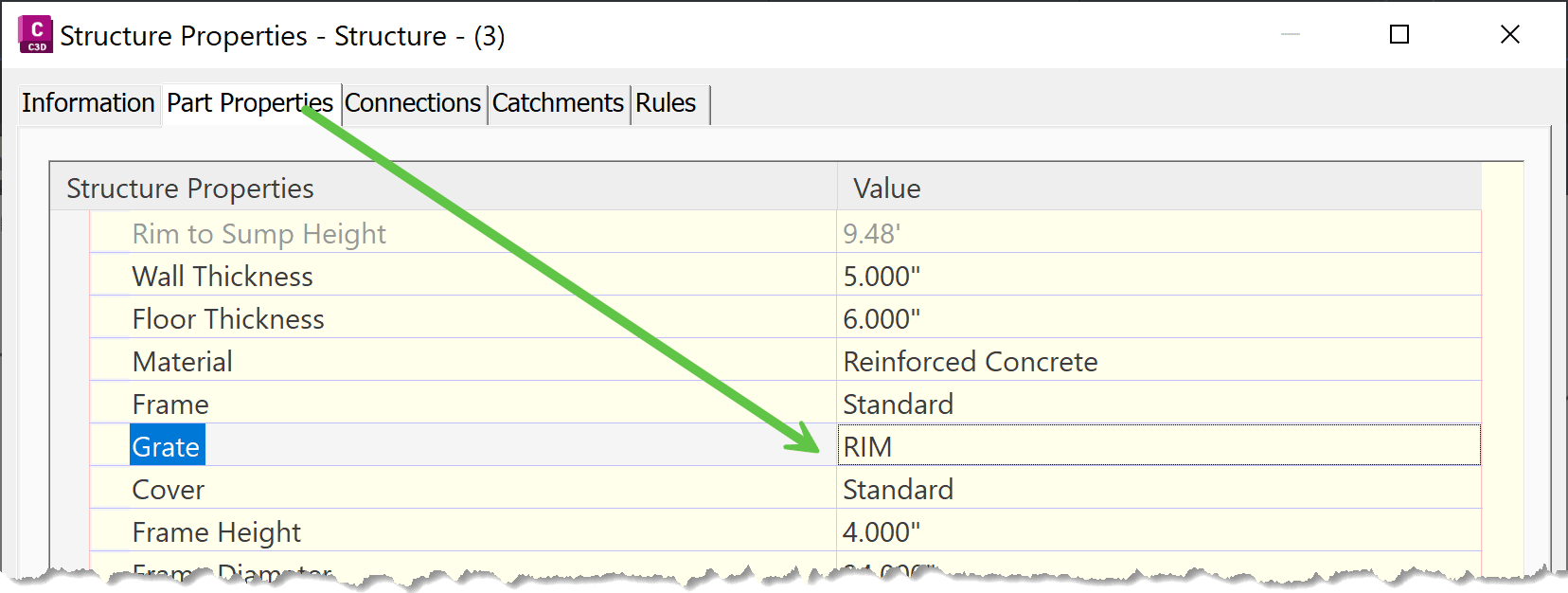
Once the necessary values are set, a single structure label style can serve both structure types—with the correct prefix automatically applied. 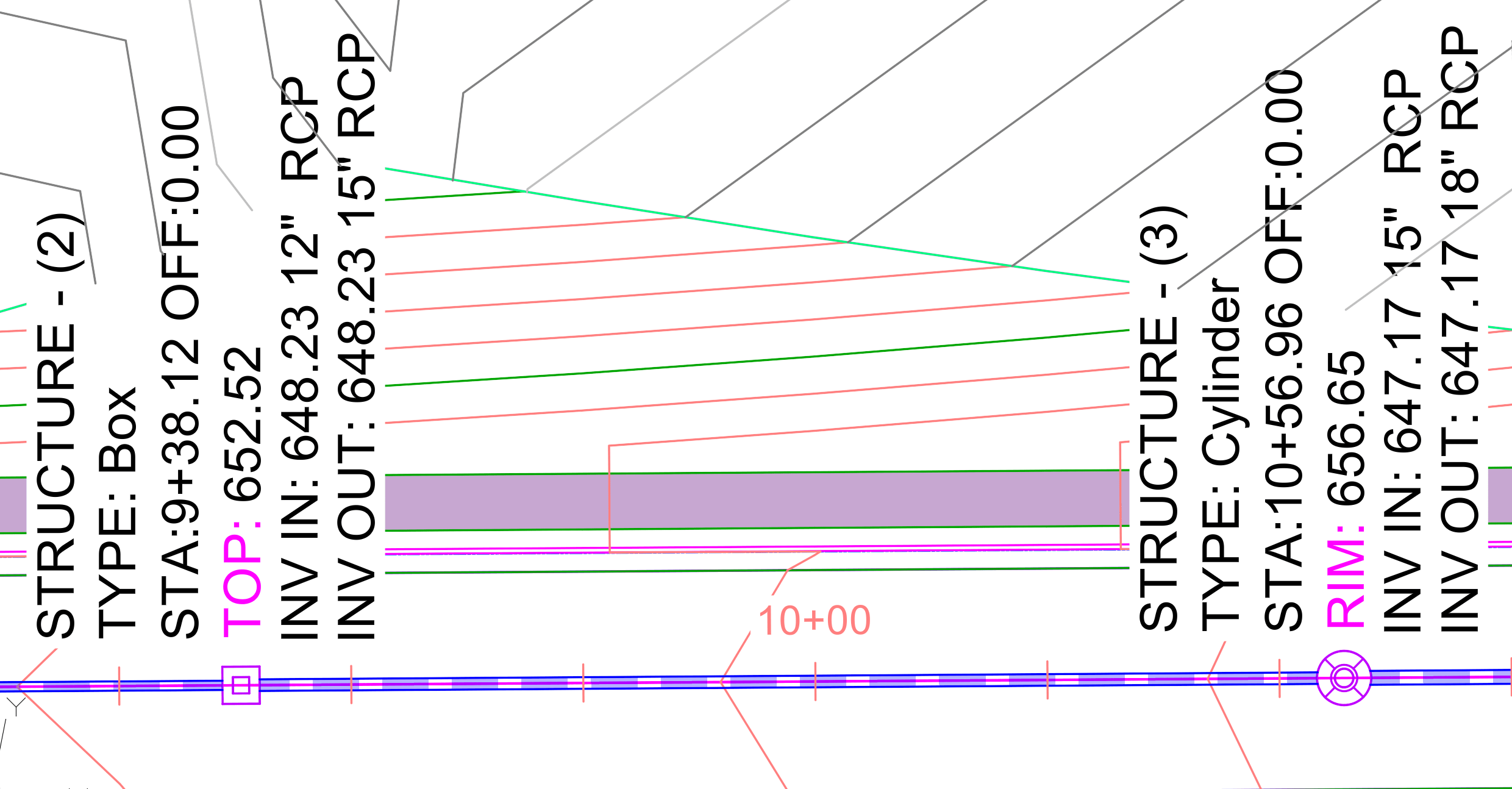
I hope this approach helps you create more versatile structure labels and reduce the number of styles.
About the Author
More Content by Leo Lavayen


