

Issue:
When a user starts Revit 2025 or 2026, the application does not start and nothing happens.
Causes:
The root cause of the issue started with a recent Windows update. After the update, it began affecting MSVCP140.dll, causing Revit 2025 and 2026 to fail during initialization.
Solution:
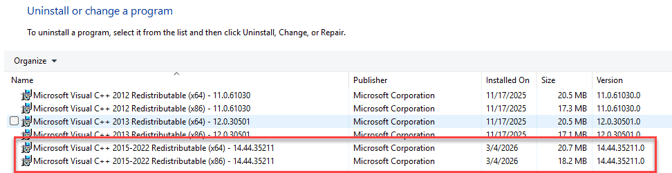
1. Uninstall Microsoft Visual C++ Redistributable v.14 (both x86 and x64).
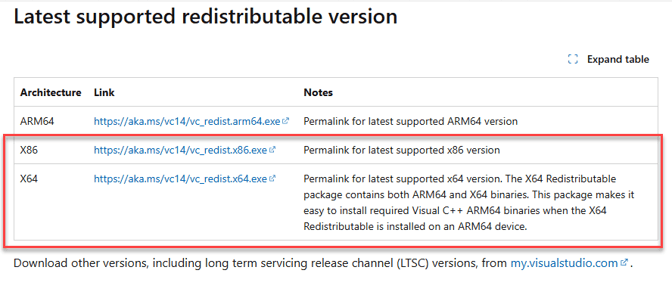
2. Reinstall Microsoft Visual C++ Redistributable v.14 (both x86 and x64).
Latest supported Visual C++ Redistributable downloads | Microsoft Learn
3. Reboot the computer and restart Revit.
About the Author
Follow on Linkedin More Content by Gregory Lee


