Autodesk: When launching offline message “The required connection to Autodesk for license Validation could not be established”

Issue:

Autodesk: When launching offline message “The required connection to Autodesk for license Validation could not be established”.
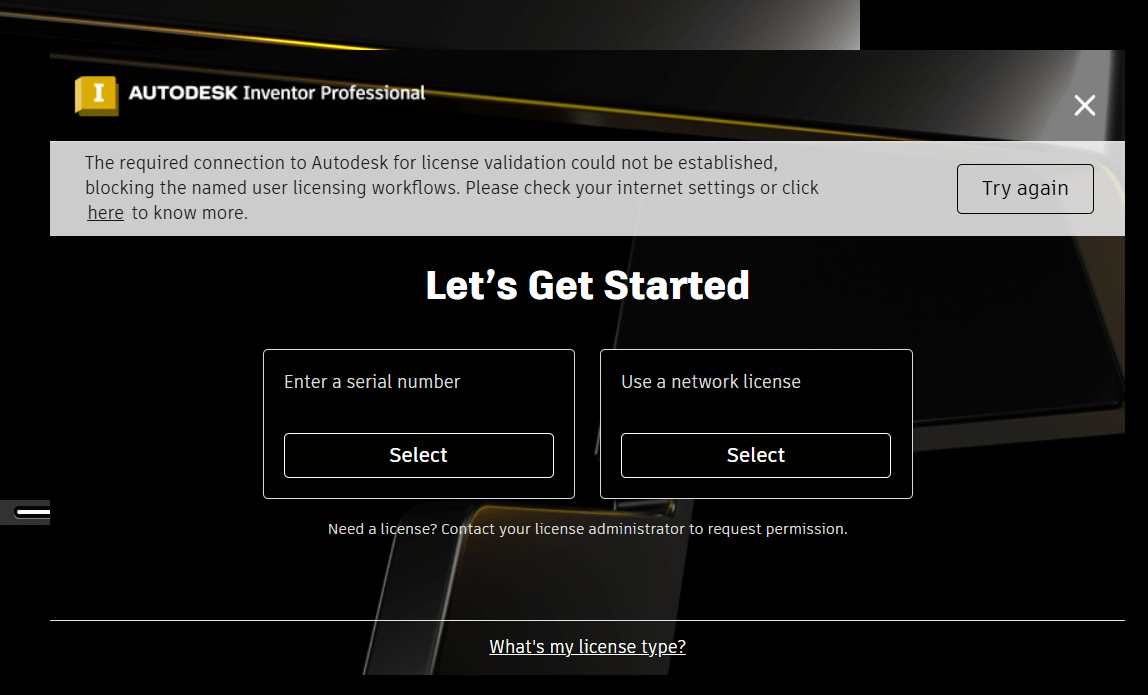
 You should be able to run Autodesk Products for 30 days without connecting to the Autodesk Server using Single User Licenses.


Figure 1

Causes:

Connected to a Network Device

Have not contacted the Autodesk licensing Server in more than 30 days.

Solution:

·        Connected to a Network Device

If you are connected at all to a Network Device (Network Cables plugged in, WIFI running). Even if you cannot access the internet this will still cause this error you must disable WiFis and Unplug the Network cable. Launch the software and then you can plug these back in.

·        Have not contacted the Autodesk licensing Server in more than 30 days

If you have not launched the program in 30 days and let it see the Autodesk licensing site you will get this as well. You must 1st launch the product so it sees the Autodesk Licensing site. Then unplug disconnect and they Product should launch and then show the 30 day count down counter in the upper right.


About the Author

Jeff Arbogast

Manufacturing Solution Center Team Lead<br><br>Jeff is responsible for manufacturing Technical Support for both internal staff and customers. In addition to the daily activities of the support center, he helps write for the National Support Center blog, and has written online classes for the IMAGINiT training on demand site.

Follow on Linkedin More Content by Jeff Arbogast
Previous Article
Whitelisting IMAGINIT Utilities

You are having trouble activating the IMAGINiT Utilities because the connection to the IMAGINiT licensing s...

Next Article
Autodesk Desktop Connector Startup Error

You are receiving the error message: "Startup Error: Desktop Connector Could not Initialize the Autodesk Id...

Need tech support? Let us help!

Learn More