

Applies to:
Vault
Issue:
Files are deleted from Vault and do not show in Trash bin.
Causes:
Installed columns in the Trash Bin are not set correctly.
Solution:
Deleted files and folders do not appear in the Trash Bin after being deleted. 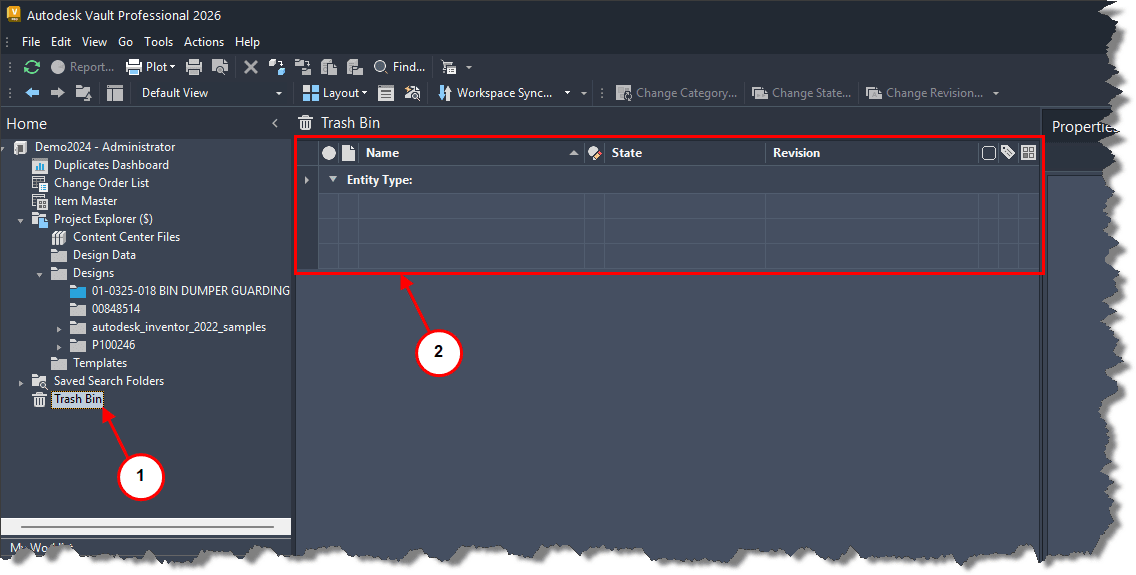
1. Selecting Trash Bin does not show recently deleted files or folders.
2. Columns are like those shown. 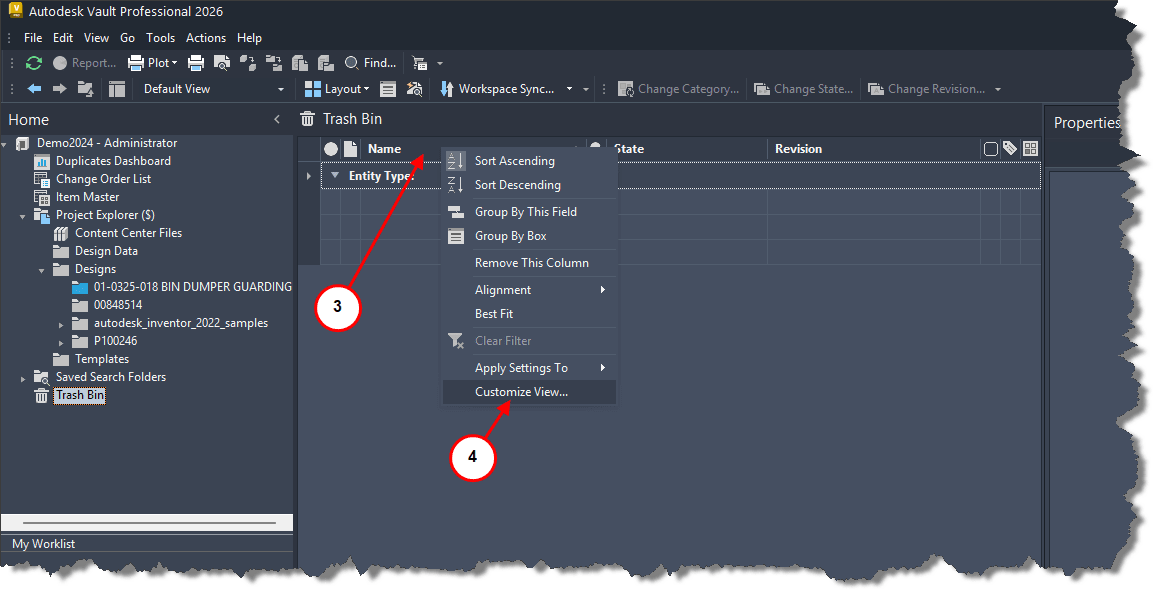
3. Right click on one of the column headers.
4. Select Customize View.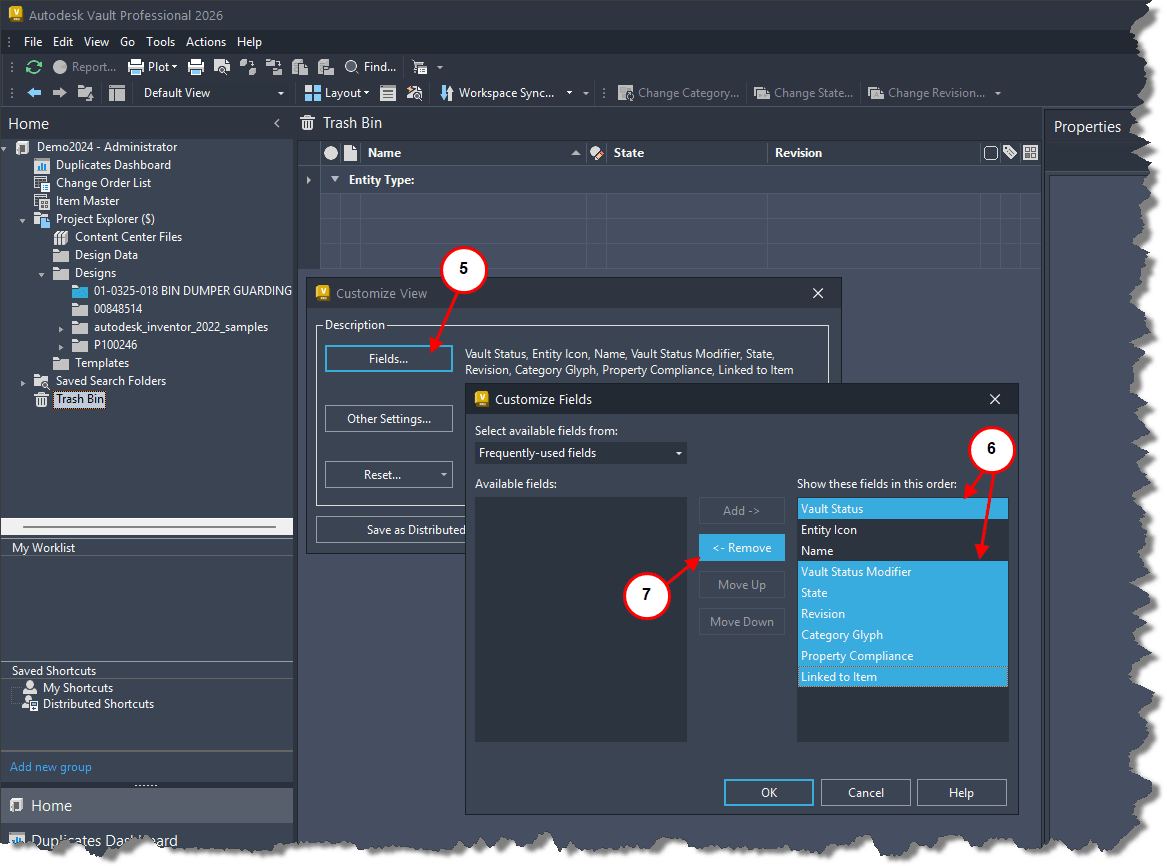 5. Select Fields.
6. Select all but, Entity Icon and Name.
7. Select Remove.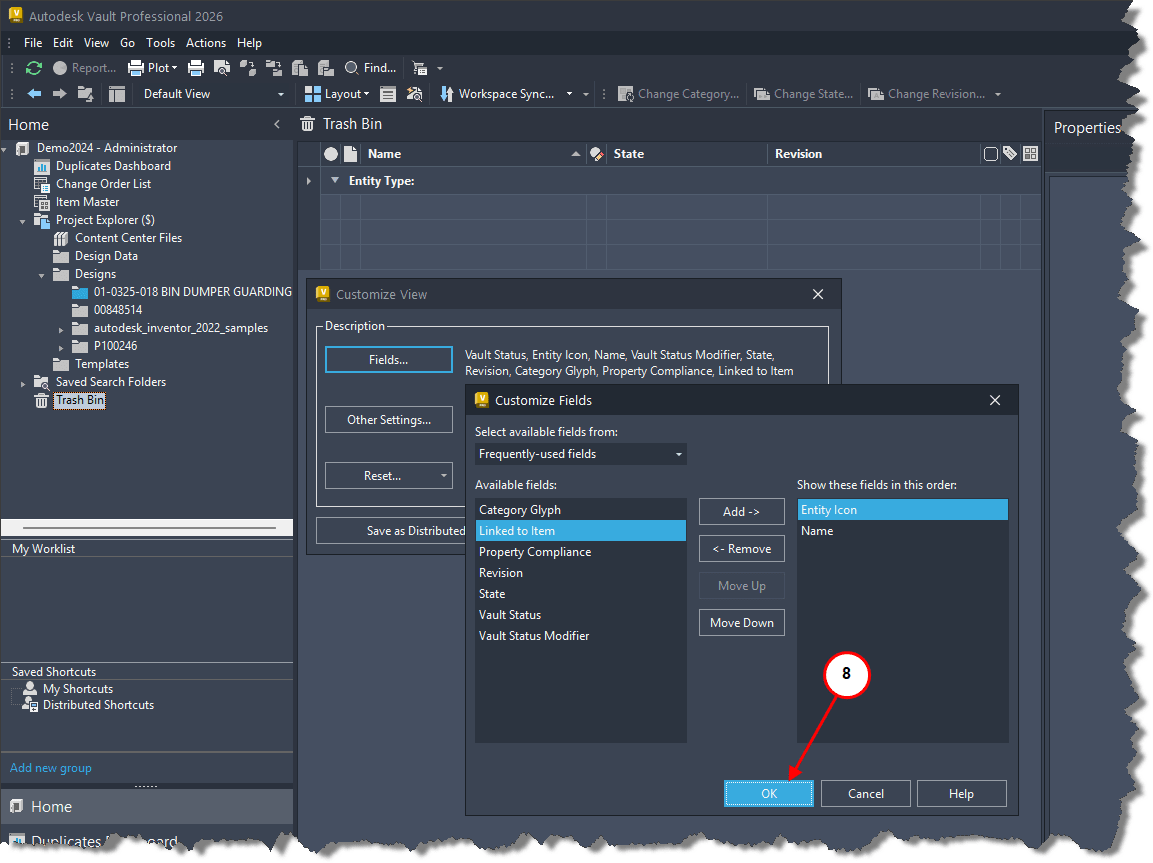 8. Select OK.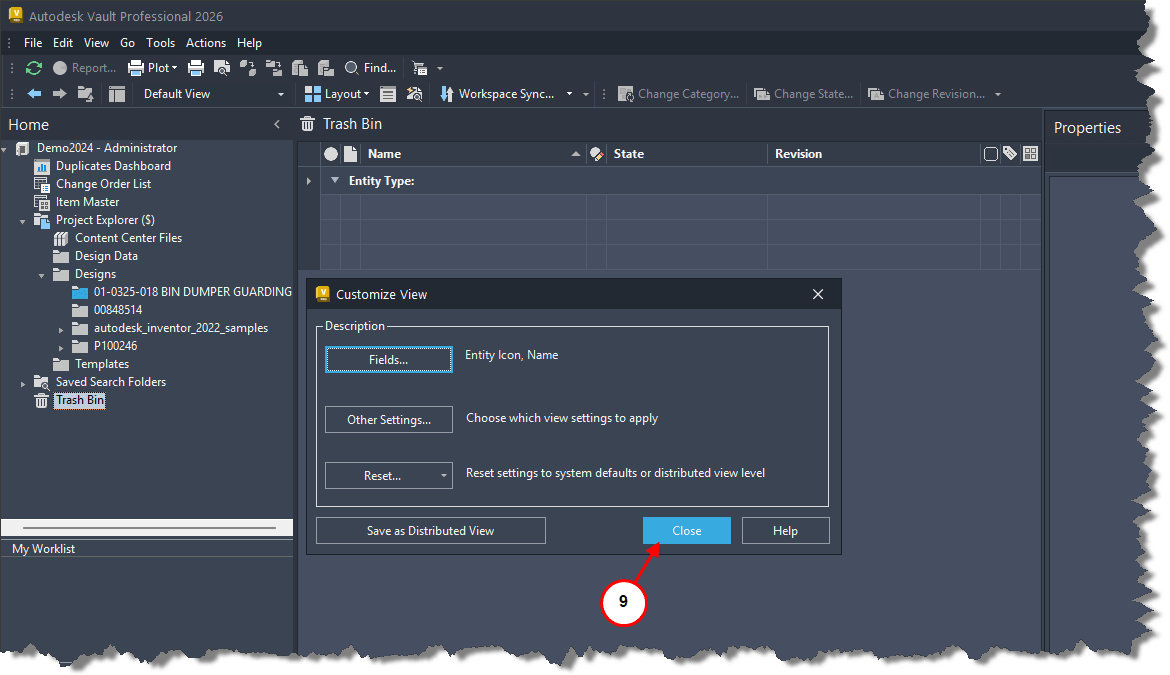
9. Select Close.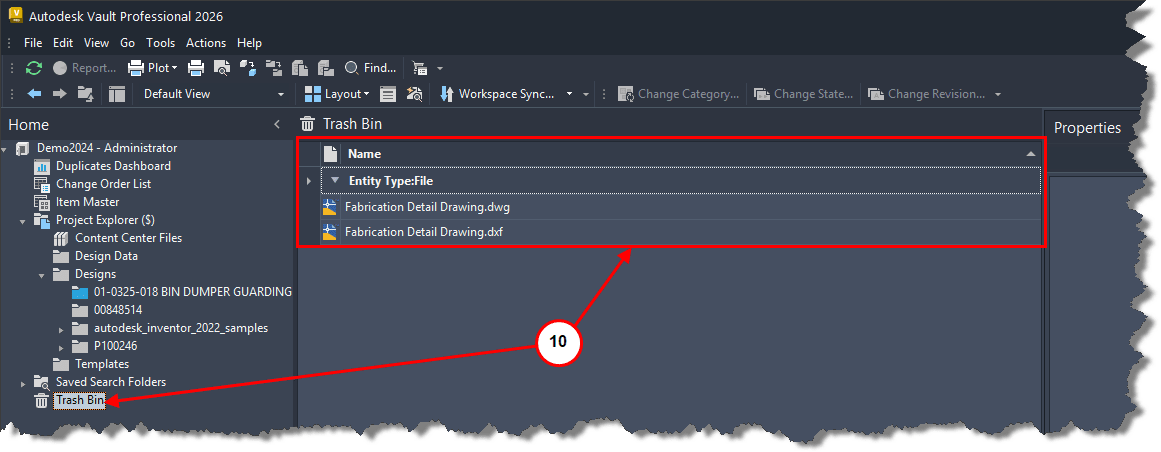 10. Refresh the Vault and the deleted files and folders will be shown.


