

Issue:
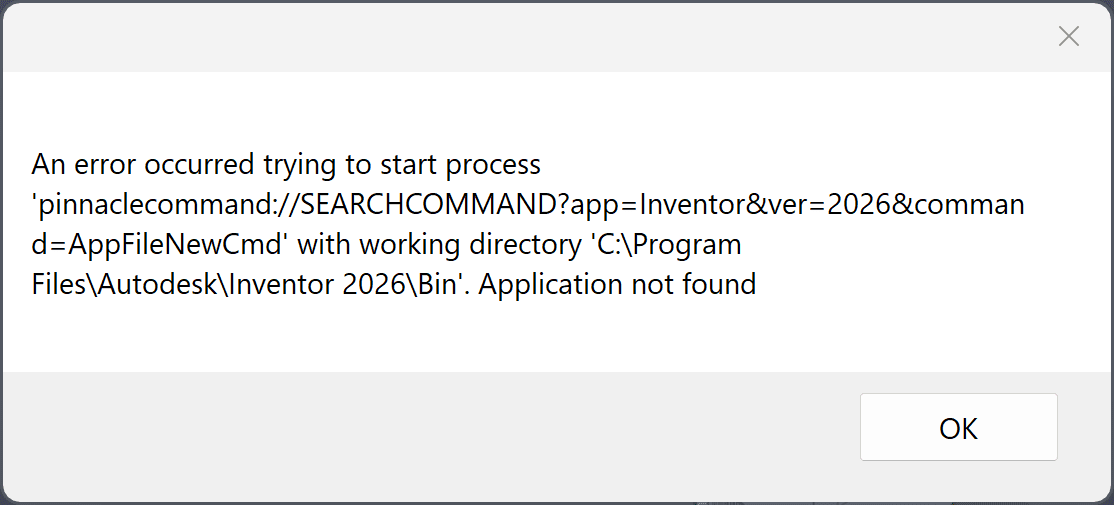
An ‘Application not found’ pop-up error opens on most Inventor commands or when creating a new file:
Causes:
A problem with the Imaginit ProductivityNOW Pinnacle User Tools installation is causing the Add-In error in Inventor. The error can start after updating or installing the Pinnacle User Tools.
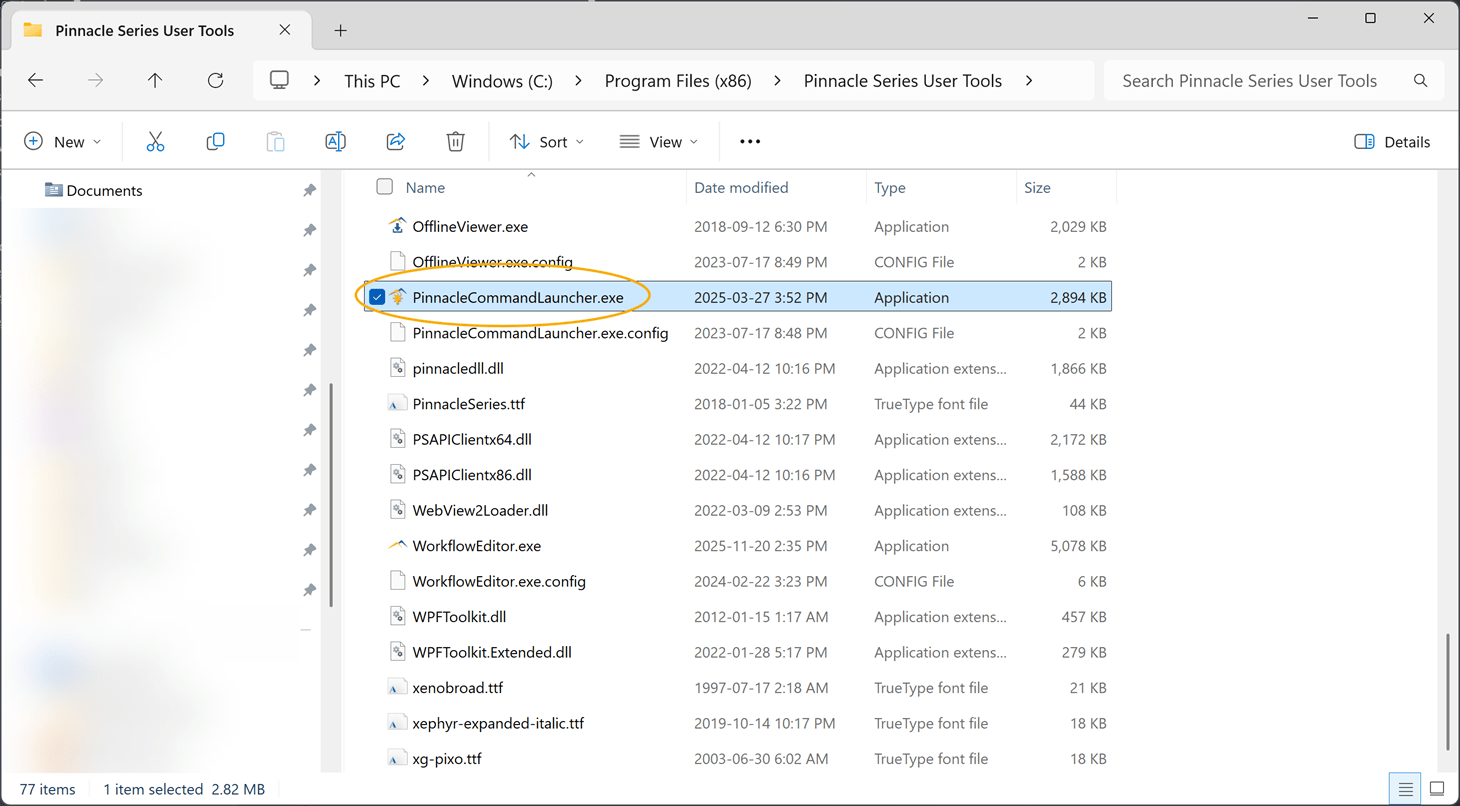
It can be caused by this missing executable file that runs when the Pinnacle Tools Inventor Add-In is loaded: C:\Program Files (x86)\Pinnacle Series User Tools\PinnacleCommandLauncher.exe
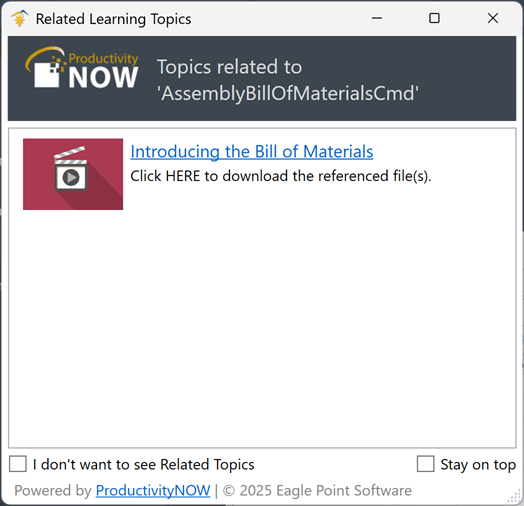
When the Pinnacle User Tools are loaded in Inventor, a Related Learning Topics dialog box opens with related Inventor topics that are available in Productivity Now content.
For example:
Solution:
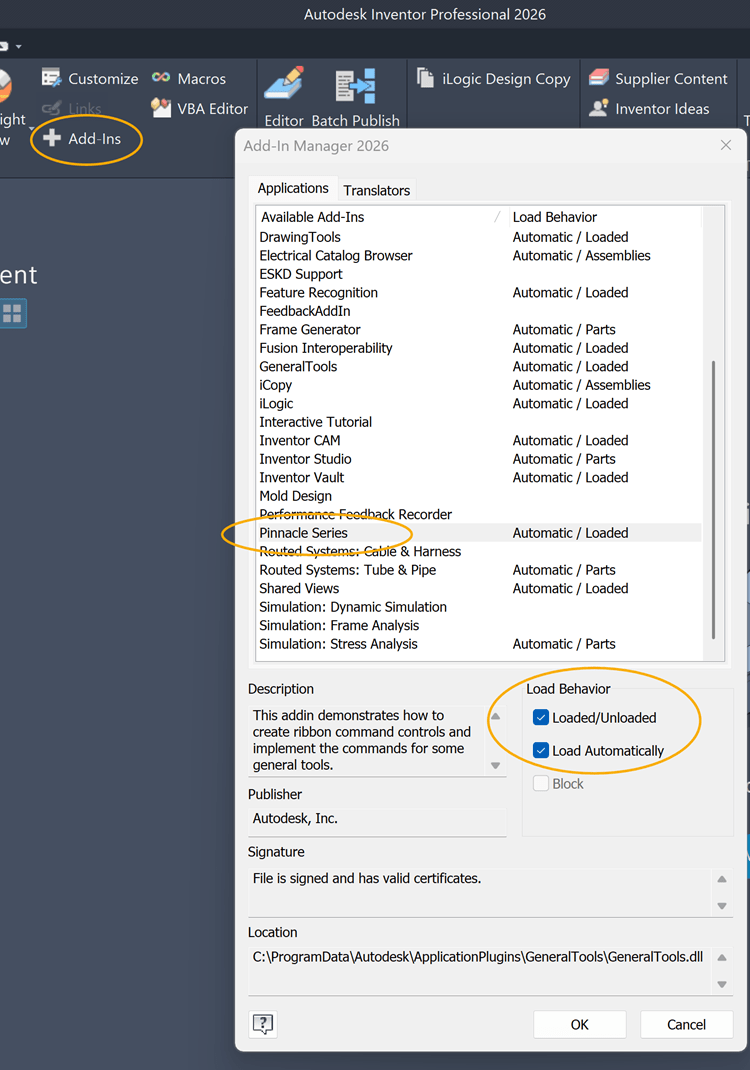
Verify that the Pinnacle Series Add-In is loaded in Inventor:
- Go to the Tools Ribbon and select Add-Ins.
- In the Inventor Add-In Manager, locate the Pinnacle Series Add-In.
- Verify the Add-In is set to 'Automatic/Loaded 'or the ‘Load Automatically’ option is selected under Load Behavior.
Unload the Pinnacle Series Add-In:
-
Select the Pinnacle Series Add-In and unselect ‘Load Automatically’
-
Restart Inventor and test.
If unloading the Add-In gets rid of the error proceed to uninstall and reinstall the Pinnacle User Tools.
You can also verify if the PinnacleCommandLauncher.exe file exists in C:\Program Files (x86)\Pinnacle Series User Tools\. If the file doesn’t exist or the folder is empty, this is a good indication that the installation is corrupt.
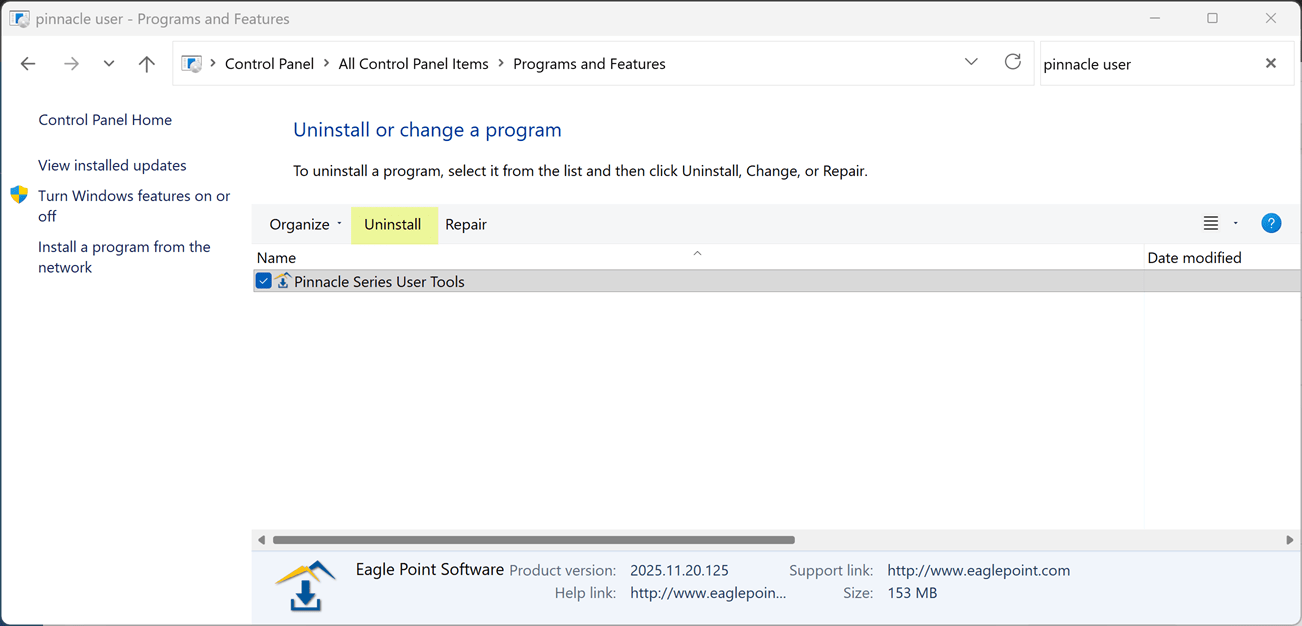
Uninstall Pinnacle Series User Tools:
-
Open Windows Programs and Features or Installed apps.
-
Select Pinnacle Series User Tools and select Uninstall.
Reinstall Pinnacle Series User Tools:
-
From the Direct Link section at the end of this blog: Pinnacle (ProductivityNOW): Where can you download the Pinnacle, User Tools
How to Video: Install the Pinnacle User Tools
Activate Pinnacle User Tools:
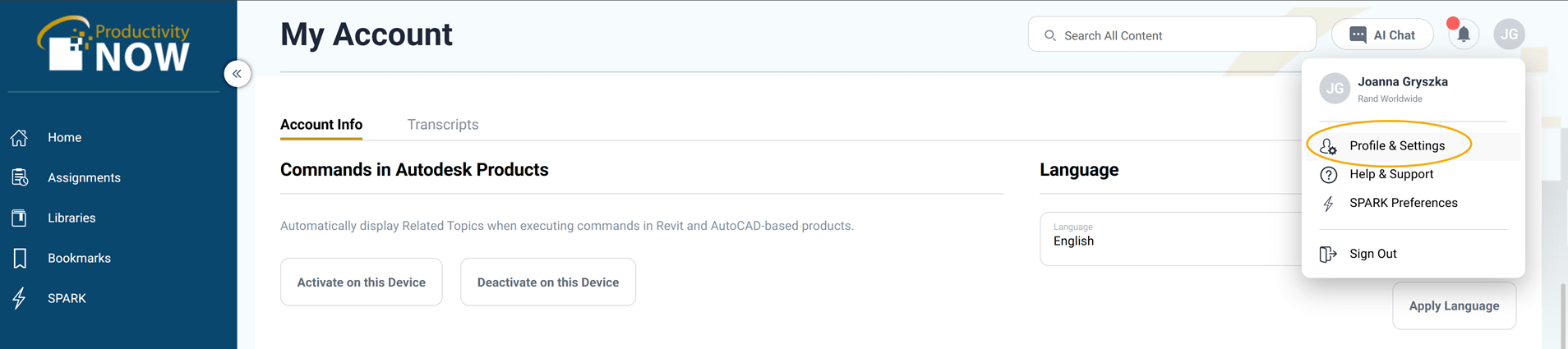
Go to the User Profile icon at the top right in your Productivity Now account.
-
Select Profile & Settings
-
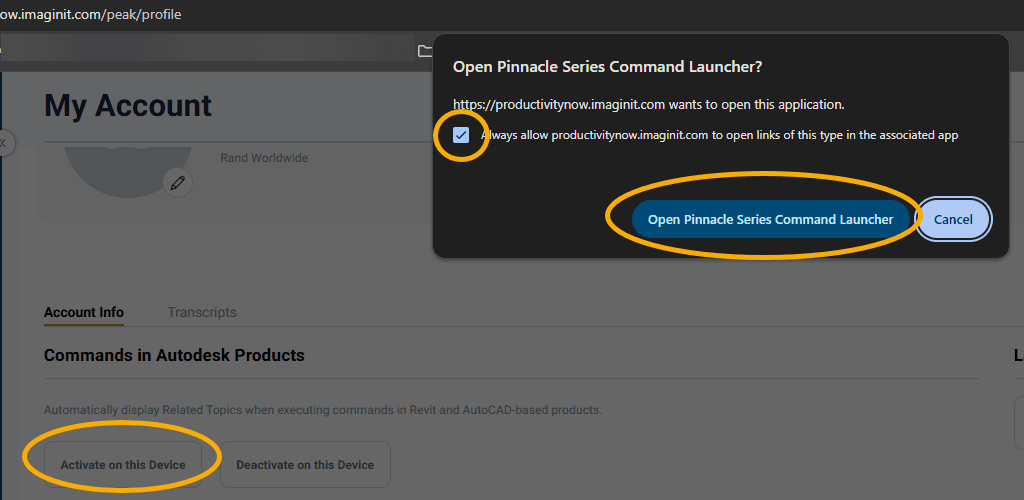
Click on the 'Activate on this Device' button and 'Open Pinnacle Series Command Launcher' in the pop-up to activate the User Tools.
About the Author
More Content by Joanna Gryszka


